Choose the operating system around the browsers and tools your test plan requires: a Mac gives you native Safari, while a Windows laptop lets you work directly in a Windows-and-Edge environment. Whichever route you take, check the exact memory and storage configuration for the tools you run together, then confirm that the laptop’s display connections and charging arrangement suit your home-office desk.
Who this choice affects
Cross-browser test automation users
If you run repeated checks across browser engines, the browsers your test runner can launch matter more than a laptop’s thinness alone. Playwright supports Chromium, Firefox and WebKit across Windows, Linux and macOS.
Safari coverage testers
If your release checks call for native Safari or Safari Technology Preview, a macOS laptop provides that working environment. Running WebKit automation is a different requirement from checking a page in Safari itself.
Desk-based Windows web testers
If you work mainly with Windows tools, Edge, local development processes and an external monitor, check both the installed laptop configuration and how it connects to power and your desk equipment.
What to check before buying
Start with the browsers your test plan requires. Then compare the exact laptop configuration against the tools you keep open and the equipment at your desk.
| Concern | What to check | Who this matters to |
|---|
| Browser and operating-system coverage |
List required browsers and platform-specific tools. Distinguish native Safari checks from WebKit automation and viewport emulation. |
If I must sign off pages in a particular browser, I need access to that browser rather than an approximation. Around 29% of consumers put browser and operating-system coverage first. |
| Concurrent local work |
Check the exact RAM and SSD configuration against your editor, browser sessions, local server and test runner. |
When I keep several test processes and browser profiles open, I need a configuration chosen for that workload. Around 29% of consumers prioritise concurrent local work. |
| Display, ports and charging |
Match the stated external-display support, connections and charging requirements to your monitor or dock. |
I want to sit down at my home-office desk and use my screen and peripherals without guessing what the laptop’s ports can do. Around 21% of consumers make desk connectivity their primary concern. |
| Portability and purchase details |
Confirm the exact variant, included power adaptor and seller terms before ordering. |
If I also carry the laptop away from my desk, the complete setup matters as much as the laptop on its own. Around 21% of consumers put portability and purchase details first. |
Buying pitfalls
-
Treating mobile emulation as a compatibility test
Chrome for Developers describes Device Mode as an approximation: it does not run your code on the mobile device or reproduce every browser difference.
Use emulation for quick layout checks, then test release-critical behaviour in the required browser or on a real device.
-
Confusing WebKit automation with native Safari
Playwright can run WebKit tests on supported operating systems, but that does not make a Windows WebKit run a native Safari check.
If your acceptance criteria name Safari or Safari Technology Preview, include a macOS Safari test route.
-
Assuming USB-C will handle the whole desk setup
Display output and charging depend on the laptop and the equipment connected to it. Dell’s XPS 13 page, for example, specifies 27–65W charging and says a charger is not included.
Compare the chosen laptop’s display support and charging requirements with your monitor, dock and power source.
You may need a compatible dock, adaptor or charger to complete that setup.
-
Comparing product families instead of exact variants
Memory, storage and other supplied features can differ within a laptop family, so a familiar model name is not enough to identify the configuration you will receive.
Check the full model or part number against the seller’s stated memory, SSD, display, keyboard, operating system, included accessories and warranty.
Relevant brands for reference
Apple
MacBook Air is relevant when native Safari testing is part of the home-office workflow.
- Apple’s MacBook Air specifications list an M5 option with 16GB unified memory, two Thunderbolt 4 ports and support for up to two external displays.
- Confirm the exact retailer configuration; working on a Mac does not itself check Windows-specific or Edge behaviour.
Lenovo
ThinkPad T14 configurations offer a Windows business-laptop route for desk-based testing.
- A Lenovo UK ThinkPad T14 Gen 6 configuration lists Windows 11, 16GB memory and a 256GB SSD.
- Those specifications belong to the cited configuration, not every ThinkPad T14; compare the exact part number before ordering.
Dell
XPS 13 is a compact Windows-laptop option for someone who moves between a home-office desk and other locations.
- Dell’s UK XPS 13 page lists a Windows 11 configuration.
- Dell states that a charger is not included and specifies 27–65W charging; check the power arrangement for your chosen configuration.
HP
EliteBook 8 G1i configurations are relevant to Windows testers comparing business-laptop specifications.
- A cited HP Store UK EliteBook 8 G1i configuration lists Windows 11 Pro, 24GB RAM, a 512GB SSD and a 14-inch display.
- HP says components vary by configuration, so confirm the exact SKU rather than assuming those specifications apply across the range.
Joybuy laptop choices
These laptops offer Mac and Windows-oriented choices for web-page testing at a home-office desk. Match the operating system to your required browsers, then compare each variant’s stated memory, storage and desk connections; the products below are not interchangeable Safari and Windows test environments.
 No image available
ASUS Vivobook 14 X1407QA-LY003W, Snapdragon X, 16GB, 512GB SSD, Quiet Blue
For a testing workflow using this Snapdragon X laptop, check that your specific browser-test runners and local development tools are compatible before buying.
This variant is identified with 16GB RAM and a 512GB SSD.
View on Joybuy
 No image available
Lenovo LOQ Essential 15ARP11, Ryzen 7 170, RTX 5050, 16GB, 1TB SSD
For a desk-based testing setup, compare its larger-screen format with the space and portability you need.
The named variant has a 15.6-inch 144Hz FHD display, 16GB RAM and a 1TB SSD; check that its memory configuration meets your planned workload.
View on Joybuy
 No image available
Apple 15-inch MacBook Air M5, 16GB, 1TB SSD, Silver
A MacBook Air provides a macOS route when native Safari checks are required; plan a separate Windows test environment if your work also requires Windows-specific verification.
This variant is identified with a 10-core CPU, 10-core GPU, 16GB memory and a 1TB SSD. Check its connections against your monitor or dock.
View on Joybuy
 No image available
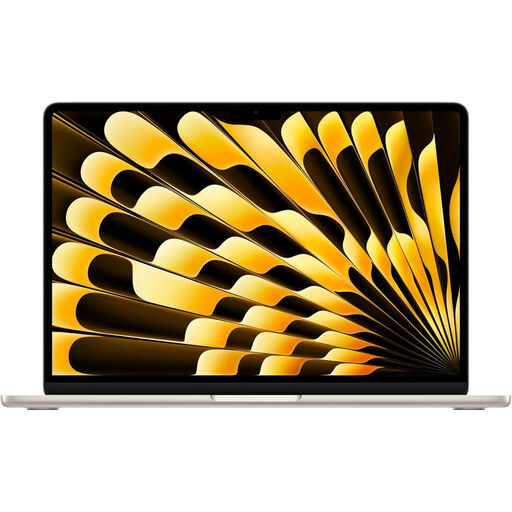
Apple 15-inch MacBook Air M5, 16GB, 512GB SSD, Starlight
This MacBook Air offers the macOS route for native Safari checks, but does not replace testing in a required Windows environment.
The named variant has a 10-core CPU, 10-core GPU, 16GB memory and a 512GB SSD. Check whether that storage capacity suits your local projects and test files.
View on Joybuy
 No image available
Lenovo Legion Pro 7 16IAX10H, 83F5000UUK, 64GB, 2TB SSD
For a Windows testing workflow with several local processes, compare this configuration with the memory and storage your work requires; native Safari checks still need a macOS route.
The named variant lists Windows 11 Home, an Intel Core Ultra 9 processor, NVIDIA GeForce RTX 5090, 64GB RAM, a 2TB SSD and a 16-inch display. Confirm the power arrangement for your desk.
View on Joybuy
Common questions
Can Chrome DevTools mobile emulation replace testing on a real phone?
No. Chrome for Developers describes Device Mode as an approximation that does not run your code on a mobile device or reproduce every browser difference. Use it for quick layout checks, then test important behaviour in the required browser or on a real device.
Do I need a Mac to test web pages?
You need a Mac if native Safari or Safari Technology Preview is a required test target, but not for every web-testing workflow. Playwright supports Chromium, Firefox and WebKit across Windows, Linux and macOS; decide whether your acceptance criteria require Safari itself rather than WebKit automation.
What if a laptop bought from a UK trader is faulty?
For a consumer purchase, GOV.UK says a trader must repair or replace an item returned within six months unless it can prove the item was not faulty when supplied. Fault remedies are distinct from a change-of-mind return; the appropriate remedy depends on the circumstances of the purchase and fault.


