What to prioritise when buying
For a laptop used across changing locations, start with required software, then weigh carrying comfort and battery evidence against your budget and desk needs.
| Concern |
What to check when buying |
Who this matters to |
| Required software and files |
List mandatory apps and file features before choosing an operating system. Microsoft says its Windows and Mac desktop versions of Microsoft 365 cannot be installed on a Chromebook. |
If my course or workplace depends on a particular app or file feature, I need to confirm it works before comparing hardware. Around 31% of consumers put software compatibility first. |
| Carrying comfort and unplugged use |
Compare the exact model’s size and weight, and distinguish manufacturer-rated battery figures from results tested under a comparable workload. Apple’s MacBook Air battery claim is tied to specified test conditions. |
When I carry a laptop between home, campus and work, I want a manageable size and useful battery evidence for times away from a socket. Around 31% of consumers make mobility and unplugged use their main concern. |
| Total value and refurbished condition |
For a refurbished unit, check its battery evidence, written warranty and remaining operating-system support. Microsoft notes that battery capacity declines with use. |
If I am considering a refurbished laptop, I want clear details about its condition and support as well as a suitable specification. Around 23% of consumers prioritise total value and condition. |
| Comfort at a regular desk |
Decide whether the built-in screen suits longer sessions, then check the exact laptop’s external-display support and ports. Apple and ASUS list connection details for their cited models. |
For long sessions at a regular desk, I want enough screen space without giving up a laptop I can carry. Around 15% of consumers put desk-screen comfort first. |
Joybuy laptops for work and study
These Joybuy options cover Windows laptops and Chromebooks for routine work or study; check software compatibility before choosing between them.
 Image unavailable
Lenovo IdeaPad Slim 3 15.3-inch (83K7009MUK)
A Windows option for everyday work or study when you want a larger built-in screen; the listed configuration weighs 1.59kg.
15.3-inch WUXGA display; AMD Ryzen 5 7535HS; 24GB DDR5 RAM; 512GB PCIe SSD; Windows 11 Home; Wi-Fi 6.
View on Joybuy
 Image unavailable
Apple 13-inch MacBook Air (M5, 16GB, 1TB SSD)
Consider this macOS option if your required applications support macOS and you want a smaller built-in screen for carrying between locations.
M5 chip with 10-core CPU and 10-core GPU; 16GB unified memory; 1TB SSD; 13.6-inch Liquid Retina display; two Thunderbolt 4 ports.
View on Joybuy
 Image unavailable
Acer Aspire Lite AL15-36P-C29Z
A Windows laptop for everyday study or office tasks, with a larger anti-glare screen for documents and desk use; the listed weight is 1.53kg.
15.6-inch Full HD anti-glare display; Intel N150; 8GB DDR4 RAM; 128GB SSD; Windows 11 Home; HDMI.
View on Joybuy
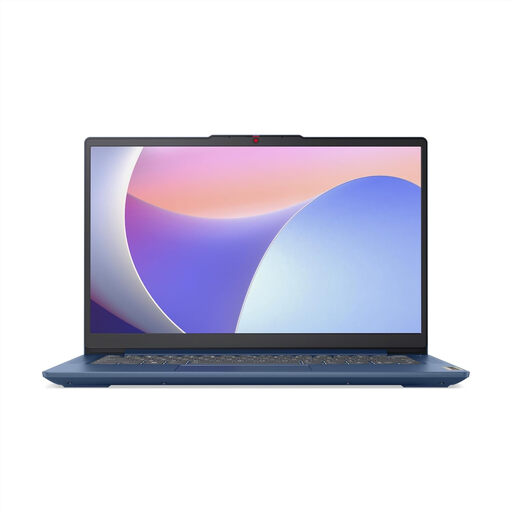 Image unavailable
Lenovo IdeaPad Slim 3 14-inch Chromebook (82XJ0010UK)
A browser-centred option for work or learning; the listed Chromebook weighs 1.3kg and has a fanless design. Microsoft’s Windows and Mac desktop versions of Microsoft 365 cannot be installed on ChromeOS.
14-inch Full HD display; MediaTek Kompanio 520; 8GB RAM; 128GB eMMC; ChromeOS.
View on Joybuy
 Image unavailable
Acer Chromebook Plus 514 CB514-5H
A Chromebook Plus option for browser-based productivity and learning. ChromeOS does not allow installation of the Windows or Mac desktop versions of Microsoft 365.
14-inch WUXGA (1920 x 1200) IPS anti-glare display; Intel Core i3-1315U; 8GB RAM; 256GB SSD; USB-C ports support DisplayPort.
View on Joybuy
Laptop buying FAQs
Will a Chromebook run the Office applications my course or employer requires?
Microsoft 365 apps are available through a browser on Chromebooks, but Microsoft says its Windows and Mac desktop versions cannot be installed there. Before buying, check that your specific files, required features and other course or work software function in that setup.
What should I ask before buying a refurbished laptop?
Ask for the exact model and configuration, battery-condition evidence, details of defects or grading, warranty coverage and the seller’s return terms. For an older Windows laptop, check its current software-support position. Apple’s one-year limited warranty applies to its Certified Refurbished programme, not every refurbished laptop.
How can I use a portable laptop for longer sessions at home?
If the built-in screen is too small for your regular desk work, check the exact laptop’s external-display support and match its ports to the monitor and any required cable or dock. Apple and ASUS list different connection options for their cited models, so check the chosen variant before selecting accessories.
What UK rights apply when I buy a laptop online from a trader?
GOV.UK says online customers can generally notify the trader that they wish to cancel within 14 days of receiving an item and have a further 14 days to return it; exceptions and rules about handling apply. Faulty or misdescribed goods involve separate remedies. Check who the actual seller is and distinguish statutory rights from any additional warranty.


