What to check before buying
Work from the screen and input position first, then check display connections and only add a dock where repeated connections make it useful.
| Priority |
What to check |
Your needs |
| Screen and input position |
Check whether the laptop screen can be raised while a separate keyboard and mouse remain at a workable position. A riser alone does not separate the input devices. |
I want the screen higher without having to type or use a trackpad at the same raised height. |
| External display connection |
Match the laptop video output to the monitor input and the required cable or adapter. Confirm how many independent external displays the laptop supports. |
I need more room for documents, spreadsheets, communications or multitasking, and I want an extended desktop rather than a mirrored screen. |
| Dock and charging support |
Check the laptop port standard, video capability, dock power delivery, cable specification and required display configuration. USB-C describes a connector, not every available function. |
I repeatedly connect a monitor, peripherals, network cable and charger, so one repeatable desk connection would be useful. |
| Workplace arrangements |
Ask about the DSE assessment, approved equipment, repairs, IT support and expense process before ordering. For eligible regular DSE home workers in Great Britain, HSE says workers cannot be charged where an assessment indicates equipment should be provided. |
I want to know whether an employer process affects what equipment I should buy or who arranges it. |
Joybuy product options
Joybuy product options for laptop screen positioning, separate input devices, external displays and a compatible USB-C desk connection.
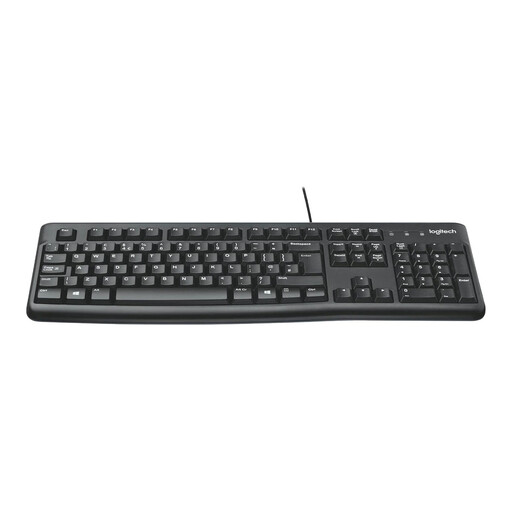 No image available
Logitech MK120 Wired Keyboard and Mouse Combo
A separate keyboard and mouse option for a raised laptop screen or external display. The bundle has a full-size UK QWERTY keyboard with number pad, adjustable tilt legs and an ambidextrous optical mouse; it uses wired USB and is stated to support Windows 7, 8, 10 or newer. Confirm compatibility with macOS, ChromeOS or a managed work laptop, and allow for the USB cables.
Joybuy
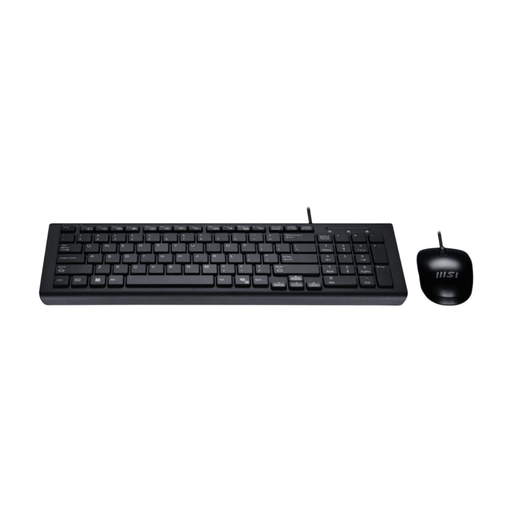 No image available
MSI GK-701 Office Keyboard and Mouse Set
A wired USB input set for a home or hybrid desk with an available USB-A port. It has a full-size UK layout with number pad, low-profile membrane keys, an optical mouse and a Copilot key stated for Windows 11. Confirm USB-A availability and the Copilot key’s function on the intended operating system; the set does not change screen height or add display space.
Joybuy
 No image available
CRUA 32-inch Curved QHD Monitor
An external display for a permanent desk needing more workspace. This 32-inch monitor has 2560×1440 resolution, dual HDMI and dual DisplayPort inputs, tilt adjustment and VESA 100×100 mm mounting. Confirm the laptop output, cable or adapter path, supported extended-display setup and whether the supplied stand provides the screen-height adjustment you need.
Joybuy
 No image available
V7 V7UC-U3CRJ45HDVG-BLK USB-C Adapter
A desk adapter for repeatedly connecting one display, wired network and USB peripherals. It provides HDMI up to 3840×2160 at 30 Hz, VGA up to 1920×1200 at 60 Hz, Gigabit Ethernet, two 5 Gbps USB ports and up to 100W USB-C power-delivery pass-through. It requires a USB-C Alt Mode host and supports a single SST display, so confirm laptop video and charging support plus the charger and cable.
Joybuy
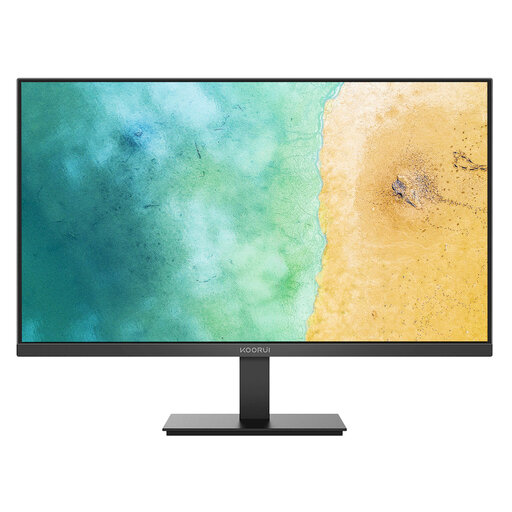 No image available
KOORUI MB27V29FS2 27-inch IPS Monitor
An external screen option for a regular laptop desk where a 27-inch display fits. It has a 1920×1080 IPS anti-glare panel, HDMI and VGA inputs, tilt adjustment and VESA 100×100 mm mounting. Confirm the laptop’s output, cable or adapter path and extended-display support; assess a separate keyboard and mouse if you also raise the laptop screen.
Joybuy
Frequently asked questions
Does a Great Britain employer have to provide a specific monitor, dock or keyboard for every home worker?
No. Health and Safety Executive guidance does not establish a fixed universal accessory list: where DSE rules apply, the employer should assess the individual workstation and act on identified risks. HSE says that if an assessment indicates action such as providing DSE equipment, the worker cannot be charged for it.
When do Great Britain DSE rules apply to home workers?
HSE says the rules can apply to permanent or long-term home workers and routine hybrid workers who use display screen equipment daily for continuous periods of an hour or more. It distinguishes this from occasional or short-term DSE use at home.
Should I buy a laptop riser by itself for long work sessions?
Usually no. For prolonged laptop use, HSE guidance says the keyboard and mouse should be separate so the screen can be elevated on a riser or similar support. Treat the riser, keyboard and mouse as one setup rather than assuming a stand alone solves the positioning issue.
Will any USB-C dock run two extended monitors and charge my laptop?
No. Confirm the exact laptop’s USB-C, USB4 or Thunderbolt capability, graphics support for the required number of displays, dock outputs, charging output and cable requirements. Microsoft notes that a display splitter duplicates a signal rather than creating two independent displays.
What should I ask my employer before buying home-working equipment personally?
Ask whether there is a DSE assessment process, whether equipment and repairs are provided or reimbursed, what IT support is available, and whether approved-device or security rules apply. Acas advises employers to discuss equipment, costs and support arrangements with staff.


