Students with a regular study desk
If most reading, writing and online sessions happen at one desk, compare the space and laptop connections needed for a monitor with the footprint of a raised laptop and separate input devices.


A separate monitor is worth considering if you study mainly at one desk and have space and a compatible laptop connection. A laptop stand with separate keyboard and mouse keeps the arrangement more compact; if you regularly change rooms, check whether the equipment folds away easily. Whichever route you choose, allow room for your documents and check the connections and accessories you will need.
If most reading, writing and online sessions happen at one desk, compare the space and laptop connections needed for a monitor with the footprint of a raised laptop and separate input devices.
If you move your laptop or put the desk away after studying, folded size, the number of items to carry and compatibility with wireless input devices become important checks.
If you regularly refer to printed readings or notes alongside coursework on screen, leave space for documents and consider where reflections fall. The Health and Safety Executive includes desk arrangement and lighting in its screen-work guidance.
For long laptop-study sessions, decide where the screen and input devices will go before choosing between a permanent monitor desk and equipment you can put away. Then check the space, connections and lighting that could affect that arrangement.
| Concern | What to check | Who this matters to |
|---|---|---|
| Screen and input positions | With a laptop stand, check laptop fit and leave desk space for a separate keyboard and mouse. For a monitor, plan where the laptop and input devices will sit. | If I spend long sessions typing and reading, I want to position the screen without having to type on a raised laptop keyboard; around 36% of consumers would make that separation their primary concern. |
| Moving or storing the setup | Check folded dimensions, carried weight and whether the keyboard and pointing device work with your laptop. | When I move between rooms or clear the desk after studying, I need equipment that is manageable to pack away. Portability would come first for around 29% of consumers. |
| Documents and glare | Allow space for books or a document stand; identify the source of reflections before choosing a light or screen accessory. | If I work between printed notes and the screen, I need both within reach without troublesome reflections; around 21% of consumers would put document layout and glare first. |
| Monitor connection and fit | Compare the laptop’s display output with the monitor’s inputs, and check desk dimensions. Confirm USB-C video and charging support separately if you intend to use them. | Before committing desk space to a monitor, I want to know it will connect to my laptop and fit beside my other study materials. That would be the main concern for around 14% of consumers. |
A stand raises the laptop screen, but it also raises its built-in keyboard. For sustained typing, Posturite’s workstation guidance pairs a raised screen with separate input devices.
Try the proposed layout on your desk before ordering, leaving space for the keyboard, mouse and any paper notes.
If they are not part of a bundle, the keyboard and mouse are additional items to arrange.
Monitor connections differ by model. Dell lists HDMI and DisplayPort inputs for the P2425H, while its P2425HE has a USB-C hub with up to 90 W power delivery; your laptop must support the connection you intend to use.
Compare the exact laptop and monitor specifications before choosing a cable or adapter.
Depending on the connection, a different cable or adapter may be needed.
A stand that packs flat still needs to fit and support the laptop. Twelve South states a minimum laptop width of 8.66 inches and a maximum weight of 7 pounds for Curve Flex.
Compare your laptop’s dimensions and weight with the limits for the exact stand you are considering.
Reflections can depend on the window, lighting and screen position as well as the screen itself. The Health and Safety Executive advises considering desk arrangement and adjustments to screens and lighting.
Identify where the reflection comes from and try repositioning the screen or light before adding an accessory.
A reference point for comparing fixed-desk monitors and their connections.
A pack-away option for a laptop desk with separate input devices.
A fold-flat laptop-stand option for a desk that is regularly cleared or moved.
A fixed desktop-stand option when the laptop usually stays in one place.
A reference for buying a laptop stand and separate input devices together.
These products cover external monitors for a fixed study desk and a folding lamp for desk lighting. A monitor still needs a suitable laptop connection; a lamp addresses lighting rather than screen or keyboard placement.
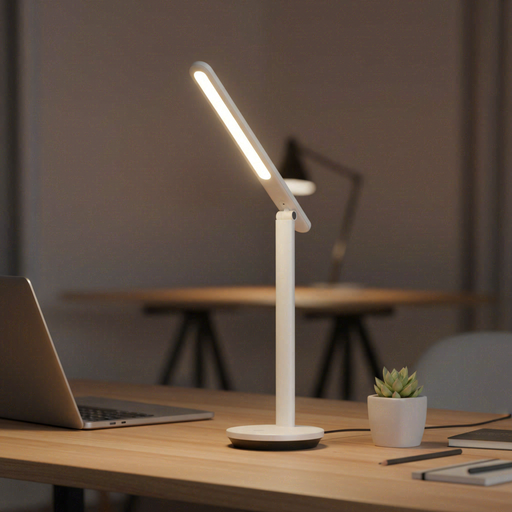 No image available
Consider this folding, rechargeable lamp if desk lighting is the part of your study setup you need to address.
Its title lists adjustable brightness. Check the light output and battery runtime against the length and layout of your study sessions.
 No image available
Consider this separate-screen option for a desk that remains set up between study sessions.
The title identifies an IPS QHD model. Check its stand dimensions and confirm that your laptop can use the intended video connection and, if needed, charging arrangement.
 No image available
This is another separate-screen choice for a regular study desk.
The title identifies an IPS WUXGA model. Check the monitor’s footprint, your laptop’s display output and which cable is supplied for the product you order.
 No image available
Consider this monitor if you want a separate screen at a fixed desk.
Its title specifies a 24-inch-class Full HD LED display with a 16:9 aspect ratio. Confirm the connection from your laptop and allow for the monitor’s stand on your desk.
 No image available
Consider this separate-screen option only after checking that its size works with your study desk and documents.
The product title lists 3840 × 2160 resolution and 65 W USB-C power delivery. The title calls the screen 32 inches, while the technical table gives 31.5 inches; confirm the diagonal and your laptop’s video and charging compatibility before ordering.
Plan for separate input devices if raising the laptop puts its built-in keyboard in an awkward position for extended typing. Posturite’s workstation guidance pairs a raised laptop screen with a separate keyboard and mouse; check that you have room for both on the desk.
Compare your exact laptop’s supported display outputs with the monitor’s inputs and the cable or adapter you intend to use. If you want video and charging through USB-C, check both functions and your laptop’s power requirements separately; a USB-C connector alone does not establish compatibility.
Check where the reflection or lighting problem occurs before buying another item. The Health and Safety Executive advises considering screen position and lighting to avoid glare, so moving the screen or light may address the particular issue first.