What matters when choosing?
Start with the funder’s submission requirements, then choose a keyboard, screen and carrying arrangement that suit where you will write. A Windows laptop is the clearer route when a required application is Windows-only; macOS remains an option when the complete workflow works there.
| Concern |
What to check |
Who this matters to |
| Documents and submission |
Confirm the funder’s template formats, portal browser, signing tools and required desktop software. Check separately whether an Office licence is included. |
If my funder requires a particular template or upload process, I need to finish and submit the file without changing its required format; around 42% of consumers put workflow compatibility first. |
| Long-form writing comfort |
Try the keyboard if possible, and check the exact screen, UK keyboard layout and memory configuration. |
When I am drafting and revising for extended periods, I want a keyboard and screen I can work with comfortably; writing comfort is the primary concern for around 33% of consumers. |
| Working away from a desk |
Compare the device and charger weight, ports and the conditions behind any stated battery figure. |
If I move between meetings and writing locations, carrying the laptop and finding a way to charge it matter most; around 17% of consumers prioritise mobility. |
| Collaboration and accessibility |
Check the camera and microphone for calls, and test the browser, display settings and assistive technology your workflow requires. |
When shared reviews or accessibility tools shape how I work, I need the setup to accommodate them; those needs come first for around 8% of consumers. |
Joybuy laptops for bid-writing workflows
These laptops offer different Windows-based arrangements for drafting and reviewing bid documents, from compact models to larger or dual-screen setups. Check each model against the funder’s software and submission requirements before choosing.
 No image available
ASUS Vivobook 14 X1407QA-LY003W, Snapdragon X, 16GB, 512GB, Quiet Blue
Consider this 14-inch model for a more compact drafting setup. It has a Snapdragon X processor, 16GB RAM and a 512GB SSD; check that any required specialist software or signing tool works with this processor configuration.
View on Joybuy
 No image available
ASUS Vivobook 15 X1504VA, Core 5 120U, 24GB, 1TB, Cool Silver
Consider the 15.6-inch screen if you would rather review documents on a larger laptop than carry a 13- or 14-inch model. This Intel Core 5 120U configuration lists 24GB memory and a 1TB SSD; confirm the keyboard layout and working battery life for your use.
View on Joybuy
 No image available
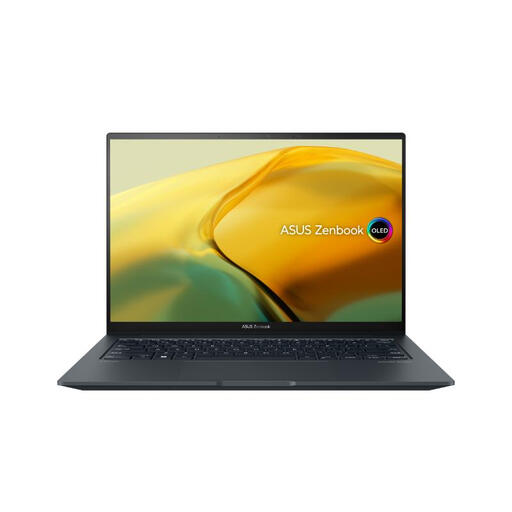
ASUS ZenBook UX3404VC-M3130W, 14.5-inch OLED, Core i9, RTX 3050, 16GB, 1TB
The 14.5-inch touchscreen offers another way to review documents alongside keyboard input. This Windows 11 Home configuration lists 16GB RAM and a 1TB SSD; check its connections against your external display and other equipment.
View on Joybuy
 No image available
Microsoft Surface Laptop 7, 15-inch, Snapdragon X Elite, 16GB, 256GB, Maya Color
The 15-inch touchscreen suits writers considering a larger display for reading bid material. This configuration has 16GB RAM and a 256GB SSD; check whether that storage suits your local files and whether required applications work with its Snapdragon X Elite processor.
View on Joybuy
 No image available
ASUS Zenbook DUO UX8406CA-QL135W, dual 14-inch OLED, Core Ultra 7 255H, 16GB, 1TB
The two 14-inch touchscreens provide a setup to consider if you want reference material visible while drafting. It has a detachable keyboard, 16GB memory and a 1TB SSD; check whether the keyboard arrangement suits sustained typing and carrying.
View on Joybuy
Frequently asked questions
Do I need a Windows laptop to write a funding bid?
No: a Mac can work if the funder’s portal, templates, file formats and any signing or collaboration tools work on macOS. Choose Windows if a required application is Windows-only, and check the complete workflow rather than assuming that access to a browser resolves every software requirement.
Can I use Word for the web instead of desktop Word?
Yes, for drafting and collaboration when its features meet the bid’s requirements. Microsoft Support says Word for the web cannot save documents in the legacy .doc or .dot formats, so check prescribed templates and the final upload format before relying on browser-only editing.
How much memory and storage should I consider?
Consider 16GB memory if you expect to keep several documents, browser tabs and a video call open together. Decide on storage from the bid files you need to keep locally and your organisation’s backup arrangements; a particular SSD capacity is not a universal funding-application requirement.
How should I check accessibility for a bid-writing workflow?
Test the laptop’s display and input settings, your assistive technology and the specific application service you will use. For documents you are asked to provide, follow the funder’s format instructions; GOV.UK guidance warns that PDFs can be difficult to use with assistive technology and advises using HTML where possible for published content.


