What matters when buying?
Start with the operating systems and browsers in your release plan, then check the exact laptop configuration against your local workload. Treat payment testing and physical-device coverage as parts of the test plan, not specifications a laptop can provide.
| Concern |
What to check |
Who this matters to |
| Operating system and browsers |
List required native operating systems and browser paths before choosing Windows x86, macOS or Windows on ARM. Check whether your automation coverage meets the release plan. |
If my checkout needs native Safari checks or Windows-only tools, the operating-system choice determines which path I can test locally. Around 36% of consumers put operating-system and browser coverage first. |
| Local workload |
Check the selected variant’s memory and SSD capacity against your editor, local server, test runner and concurrent browser sessions; do not rely on the processor name alone. |
When I run development tools, logs and several browser sessions together, I need a configuration that fits that workload. Roughly 29% of consumers make repeatable automation and multitasking their primary concern. |
| Payment-flow testing |
Confirm that your payment provider offers the test mode, credentials and test values needed for the checkout paths you must exercise. |
If I need to check declines and authentication without using real card details, the provider’s test environment matters more to me than a laptop feature. For around 21% of consumers, safe payment-flow validation comes first. |
| Mobile and manual checks |
Consider screen size and portability for manual work, then identify which target-device checks require a physical phone or device-testing service. |
When I inspect layouts away from my desk, I want a laptop that is practical to carry, but I still need a way to check device-specific behaviour. Around 14% of consumers prioritise portable, responsive and real-device QA. |
MacBook Air options on Joybuy
These MacBook Air configurations suit consideration when native macOS or Safari-related checkout checks are required. Choose between their stated screen sizes and storage capacities, and check your local tools for macOS support; these laptops do not replace Windows-specific or real-phone testing.
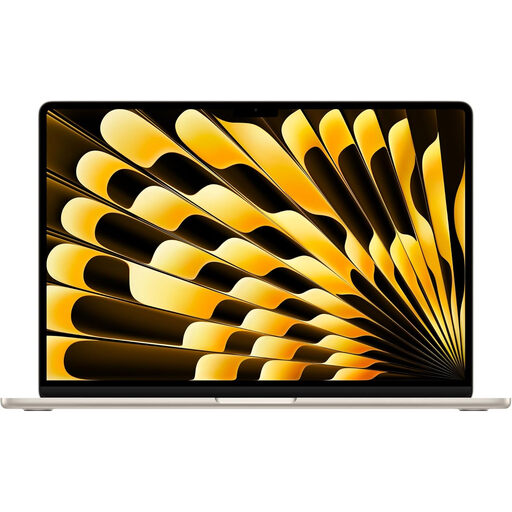 Image unavailable
Apple MacBook Air 13-inch M5, 16GB, 1TB SSD, Starlight
Consider this 13-inch macOS configuration if Safari-related checkout checks are part of your release plan. The listing specifies an M5 chip, 16GB memory and a 1TB SSD; confirm that your required development and workplace tools run on macOS.
View on Joybuy
 Image unavailable
Apple MacBook Air 15-inch M5, 16GB, 1TB SSD, Silver
Consider this macOS option if you want the listed 15-inch screen for manual checkout inspection. Its stated configuration has an M5 chip, 16GB memory and a 1TB SSD; check macOS compatibility for each required local dependency.
View on Joybuy
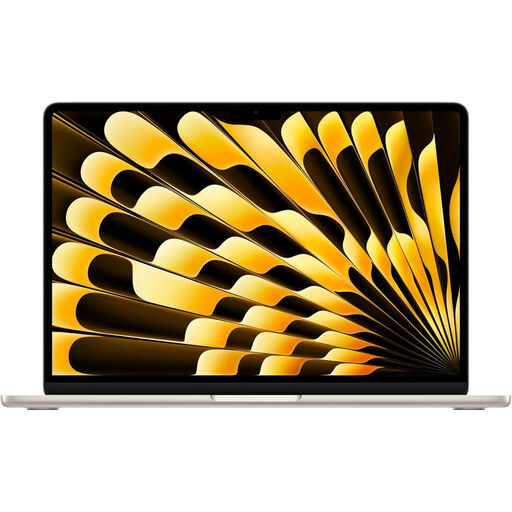 Image unavailable
Apple MacBook Air 15-inch M5, 16GB, 512GB SSD, Starlight
Consider this 15-inch macOS configuration for Safari-related work if its stated 512GB SSD fits your local projects and test artefacts. The listing also specifies an M5 chip and 16GB memory; confirm your tool compatibility before choosing it.
View on Joybuy
Frequently asked questions
Can one laptop fully test a checkout page on mobile?
No: laptop-based emulation cannot establish how every required checkout path behaves on a physical phone. Chrome for Developers calls Device Mode an approximation; use it for quick checks, then test the target devices and browsers specified in your release plan.
Can I use real card details to test a Stripe checkout?
Use Stripe’s sandbox and documented test values instead of real card details for test transactions. Stripe says these simulations do not move funds; select the test cases that cover the payment outcomes and authentication paths your checkout needs.
Do I need a Mac for checkout testing?
A Mac is the direct choice when native Safari or macOS behaviour is a required release check that your approved remote-testing process cannot cover. Playwright supports Chromium, Firefox and WebKit projects, but you should decide whether that automation covers the actual browsers and devices in your test plan.
What should I check before buying a Windows-on-ARM laptop for QA?
Check every required browser, test runner, local runtime, driver, payment SDK and workplace security tool against the exact Windows-on-ARM configuration. Microsoft identifies the Surface Laptop 13-inch (1st Edition) as a Snapdragon X Plus system; its processor alone does not establish compatibility with your toolchain.
What can I do with an old laptop when replacing it?
Ask the retailer how its applicable electrical-equipment take-back arrangement works for your replacement purchase. GOV.UK states that retailers must offer take-back of waste of the same type as the equipment a customer buys; confirm the practical collection arrangements with the retailer.


