Local-build developers
You compile on the laptop while keeping an editor and browser open. Your starting point is the resources those tasks need together, rather than a graphics specification your toolchain may not use.


Choose a laptop whose operating system and processor support your required development tools before comparing processor tiers. Then size its memory and SSD for the editor, builds, tests and other tools you run together; containers and emulators can increase those demands. An Apple-silicon Mac is the route for work requiring Xcode 27, while Windows configurations need checking against the particular tools and dependencies you use.
You compile on the laptop while keeping an editor and browser open. Your starting point is the resources those tasks need together, rather than a graphics specification your toolchain may not use.
You run Docker, Windows Subsystem for Linux (WSL), virtual machines or an Android emulator alongside your code. Memory and SSD space need to accommodate those concurrent workloads.
You depend on Windows-native tools or build for Apple platforms. Confirm operating-system and processor support for your compiler, software development kit and dependencies before settling on a configuration.
For home-office compiling, establish toolchain compatibility first, then compare the memory, SSD space and desk connections needed for the work you run at the same time.
| Concern | What to check | Who this matters to |
|---|---|---|
| Memory and project space | Check installed RAM, whether it can be upgraded, and SSD capacity for projects, build artefacts and tools. | If I compile while an editor, browser and local services remain open, I want room to work without closing them. Around 40% of consumers put memory and workspace first. |
| Containers and emulators | Confirm virtualisation and image compatibility, available RAM and free SSD space. Android Developers recommends at least 16 GB RAM and 16 GB disk space for its emulator experience. | Running an emulator or containers beside a build makes their resource demands part of my laptop choice. For around 30% of consumers, that concurrent workload is the primary concern. |
| Required platform | Check every required IDE, compiler, SDK, native dependency and container image against the exact operating system and processor architecture. | When my work requires a particular development environment, extra hardware capacity cannot replace a tool that will not run. Platform compatibility comes first for around 20% of consumers. |
| Home-office setup | Confirm the display and external-monitor connections, dock compatibility, keyboard layout and charger for your desk. | If I spend long sessions working at one desk, I need the laptop to connect to my screen and peripherals as intended. Around 10% of consumers make that setup their primary concern. |
A capable processor does not resolve an unsupported operating system, processor architecture or native dependency. Apple Developer states that Xcode 27 installs and runs only on Apple-silicon Macs.
List your compiler, IDE, SDK, debugger, container images and target platforms, then check support for the exact laptop configuration.
An emulator, containers and local services run alongside the editor and build tools. Android Developers recommends at least 16 GB RAM and 16 GB disk space for the Android emulator experience; that is not a universal minimum for every developer.
Check the resources required by the tasks you actually run together, including the space needed for images and project files.
Configurations within one line can differ substantially. Lenovo UK lists ThinkPad P14s Gen 6 examples with 16 GB RAM and a 512 GB SSD or 64 GB RAM and a 2 TB SSD.
Compare the actual part number and configuration, including processor, installed memory, storage, ports, charger and warranty terms.
Replacing a working setup also means dealing with the data and device left behind. GOV.UK provides electrical-equipment recycling guidance and describes retailer take-back arrangements that depend on the circumstances.
Back up what you need, securely erase personal and work data, and check an appropriate reuse, recycling or retailer take-back route.
MacBook Pro is relevant when development requires macOS and Apple-platform tools.
ThinkPad P14s Gen 6 is a compact mobile-workstation line worth comparing for a desk-based development setup.
Dell XPS and Dell Pro Precision offer different laptop lines to assess against a Windows development workflow.
ProArt P16 is worth considering when development work also calls for discrete NVIDIA graphics.
ZBook Firefly is a mobile-workstation line to consider if its particular configuration fits your tools and desk setup.
These laptops represent Windows and Apple-silicon options for local development, with different memory, storage and display configurations. Match a candidate to your required tools before treating its hardware specifications as an advantage.
 No image available
Consider this Windows configuration if your concurrent work needs the listed memory and storage, and only if your tools make use of its NVIDIA graphics.
16-inch display; Intel Core Ultra 9; 64 GB RAM; 2 TB SSD; GeForce RTX 5090; Windows 11 Home. Check support for your exact toolchain and processor architecture.
 No image available
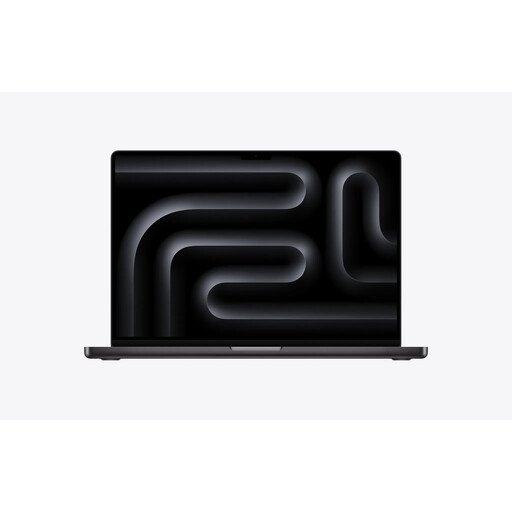
This Apple-silicon configuration is a route for Apple-platform development when the rest of your required tools also support it.
18-core CPU; 40-core GPU; 48 GB unified memory; 2 TB storage. Check compatibility for native dependencies and container images before purchase.
 No image available
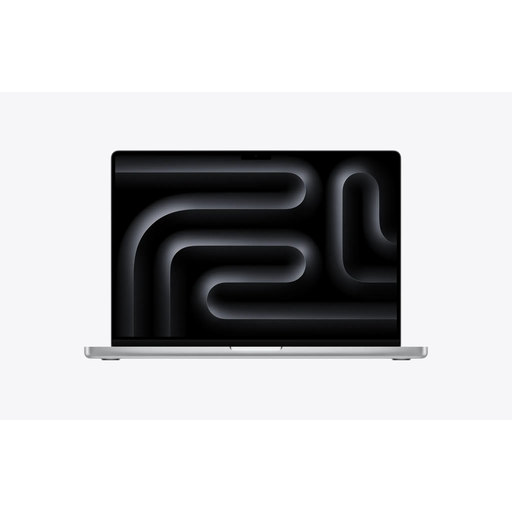
Consider this Apple-silicon option for a compatible Apple-platform workflow, comparing its memory configuration with the tools you expect to run together.
18-core CPU; 32-core GPU; 36 GB unified memory; 2 TB storage. Confirm support for your required software and native dependencies.
 No image available
The 14.2-inch format suits a compatible Apple-platform workflow when a smaller built-in screen meets your working needs.
18-core CPU; 20-core GPU; 24 GB unified memory; 2 TB storage. Check whether a compatible power adapter is included, as well as support for your required tools.
 No image available
Consider this for local development if its stated memory and storage suit your projects and its connections fit your home-office desk.
16-inch QHD+ 165 Hz display; Intel Arc graphics; 32 GB LPDDR5 RAM; 1 TB SSD. Check the operating system, required tool compatibility and ports on the exact configuration.
Not for every project: choose RAM for the tools you run concurrently, rather than treating 32 GB as a universal requirement. Android Developers recommends at least 16 GB RAM for its emulator experience, while containers, virtual machines and local services can add to the memory your own workflow needs.
Choose the operating system supported by your required tools and targets. Microsoft Learn lists Visual Studio support for 64-bit Windows 11 editions including ARM64, Docker documents a Windows WSL 2 workflow, and Apple Developer states that Xcode 27 runs only on Apple-silicon Macs. Check individual dependencies and container images as well as the main IDE.
Do not assume that a discrete GPU will speed up an ordinary compile. Consider one when your actual development tools use GPU capabilities; otherwise, establish compatibility and compare the processor, RAM and SSD space needed for your builds.
Keep the order record and confirmation of the exact configuration, then contact the seller about a fault. For UK consumer purchases, the Consumer Rights Act 2015 and Coventry City Council’s consumer guidance distinguish requirements for goods to be as described, fit for purpose and of satisfactory quality from any additional manufacturer warranty.
Back up needed files and securely erase personal and work data before passing the laptop on. GOV.UK provides guidance on electrical-equipment recycling and retailer take-back; check which reuse, recycling or take-back arrangement applies to your handover.