iOS release developers
If you build, test or submit iOS or iPadOS apps with Xcode, start by checking Mac and macOS compatibility. Apple Developer publishes the Xcode system requirements and App Store Connect upload requirements.


Choose the operating-system route before comparing laptop configurations: Apple-platform development with Xcode calls for a compatible Mac, while Android Studio supports Windows, macOS and Linux. If you run several Android virtual devices at once, allow for their memory and storage needs. For a quiet study, assess fan noise under a comparable compiling or emulator workload rather than assuming a thin laptop or mobile workstation will be quiet.
If you build, test or submit iOS or iPadOS apps with Xcode, start by checking Mac and macOS compatibility. Apple Developer publishes the Xcode system requirements and App Store Connect upload requirements.
If you use Android Studio with several Android Virtual Devices at once, your planned emulator count matters when choosing memory and storage. Android Developers gives separate resource guidance for simultaneous virtual devices.
Decide whether Apple-platform release work is required, then size the laptop for your Android testing workload. A mobile workstation is another hardware configuration to assess, not a substitute for the operating system your tools require; none of these routes establishes how a particular laptop will sound in your study.
| Concern | What to check | Who this matters to |
|---|---|---|
| Android emulator capacity | Count virtual devices you will run simultaneously, then check installed memory and storage. Android Developers advises approximately 4 GB of memory per simultaneous Android Virtual Device and says each additional device may need up to 6 GB of storage. | If I test on several virtual devices together, I need the laptop to accommodate them alongside my development tools. Around 38% of consumers put Android emulator capacity first. |
| Apple-platform compatibility | Check the macOS version supported by the Xcode release your project needs, then compare the Mac configurations available to you. Apple Developer publishes Xcode’s macOS requirements. | When my work includes an iOS or iPadOS release, I need access to the required Xcode toolchain before weighing other specifications. For around 37% of consumers, Apple-platform compatibility is the primary concern. |
| Quiet-study acoustics | Look for noise measurements for the exact configuration under a sustained compile or emulator workload, with the test distance and power mode stated. Check the seller’s return terms if you need to assess it in your own study. | I work where fan noise would be distracting, so I need to judge the laptop during the tasks I actually run, not by its appearance. Quiet-study acoustics comes first for around 25% of consumers. |
Android Studio runs on Windows, macOS and Linux, but Apple Developer lists Xcode against supported macOS versions. A Windows or Linux laptop alone does not cover a workflow that requires current Xcode for iOS or iPadOS releases.
List your target platforms and release channels before comparing processors. If Xcode-based work is required, check suitable Mac configurations first.
You would still need access to a compatible Mac for that work.
Running several Android Virtual Devices together changes the memory requirement. Android Developers advises approximately 4 GB per simultaneous virtual device; additional devices may also need up to 6 GB of storage each.
Plan around the maximum number you will run at the same time, allowing room for the operating system, Android Studio and project files as well.
A configurable workstation may suit a demanding development setup, but its product-line positioning does not tell you how the exact laptop will sound while compiling or running emulators.
Compare noise results obtained under a disclosed workload for the configuration you intend to buy, or check the seller’s return terms before relying on a trial in your study.
A listing image alone cannot establish what charger and documentation will arrive. UK government product-marking guidance distinguishes between Great Britain and Northern Ireland requirements.
Check the supplied charger, the seller’s product documentation and the market for which the equipment is intended before ordering.
Apple laptops are relevant when your testing or release workflow requires Xcode. Apple Developer specifies supported macOS versions for Xcode, while Apple lists different memory configurations for its MacBook Pro models.
Dell positions its Precision range as mobile workstations for demanding applications, making it a line to examine if you want configurable hardware for development work.
Lenovo presents ThinkPad P-series laptops as mobile workstations and describes independent software vendor certification for the range.
These MacBook Pro and other laptop configurations offer starting points for Apple-platform or Android-focused testing. Compare each one with your required tools, simultaneous virtual-device count and quiet-study noise requirements; a listed memory or storage capacity is not an acoustic result.
 No image available
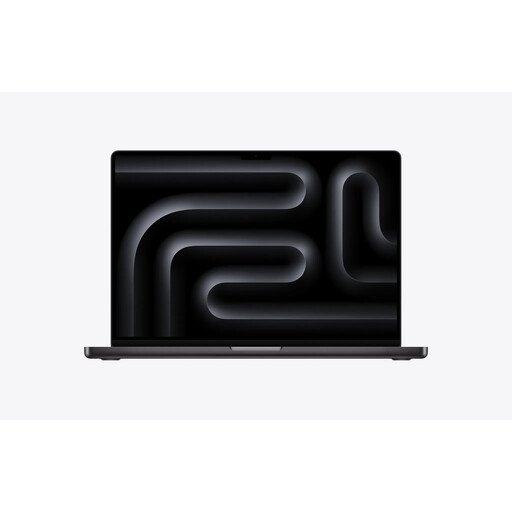
A Mac configuration to consider if your app-testing workflow requires Xcode; check that the Mac supports the macOS version needed by your Xcode release.
The listed M5 Max configuration has an 18-core CPU, 40-core GPU and 48 GB/2 TB memory and storage configuration. Compare those capacities with any Android virtual devices you intend to run.
Check fan noise for this exact configuration under the sustained tasks you expect to perform in your study.
 No image available
A configuration to assess for Android-focused testing; confirm its operating system and tool requirements against your intended setup.
The product name lists an Ultra 9 processor, 32 GB/4 TB configuration, QHD+ display and 5080 variant. Check the memory and storage against your planned simultaneous virtual devices.
Seek a noise result for this exact configuration under compiling or emulator use before judging its fit for a quiet study.
 No image available
A Windows 11 Home configuration to compare with your Android testing workload, particularly if several local virtual devices are planned.
This 16-inch variant lists an Intel Core Ultra 9 processor, 64 GB RAM, a 2 TB SSD and NVIDIA GeForce RTX 5090 graphics. Its listed specifications do not establish how many devices your complete setup can run.
Assess noise under a comparable sustained workload before choosing it for a quiet study.
 No image available
A laptop configuration to examine for Android-focused testing once you know your intended operating system and virtual-device count.
The product name lists a 15.6-inch display, Intel Core 5 120U processor, 24 GB memory and a 1 TB SSD. Check whether that capacity covers your tools, projects and simultaneous devices.
Screen characteristics do not indicate fan noise; look for a workload-specific noise result if the study needs to stay quiet.
 No image available
Another Mac configuration to assess for Xcode-based work; confirm its supported macOS version against the Xcode release your project requires.
The listed M5 Pro variant has a 15-core CPU, 16-core GPU and 24 GB/2 TB memory and storage configuration. If you will also use Android virtual devices, compare those capacities with your planned workload.
Check noise during comparable compiling or emulator tasks rather than assuming this configuration will suit a quiet study.
No: Android Developers says Android Studio is available for Windows, macOS and Linux. If your work also requires current Xcode-based Apple-platform development or an App Store Connect submission, start with a Mac and check Apple Developer’s macOS requirements for the Xcode release you need.
Base the choice on how many Android Virtual Devices you will run simultaneously, as well as the resources needed by your operating system, development tools and projects. Android Developers advises approximately 4 GB of memory per simultaneous device and says each additional device may need up to 6 GB of storage.
Neither description establishes quiet operation during compiling or emulation. Look for a noise measurement for the exact configuration under a disclosed sustained workload and power mode, and check the seller’s return terms if assessing it in your own study is important.
Confirm what charger and documentation the seller will supply and which market the equipment is intended for; do not judge suitability from a listing photo alone. UK government product-marking guidance distinguishes Great Britain and Northern Ireland requirements, so check the rules relevant to the intended destination rather than assuming one marking answers every question.