What to check before choosing
Start with software compatibility, then decide how much desk space the laptop can occupy and whether its storage and connections suit the way you keep recipes.
Compact macOS laptop
Consider it when: Your applications and existing files work on macOS and you want the 13-inch MacBook Air route.
Allow for: Apple lists two Thunderbolt 4/USB-C ports on the current 13-inch line, so an existing USB-A accessory or HDMI connection may need a compatible adapter.
Compact Windows laptop
Consider it when: A required recipe application or peripheral calls for Windows; the cited Surface Laptop offers a 13-inch route, while ASUS lists 14-inch Zenbook S 14 variants.
Allow for: The extra screen size of a 14-inch option may change how much desk space remains. ASUS display, memory and storage specifications also vary by UX5406 variant.
Cloud-first Chromebook
Consider it when: You can maintain the index in browser and cloud tools that support ChromeOS.
Allow for: A Windows- or macOS-only application cannot simply be assumed to work on ChromeOS; check extensions, offline files and peripherals too.
| Concern |
What to check |
Who this matters to |
| Desk space and layout |
Measure clear desk width and depth, including cable clearance; compare them with the exact laptop dimensions. |
I need room beside the laptop for a recipe book or notes without making index columns difficult to read. Around 37% of consumers would put usable desk space first. |
| Software compatibility |
Check required applications, extensions, file formats and peripherals against the laptop’s operating system. |
If my index depends on a particular program or existing files, I cannot choose on screen size alone. For around 27% of consumers, that compatibility would be the primary concern. |
| Memory and local storage |
Compare the exact RAM and storage configuration with the photos, scans and files you intend to keep locally. |
I expect to work across tabs and index files while keeping a growing recipe-photo collection. Roughly 18% of consumers would prioritise that archive and multitasking need. |
| Connections and expansion |
Match the exact ports and display support to your monitor, drives and other accessories. |
I may add a monitor or connect existing devices later, so the connection setup affects my choice now. This would be the leading concern for around 18% of consumers. |
Relevant brands to consider
These brands provide examples of different operating-system and screen-size routes; compare the exact model and configuration rather than treating a brand name as a specification.
Apple
The current 13-inch MacBook Air line is relevant if your recipe-index workflow works on macOS and you want a 13.6-inch display.
- Apple lists 16GB unified memory, a 2560 × 1664 display, two Thunderbolt 4/USB-C ports and external-display support for the cited line.
- Check macOS software compatibility, the exact storage configuration and whether your accessories need an adapter.
Microsoft
The cited 13-inch Surface Laptop is a compact Windows route for a workflow that needs Windows and a built-in USB-A connection.
- Microsoft lists a 1920 × 1280 touchscreen, two USB-C ports, USB-A, a headphone jack and a weight of 1,225g for the cited 13-inch model.
- Confirm the processor, storage and external-display arrangement of the specific configuration you are considering.
ASUS
The Zenbook S 14 (UX5406) line offers a 14-inch Windows route if that screen size fits your desk.
- ASUS lists UX5406 variants with 16GB or 32GB memory, 512GB or 1TB SSD storage, and WUXGA or 3K OLED display options.
- Display, touch capability, memory and storage vary by variant; check the full model code before relying on any combination.
Acer
The cited Chromebook Plus 514 configuration is relevant to a browser- and cloud-based index when every required service and peripheral supports ChromeOS.
- Acer lists a 14-inch 1920 × 1200 anti-glare display, 8GB memory, 512GB SSD storage, HDMI, two USB-A ports and two USB-C ports for configuration NX.JKAEK.005.
- Other Chromebook Plus 514 configurations can differ. Match the model code and check the compatibility of any desktop application or hardware you need.
Joybuy laptops for this workflow
These choices cover compact Windows, macOS and Chromebook routes for recipe indexing. Choose a route around your software first, then check the individual laptop’s footprint and configuration.
 No image available
ASUS Vivobook 14 X1407QA-LY003W Copilot+ PC, Quiet Blue
A 14-inch Windows route to consider if your recipe-index applications and accessories work with this configuration.
- Snapdragon X processor, 16GB RAM and 512GB SSD, as identified in the product name.
- Compare its chassis dimensions and cable clearance with your desk before choosing it for a confined space.
View on Joybuy
 No image available
Acer Chromebook Plus 514 CB514-5H, Core 5 120U, 512GB SSD
A Chromebook route for a recipe index that can be maintained with compatible browser and cloud tools.
- 14-inch WUXGA (1920 × 1200) display, 8GB RAM and 512GB SSD, as identified in the product name.
- Check ChromeOS support for your extensions, files and peripherals, as well as the laptop’s physical dimensions.
View on Joybuy
 No image available
Acer Chromebook Plus 514 CB514-5H, Core i3-1315U, 256GB SSD
Consider this ChromeOS configuration for a browser-based index if its local storage and your required tools suit the work.
- 14-inch WUXGA (1920 × 1200) display and 8GB RAM; the product name identifies 256GB SSD storage.
- This is the Core i3-1315U configuration, not the Core 5 120U configuration above. Check its own dimensions and connections.
View on Joybuy
 No image available
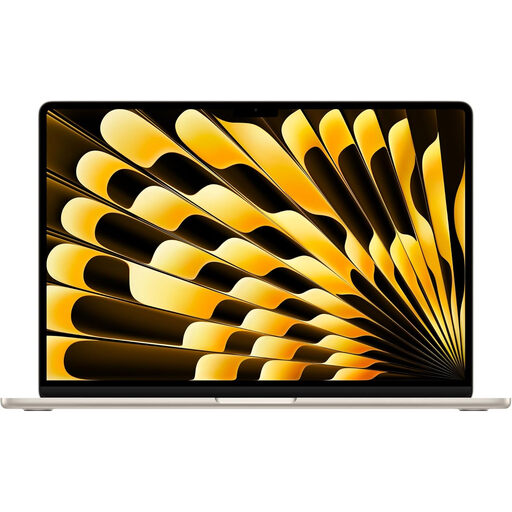
Apple 13-inch MacBook Air (2026), M5, 16GB, 1TB SSD, Starlight
A smaller-screen macOS route if your index applications, files and peripherals work with macOS.
- The product name identifies an M5 chip with a 10-core CPU and 10-core GPU, 16GB memory and 1TB SSD storage.
- Apple lists two Thunderbolt 4/USB-C ports for the current 13-inch line. Check this laptop’s dimensions and any adapter needs against your desk setup.
View on Joybuy
 No image available
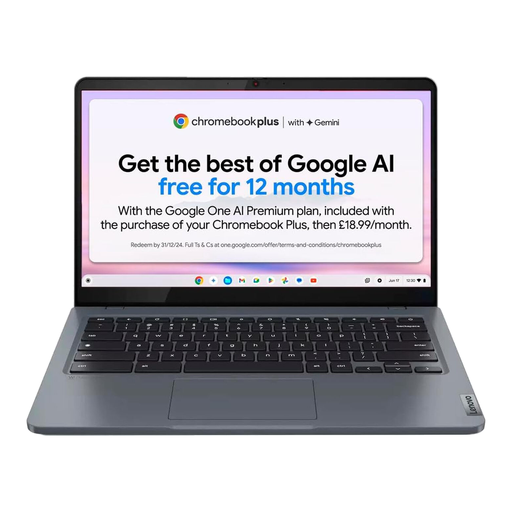
Lenovo IdeaPad Slim 3 Chromebook 14IAN8, 83BN001EUK
A 14-inch ChromeOS option for web-based recipe indexing if the storage configuration and required services fit your plans.
- Intel Core i3 N305, 8GB RAM and 256GB eMMC storage, as identified in the product name.
- Check the chassis dimensions, available connections and compatibility with your recipe-index tools before ordering.
View on Joybuy
Common questions
Is a Chromebook enough to build a recipe index?
A Chromebook can suit an index maintained in supported browser and cloud services. Before choosing a ChromeOS model, check your particular application, extensions, local-file process, printer and other peripherals; a desktop-only workflow may require a different operating system.
Can I connect an external monitor later?
An external monitor is possible with a suitable laptop and connection setup, but the route depends on the model. Apple lists external-display support and Thunderbolt 4/USB-C ports for the current 13-inch MacBook Air line; the cited Acer Chromebook Plus 514 configuration has HDMI. Check the exact laptop’s display support, your monitor input and any required cable or dock.
What if I change my mind after buying a laptop online?
GOV.UK says customers making a qualifying online, mail or telephone purchase can cancel within 14 days of receiving the item and then have another 14 days to return it. Check how the retailer handles the return and keep the distinction between change-of-mind cancellation and remedies for a faulty or misdescribed laptop.
Does the same electrical-equipment guidance apply in Northern Ireland?
Do not assume that Great Britain guidance applies unchanged in Northern Ireland. The Office for Product Safety and Standards guidance on the Electrical Equipment (Safety) Regulations 2016 addresses Great Britain and notes that some provisions apply differently in Northern Ireland under the Windsor Framework. For delivery to Northern Ireland, check the applicable supplier documentation and marking requirements for that market.


