What matters when choosing?
Decide where your savings workbook needs to run before comparing screens and quiet-operation claims. These operating-system routes address different workflows, while the checks below apply to the exact laptop you choose.
Chromebook
Consider it when: Your savings sheet works in a browser and cloud-file handling suits you.
Accept the trade-off: Microsoft says some Excel features and formats differ in the browser, and macros do not run there; check the Chromebook model’s update schedule too.
Windows laptop
Consider it when: Your planning relies on a Windows desktop application, macros or a locally managed workbook.
Accept the trade-off: Windows alone does not establish that your particular software works on every model or that its fan will be unobtrusive.
MacBook Air
Consider it when: Fan noise is your main distraction and your required files and applications work on macOS.
Accept the trade-off: Apple describes the M5 MacBook Air as fanless, but that does not resolve Windows-only software requirements or keyboard noise.
| Concern |
What to check |
Who this matters to |
| Noise in a quiet study |
Check whether the exact model is explicitly described as fanless; assess keyboard and fan noise as separate questions. |
I find mechanical noise distracting while reviewing my savings plan, so I would put quiet operation ahead of other features. Around 30% of consumers put that need first. |
| Spreadsheet compatibility |
Open a representative workbook in the intended application; check macros, file formats and any required add-ins. |
My planning depends on an existing workbook or desktop tools that must keep working. For around 40% of consumers, compatibility is the primary concern. |
| Simple browser-based planning |
Confirm that your sheet works in the browser and check the exact Chromebook’s automatic-update schedule. |
I only need a straightforward savings sheet and do not want desktop features I will not use. Roughly 30% of consumers put that simple workflow first. |
Brands to consider
These product lines illustrate different study and spreadsheet workflows; specifications and quiet-operation claims need checking against the exact model.
Apple
The M5 MacBook Air is a macOS option when cooling-fan noise is a deciding concern.
- Apple describes the M5 MacBook Air as fanless and offers 13-inch and 15-inch display choices.
- Check that your existing workbooks and any required Windows-only software suit a macOS workflow.
Lenovo
The researched IdeaPad Slim 3 configuration is a Windows example for viewing spreadsheets on a larger display.
- Lenovo lists Windows 11 Home, 24 GB RAM, a 512 GB SSD and a 15.3-inch anti-glare WUXGA display for the cited configuration.
- Those specifications belong to part number 83K7009MUK, not every IdeaPad Slim 3; check the configuration and its noise characteristics separately.
HP
The Chromebook Plus 15a-nb0502sa is a ChromeOS example for browser-based savings planning.
- The product information lists a 15.6-inch Full HD display, 8 GB RAM and a 128 GB SSD for this model.
- Confirm that your workbook works in the browser and check the exact device’s update schedule before choosing ChromeOS.
ASUS
The Vivobook 14 X1407 line is worth examining if you want a Windows laptop and care particularly about typing noise.
- ASUS describes an ErgoSense silent keyboard for the Vivobook 14 X1407 line.
- ASUS also describes fan-based cooling. Check which keyboard features apply to the exact variant, and do not treat a keyboard claim as evidence of silent fan operation.
Joybuy laptop options
These laptops offer Chromebook, Windows and macOS routes for planning a savings target. Compare their stated configurations with your workbook requirements, and check quiet-operation claims for the exact model where noise matters.
 No image available
Apple MacBook Air 15-inch (2026), M5, 16GB/512GB, Starlight
Consider this macOS laptop when cooling-fan noise is a leading concern; Apple describes the M5 MacBook Air as fanless.
- The listed configuration has a 15-inch display, 16GB memory, a 512GB SSD, and an M5 chip with a 10-core CPU and 10-core GPU.
- Check whether your essential workbooks and applications work on macOS.
View on Joybuy
 No image available
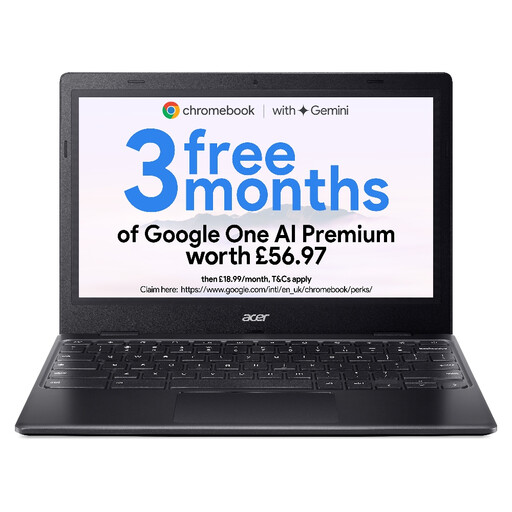
Acer Chromebook 311 CBOA311-1H, 11.6-inch, 4GB/64GB, Black
Consider this ChromeOS model for a browser-based savings sheet when a compact laptop and a fanless design suit your study.
- The listed configuration has an 11.6-inch HD (1366 × 768) display, Intel Celeron N4500, 4GB RAM and 64GB eMMC storage.
- The listing states a weight of 1.05 kg. Check that the screen size, browser features and device-specific update schedule meet your needs.
View on Joybuy
 No image available
HP 15-fd0064na, 15.6-inch, Core i5-1334U, 8GB/256GB
Consider this Windows 11 Home laptop if you want a desktop-spreadsheet workflow and a 15.6-inch screen for reviewing your plan.
- The listed configuration has a Full HD display, 8GB RAM and a 256GB SSD.
- Its description refers to single-fan cooling. Check noise under the work you intend to do, as well as compatibility with your files and add-ins.
View on Joybuy
 No image available
Acer Chromebook Plus 514 CB514-5H, 14-inch, 8GB/256GB, Iron
Consider this ChromeOS laptop if your savings sheet works in the browser and you want a 14-inch anti-glare display.
- The listed configuration has a WUXGA (1920 × 1200) display, Intel Core i3-1315U, 8GB RAM and a 256GB SSD.
- Check your workbook, the device-specific update schedule and the model’s noise characteristics if a quiet study is essential.
View on Joybuy
 No image available
ASUS Vivobook 14 X1407QA-LY003W, Snapdragon X, 16GB/512GB, Quiet Blue
Consider this Windows 11 Home model if you want a compact display for study and your required spreadsheet software works on this exact configuration.
- The listing specifies a 14-inch WUXGA anti-glare display, 16GB RAM, a 512GB SSD and a weight of 1.49 kg.
- Check application and add-in compatibility. Quiet-keyboard claims for other Vivobook variants should not be assumed to apply to this model, and its fan noise needs separate assessment.
View on Joybuy
Questions about choosing a laptop
Can a Chromebook handle a simple savings spreadsheet?
Yes, if your workbook works in the browser and cloud-file handling suits you. Microsoft says Excel for the web supports calculations similarly to desktop Excel, but some features and file formats differ, and macros do not run in the browser.
When would I need a desktop-spreadsheet workflow instead?
Choose a desktop-spreadsheet workflow if your savings workbook depends on macros, specialised features or software that must run locally. Test a representative file and its add-ins in the intended application before choosing the laptop.
Does a quiet keyboard mean the laptop will be silent?
No. A keyboard claim addresses typing noise, not cooling-fan noise. Apple describes the M5 MacBook Air as fanless, while ASUS describes both a silent keyboard and fan-based cooling for the Vivobook 14 X1407 line; check claims against the exact model.
How do I check a Chromebook’s update support?
Look up the automatic-update schedule for the exact Chromebook model. Google says a device’s end-of-sale date does not determine its update eligibility, so that date is not a substitute for the model-specific schedule.


