Shared-desk transcript editors
You listen through headphones, correct text for extended periods and may connect a monitor or dock at a communal workstation. Check the keyboard, display and connections against the equipment already at your desk.


For regular transcript editing alongside browser tabs, documents and recordings, start by comparing laptops with 16GB of memory and a 512GB SSD; a lighter workload may need less. At a shared desk, check typing comfort, headphone and monitor connections, and how interview material will be handled before paying for graphics performance you do not need for text and audio work. Choose macOS only if your required transcription and workplace tools support it.
You listen through headphones, correct text for extended periods and may connect a monitor or dock at a communal workstation. Check the keyboard, display and connections against the equipment already at your desk.
Recordings or transcripts may identify interviewees. Sign-in protection and a camera privacy control can be useful at a shared desk, but the organisation’s rules for storing and uploading material still govern the workflow.
You move between meetings and desk work, then use documents, recordings and a transcription tool together. Check that the software runs on the chosen operating system and that the laptop remains practical to carry.
Settle software compatibility and the approved recording workflow first. Then compare the exact laptop configuration with the monitor, headphones and typing setup you use at the shared desk.
| Concern | What to check | Who this matters to |
|---|---|---|
| Multi-app editing and local files | Compare the selected configuration with a 16GB memory and 512GB SSD target for regular concurrent work. Microsoft’s 4GB memory and 64GB storage figures are Windows 11 installation minimums, not transcript-workload recommendations. | If I keep recordings, a transcript, browser tabs and messages open together, I want room to work without choosing solely by the operating-system minimum. Around 27% of consumers put this multi-app need first. |
| Handling interview material | Confirm the organisation’s approved storage or transcription service before uploading files; check the laptop’s sign-in and camera controls for the exact configuration. | When an interview could identify someone, I need to know who can access its recording and where it may be processed. For around 27% of consumers, controlled handling is the primary concern. |
| Shared-desk setup | Match the laptop’s display output to the actual monitor and any dock, and check headphone support. Try the keyboard and screen if extended correction work is likely. | I need to hear speech without playing it aloud and to connect the desk equipment without disrupting my editing. That practical setup comes first for around 33% of consumers. |
| Carrying between locations | Compare the stated weight, charger and ports; read battery claims alongside their test conditions rather than treating them as a working-time promise. | If I carry the laptop to interviews and return to a shared desk, its carrying burden matters alongside its desk connections. Around 13% of consumers make portability their first priority. |
Microsoft lists 4GB of memory and 64GB of storage as Windows 11 minimums. Those figures do not describe the configuration you may want when documents, recordings and other work tools are open together.
For regular multi-app editing, compare 16GB memory and 512GB SSD options first; judge a lower specification against your actual workload.
The laptop, cable, dock and monitor all need a compatible display connection. The presence of USB-C alone does not settle the complete setup.
Note the monitor’s inputs, then check the exact laptop’s display support and any proposed dock or adapter.
A compatible adapter or dock may be needed to use the existing monitor.
An upload feature does not establish that the organisation permits that use of interview material. The Information Commissioner’s Office says organisations must identify an appropriate lawful basis for processing personal data and consider additional rules for certain sensitive data.
Before uploading, ask the person responsible for the project which service, access arrangements and retention rules are approved for the recording.
A laptop can have suitable memory and storage yet be awkward for prolonged reading and correction at a shared desk. Screen and input-device details vary by configuration.
Check the display resolution and keyboard where possible, or establish that your preferred external monitor and input devices will connect.
These product lines illustrate different configurations to check; a brand name alone does not establish the ports, display or memory of a particular laptop.
MacBook Air offers a macOS route when the transcription and workplace tools you need run on macOS.
The ThinkPad X1 Carbon line is a Windows business-laptop option for a shared desk where display connections and privacy controls matter.
Dell Pro 14 configurations offer a Windows business-laptop route for buyers comparing a 14-inch work machine.
HP’s 14-inch Windows range offers configurations to compare for conventional desk-based transcript work.
These laptops offer different memory, storage and screen-size choices for editing transcripts and working at a desk. Compare each exact variant with your required software and shared-desk connections; the 8GB model is a more cautious choice for frequent multi-app work.
 No image available
Consider this 14-inch option for transcript work if your required transcription and workplace applications support its Snapdragon X configuration.
The listed variant has 16GB RAM and a 512GB SSD. Check its connections against the monitor and headphones at your desk.
 No image available
This larger-screen option may suit transcript editing at a desk, provided the delivered model matches the configuration you intend to buy.
The product title specifies 16GB RAM and a 512GB SSD, but the model and processor details differ elsewhere in its description. Confirm the exact model, processor and memory before ordering.
 No image available
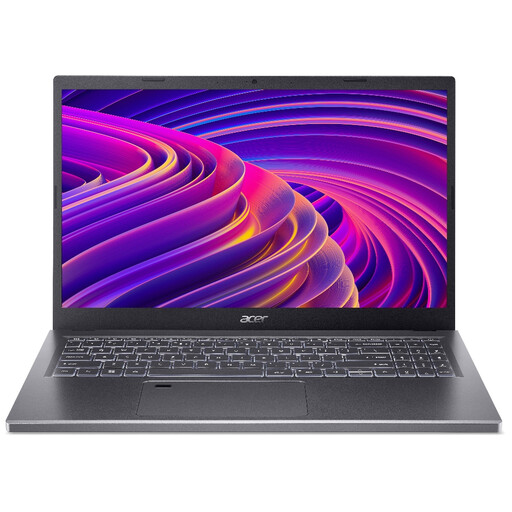
Consider the listed 15.6-inch variant for lighter transcript work if 8GB RAM is sufficient for the applications you use together.
Its 512GB SSD meets the article’s local-storage target, but its 8GB RAM is below the 16GB starting point suggested for regular multi-app editing.
 No image available
This listed 15.6-inch configuration is worth comparing if you keep many work files locally or run several applications while correcting transcripts.
Its title specifies 24GB memory and a 1TB SSD. Check that its headphone connection and camera controls meet your shared-desk needs.
 No image available
Consider this larger-screen MacBook Air for transcript editing only after confirming that your required transcription and workplace tools work with its configuration.
The listed variant has 16GB unified memory and a 1TB SSD. Check its headphone and external-display arrangements against the equipment at your shared desk.
It may be enough for a lighter workload, but compare 16GB options if you regularly use a transcription tool, browser, documents and communications together. Microsoft’s 4GB Windows 11 minimum is an installation requirement, not a recommendation for that combined workload.
A dedicated graphics card is not the first specification to prioritise for text correction and audio playback. Check memory, storage, typing comfort and desk connections first; assess graphics requirements separately if your work also involves video editing or another graphics-heavy application.
Yes, if your laptop supports your chosen headphones and the transcription workflow accepts the audio in the way you intend to provide it. Otter.ai says an existing audio or video file can be imported from a computer; check the tool’s permissions and your organisation’s rules before processing interview recordings.
Do not assume consent is the applicable basis for every interview. The Information Commissioner’s Office says organisations must identify an appropriate lawful basis for processing personal data and consider additional rules for certain sensitive information. Ask your organisation which provider, access arrangements and retention rules are approved before uploading a recording.
Identify the monitor’s input, then check the exact laptop’s display output and any cable or dock you plan to use. Apple lists Thunderbolt 4 ports and external-display support for MacBook Air, while Lenovo lists HDMI and Thunderbolt 4 for its ThinkPad X1 Carbon range; the connection still needs to work with your particular equipment.