Choose a laptop if you regularly move your computer between rooms or take it away from home. If it will stay at one desk, a desktop is worth considering for its replaceable components and the possibility of reusing a monitor, keyboard and mouse—but check the complete setup before deciding. For regular photo or video work, compare the exact configuration with your editing software’s requirements rather than choosing by device type alone.
Who each setup suits
Home users who still need to move their computer
If you work in different rooms, put your computer away or sometimes take it elsewhere, a laptop’s built-in screen, keyboard and battery may matter more than a desktop’s replaceable components. Which? identifies portability as a key distinction between the two.
Fixed-desk users with existing peripherals
If you already have a monitor, keyboard and mouse, a desktop could make use of them. Confirm their connections against the computer you choose; display support and expansion options depend on the exact model, as Apple, Dell and Lenovo specifications illustrate.
Regular photo and video editors
Start with the applications and projects you actually use. Adobe’s Premiere 25.x requirements, for example, distinguish HD editing from more demanding 4K-or-higher work, so a device being labelled a laptop or desktop does not settle whether its configuration fits.
What to check before choosing
Laptop
Choose it when: You need to move the computer regularly or work without a separate desk setup.
Trade-off: According to Which?, laptop repairs can be less straightforward than replacing an individual desktop component.
Desktop
Choose it when: The computer will stay at a fixed desk and replaceable parts or future expansion matter to you.
Trade-off: You need suitable display and input devices, and the setup cannot move with you like a laptop.
| Concern | What to check | Who this matters to |
|---|
| Portability |
Decide how often the computer must leave the desk and whether you need its own screen and battery. |
If I regularly change rooms or put my workspace away, I need the computer to move with me. Around 20% of consumers would make that flexibility their primary concern. |
| Existing peripherals |
Check monitor inputs against computer outputs, the required cable or adapter, and keyboard and mouse connections. |
With a permanent desk and usable peripherals, I want to know whether they will work with the new computer. For around 27% of consumers, completing that fixed setup would come first. |
| Creative-work requirements |
Compare the exact RAM, graphics memory and storage configuration with your application and usual project resolution. |
When I edit photos or video regularly, my software and projects determine what configuration I need. That workload would be the main concern for around 33% of consumers. |
| Repairs and upgrades |
For the exact desktop model, check accessible memory and storage options, relevant component space and warranty terms. |
If I expect my storage or other hardware needs to change, I want to know which parts I could replace. Around 20% of consumers would put future repair and upgrade options first. |
For video editing, check the requirements for your particular application rather than using a general-purpose specification as a target. Adobe lists 32GB or more RAM for 4K-and-higher media in its Premiere 25.x guidance, alongside an 8GB graphics-memory recommendation; requirements for other software and workflows may differ.
Buying pitfalls
-
Comparing processor names instead of complete setups
A laptop has its own display and input devices, whereas a desktop workstation needs compatible peripherals. An existing monitor is useful only if the chosen computer can connect to it as intended.
List the screen, keyboard, mouse, cables and other devices each option needs, then check connections for the exact models.
-
Treating an editing-software minimum as your working target
Adobe distinguishes minimum requirements from recommended configurations for different Premiere 25.x workloads; HD and 4K-or-higher projects should not be assessed as though they had identical needs.
Identify your usual footage and application version, then compare its current RAM, graphics-memory and storage guidance with the exact computer configuration.
If the chosen configuration cannot accommodate later changes to your workflow, you may need to change components or the computer.
-
Assuming every desktop has the same upgrade path
Which? notes the repair advantages of desktops, but a particular tower’s available slots, space and supported components still need checking. Dell and Lenovo describe upgrades for specific desktop ranges, not every configuration.
Read the documentation for the exact model before relying on a future memory, storage or graphics upgrade, and check any warranty conditions.
Relevant brands to consider
Apple
The Mac mini is a compact macOS desktop to consider if you have a fixed desk and suitable peripherals.
- Apple’s Mac mini specifications list Thunderbolt and HDMI connections and model-specific support for multiple external displays.
- Check your monitor, cables and required applications against the particular Mac mini configuration before choosing macOS for your workstation.
Dell
Dell desktop towers provide a Windows route for buyers interested in a fixed setup and documented component options.
- Dell describes upgradeable memory and storage for its Inspiron 3030 desktop range.
- Dell states that the cited Inspiron 3030 product is no longer available; check the exact specifications and upgrade path of any current model you consider.
Lenovo
The IdeaCentre Tower range is another Windows desktop reference for a permanent home workstation.
- Lenovo describes ports and upgradeability across its IdeaCentre Tower range.
- Those options vary by model and configuration, so check the connections and supported memory or storage changes for the particular tower.
Joybuy products for these setups
These laptops suit consideration when the computer needs to move; the desktop towers are options for a fixed desk. Compare each configuration with your software and peripherals rather than treating the two formats as interchangeable.
 No image available
ASUS ProArt P16 H7606WW-SE006W laptop
Consider this laptop if you need to move your workstation and want to assess a higher-memory configuration for creative applications.
16-inch 4K OLED touchscreen; AMD Ryzen AI 9 HX 370; NVIDIA GeForce RTX 5080 with 16GB graphics memory; 64GB RAM; 2TB SSD; Windows 11 Home.
Check your application requirements, battery runtime and the exact configuration’s upgrade options before relying on it for work away from a desk.
View on Joybuy
 No image available
CyberPowerPC JOYB1010 desktop PC
Consider this tower for a fixed workstation, particularly if you can use compatible existing peripherals.
Intel Core Ultra 7 265KF; NVIDIA GeForce RTX 5070 with 12GB graphics memory; 32GB DDR5 RAM; 1TB NVMe SSD; Windows 11 Home.
A monitor, keyboard and mouse are not included. Check their connections, your software requirements and the tower’s exact upgrade options.
View on Joybuy
 No image available
Stormforce Cyclone desktop PC, Intel Core i7
This tower is an option for a stationary setup where the listed memory and storage are relevant to your workload.
Intel Core i7; RTX 5080; 32GB RAM; 2TB SSD; Windows 11.
A monitor, keyboard and mouse are not included. The tower is listed at 22kg, so plan where it will sit; check monitor connections, software requirements and upgrade options for the exact configuration.
View on Joybuy
 No image available
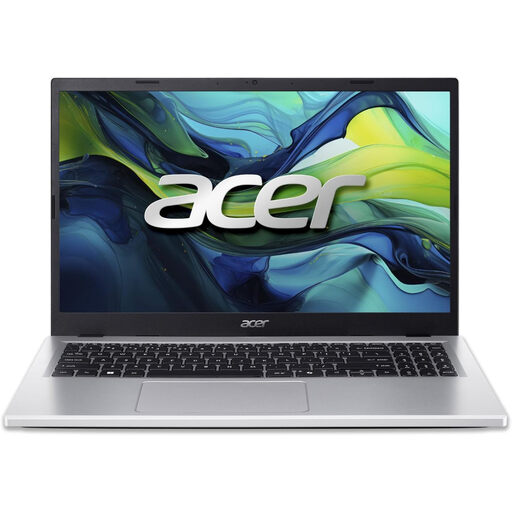
Acer Aspire Go 15 AG15-71P laptop
Consider this laptop if documents, browsing and office tasks need to move between workspaces.
Intel Core i5-13420H; 8GB DDR5 RAM; 256GB NVMe SSD; 15.6-inch Full HD display; Windows 11 Home.
Check battery runtime for work away from mains power. If you plan regular photo or video editing, compare the configuration and available memory-upgrade options with your application’s requirements.
View on Joybuy
 No image available
HP M02-0005na OmniDesk desktop PC
Consider this desktop for a fixed workspace used mainly for everyday home or office tasks.
AMD Ryzen 5 8500; 8GB RAM; 1TB SSD; Windows 11 Home.
Check whether a monitor is included or whether yours will connect. The listed configuration includes a wireless keyboard and mouse; confirm the exact memory-expansion options if your needs may grow.
View on Joybuy
Common questions
When does a laptop make sense if I mostly work at home?
A laptop makes sense when you repeatedly move between rooms, put the computer away or take it outside the home. If it nearly always stays at one desk, compare it with a desktop and the peripherals that desktop would need; Which? identifies portability and component replacement as important differences.
Can I reuse my monitor, keyboard and mouse with a new desktop?
You can reuse them if their connections and your intended display arrangement work with the particular desktop. Check monitor input and computer output, the cable or adapter, and the keyboard and mouse connections. Apple’s Mac mini specifications, for instance, list Thunderbolt and HDMI, but external-display support is model-specific.
What should I check for regular Premiere video editing?
Match the computer to your Premiere version and usual footage rather than choosing by laptop or desktop label. For Premiere 25.x, Adobe lists 16GB RAM for HD media, 32GB or more for 4K and higher, and 8GB graphics memory as recommended; also check its storage guidance and the exact configuration you intend to use.


