
24/7 Customer Support

Free returns

Same-day & Next-day Delivery

Quality Guaranteed

Unlock Your Welcome Offers: FREE Delivery | Up to 80% OFF | Free 30-day JoyPlus trial
Download the APP
Buying a laptop in the UK involves more than comparing processor names and advertised battery figures. A slim chassis may hide limited ports, a high-resolution screen may increase power consumption and a low price can become poor value if the memory or storage cannot meet your needs.
This guide explains the specifications that matter, common buying traps and a selection of laptops matched to different types of user.
A laptop with 256GB storage may appear sufficient for documents and web browsing, but Windows, applications and recovery files use part of that capacity. Photos, downloaded films, creative projects and games can quickly reduce the remaining space.
For regular work or study, 512GB SSD storage is a practical starting point. Users handling large media libraries, software projects or games should consider laptops with a 1TB SSD. SSDs also provide faster start-up and file access than older mechanical hard drives. However, some affordable Chromebook laptops use eMMC storage, which is designed for simpler, web-based workloads rather than large local libraries.
Copilot+ PCs include a neural processing unit, or NPU, for selected Windows AI functions. This can support compatible features while reducing reliance on the main processor. However, an AI label does not guarantee that every creative application, business tool or game will run in the same way.
Some Copilot+ PCs use ARM-based processors. Windows can run many traditional x86 and x64 applications through compatibility technology, but certain specialist programmes, drivers and games may require a native ARM version or may perform differently. Check the software publisher’s compatibility information before buying.
Battery figures are normally based on specific manufacturer test conditions. Actual runtime depends on screen brightness, Wi-Fi use, video calls, background applications, processor workload and battery age.
A lightweight laptop with an efficient processor may suit commuting and university use, but a gaming laptop or laptop with dedicated graphics will generally use more power under demanding loads. Also check whether the charger is included. Some MacBook Pro configurations include a charging cable but require a separate USB-C power adapter.
For everyday documents, video calls, browsing and streaming, modern Intel Core i3, AMD Ryzen 5 and equivalent Apple or Qualcomm processors can be suitable, depending on the specific model. For creative applications, large spreadsheets, software development or frequent multitasking, look towards 16GB RAM or more.
8GB RAM can work for basic use, particularly on a Chromebook, but it offers less headroom for many browser tabs and demanding applications. Memory may be soldered or onboard, meaning it cannot be upgraded later. Check this before purchase.
A 14-inch screen is a useful compromise for travel, while 15-inch and 15.6-inch laptops provide more room for spreadsheets and split-screen work. A 16:10 or 3:2 aspect ratio offers additional vertical space compared with a traditional 16:9 panel.
OLED laptops can provide strong contrast, vibrant colour and smooth motion, particularly when paired with a high refresh rate. They may consume more power in some situations and users should follow the manufacturer’s screen-care guidance. Anti-glare coatings are useful near windows or under office lighting. Touchscreens and 2-in-1 laptops add flexibility but can increase weight and cost.
Windows 11 laptops provide broad software and peripheral compatibility. macOS laptops suit users already invested in Apple devices and applications. Chromebook laptops use ChromeOS and are focused on browser-based work, Google services and selected Android applications.
For UK commuting, check the actual weight including the charger. A laptop weighing around 1.5–1.7kg may be manageable in a rucksack, while larger gaming models can be considerably heavier. Review the port selection too: USB-C, USB-A, HDMI, headphone connectivity, memory-card readers and charging options can determine whether you need extra adapters.
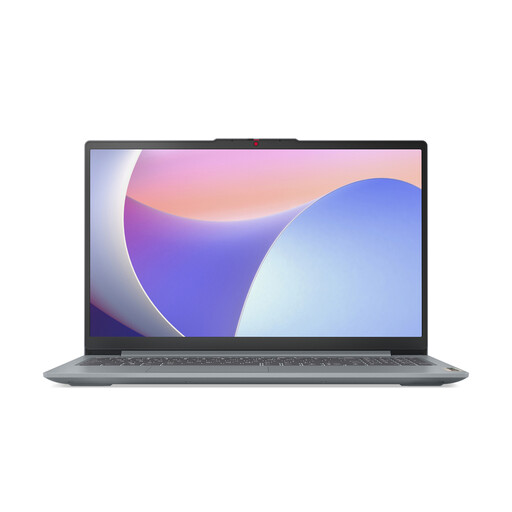
Why This Fits Their Persona: A practical choice for schoolwork, office documents, browsing and home entertainment where a larger Full HD display and straightforward Windows setup are priorities.
It combines 8GB DDR5 memory with a 512GB SSD, avoiding the restricted storage often found in entry-level configurations.
15.6-inch anti-glare display, Wi-Fi 6, privacy shutter and USB-C connectivity.
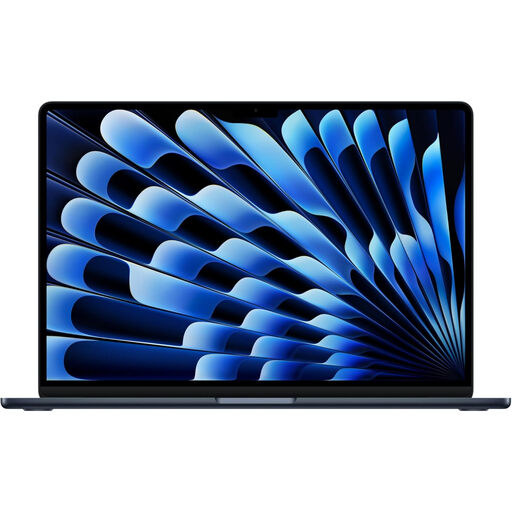
Why This Fits Their Persona: Suits professionals, students and frequent travellers who want a compact macOS laptop with substantial memory and storage.
Its 24GB unified memory and 1TB SSD provide more working space than basic 8GB/256GB configurations.
13.6-inch Liquid Retina display, 1TB SSD, 12MP Centre Stage camera and MagSafe 3 charging.
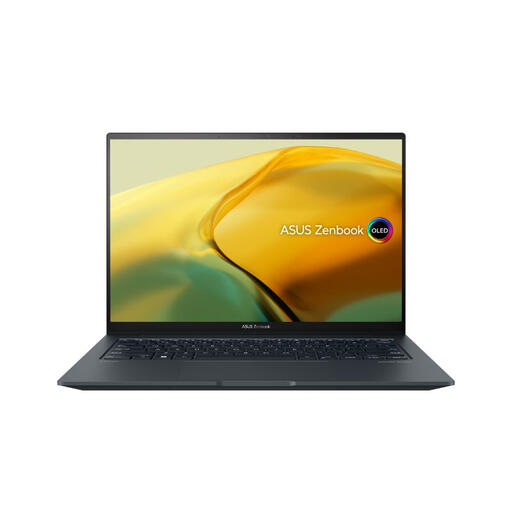
Why This Fits Their Persona: A suitable specification for content creation, graphics applications, heavier multitasking and users who also want to play compatible games.
It has dedicated RTX 3050 graphics rather than relying solely on integrated graphics, while the 1TB SSD avoids immediate storage expansion.
2.8K 120Hz OLED touchscreen, Intel Core i9 processor, 16GB RAM and 1.6kg weight.
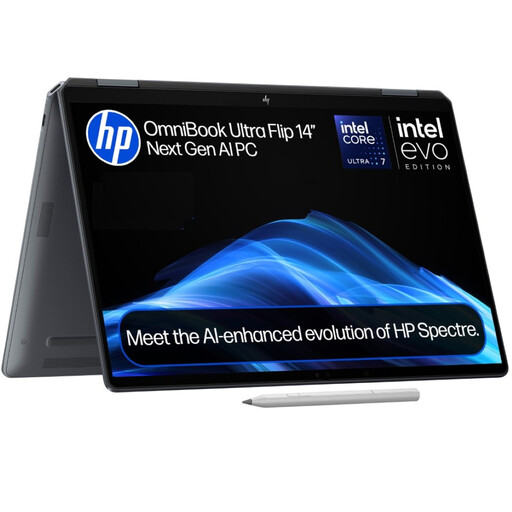
Why This Fits Their Persona: Useful for hybrid workers, presenters and creative users who alternate between conventional laptop typing, tablet-style interaction and touch-based work.
The 360-degree hinge provides documented laptop and tablet modes, while 16GB RAM and 1TB SSD support a broader working setup.
14-inch 3K OLED touchscreen, 48–120Hz refresh rate, 1.34kg weight and Copilot+ functionality.
We have compiled a complete, real-time list of products that fully satisfy these strict selection criteria and UK safety regulations.
16GB RAM is a sensible target for users working with many browser tabs, video calls, documents and spreadsheets. An 8GB model can suit lighter use, especially a Chromebook, but offers less flexibility for demanding multitasking.
Yes, provided the keyboard, battery capacity, screen brightness and port selection meet your needs. Check the stated weight of the complete device and consider whether you need an adapter for external displays or USB accessories.
They can use more electricity than thin-and-light laptops because dedicated graphics hardware draws additional power, particularly during gaming or rendering. Running costs also depend on usage, charger efficiency, display brightness and your electricity tariff. A gaming laptop is less likely to be economical for users who only need email, documents and streaming.