
24/7 Customer Support

Free returns

Same-day & Next-day Delivery

Quality Guaranteed

Unlock Your Welcome Offers: FREE Delivery | Up to 80% OFF | Free 30-day JoyPlus trial
Download the APP
Buying one of the many laptops for work and study can feel straightforward until you compare processor names, RAM capacities, operating systems, screen sizes and battery claims. A laptop that looks suitable on a product page may be less practical once you add video calls, dozens of browser tabs, large documents and commuting.
This guide explains the specifications that matter for UK students, home users, professionals, hybrid workers and frequent travellers. It also highlights common buying traps and matches selected laptops to different usage profiles.
Processor families are not always directly comparable by name alone. A newer entry-level chip may suit web browsing and documents, while a more capable processor is preferable for coding, large spreadsheets, photo editing or demanding multitasking.
Look at the processor family, core count, memory and operating system together. For example, the ASUS Vivobook 14 uses an eight-core Qualcomm Snapdragon X processor, while the Acer Chromebook Plus 514 uses an Intel Core processor. Their software environments differ, so the right choice depends on the applications you use.
A 512GB SSD gives you more room for files and generally provides quicker access than older eMMC storage. It does not replace RAM, however.
RAM affects how many applications and browser tabs can remain active. A laptop with 16GB RAM is a sensible option for heavier multitasking and longer-term flexibility. Devices with 8GB RAM can still work well for web-based productivity, documents and video calls, particularly on ChromeOS.
A laptop described as lightweight may still be uncomfortable to carry with its charger, case and accessories. Check the listed weight, thickness, screen size and available ports.
A 14-inch laptop is often a practical compromise for train journeys, university libraries and shared desks. A 16-inch touchscreen laptop can provide more workspace, but it may occupy more room in a bag and on a small table.
Windows 11 supports a broad range of desktop applications, making it a conventional choice for business software, specialist education tools and peripherals. A Windows Copilot+ PC may also include an NPU designed for compatible AI features, but the practical benefit depends on the software you use.
A Chromebook laptop runs ChromeOS and is particularly suited to browser-based work, Google Workspace, Android applications and selected Linux environments. It is not a direct substitute for Windows if you require traditional Windows-only software. Check your university, employer or course requirements before choosing.
For general browsing, email, online meetings and documents, 8GB RAM can be adequate. For frequent multitasking, creative applications or heavier business workloads, choose 16GB RAM where possible.
An SSD is preferable for quick system start-up and application loading. Consider 256GB for mainly cloud-based work and 512GB or 1TB if you store photographs, videos, project files or offline media. Check whether the memory is upgradeable; some slim laptops use onboard RAM that cannot be expanded.
A 1920 × 1200 WUXGA display has a taller 16:10 aspect ratio, which can show more of a document or webpage vertically than a conventional 16:9 panel. Anti-glare finishes are useful near windows and under office lighting.
For video calls, check the camera resolution, privacy shutter and microphone arrangement. Connectivity is equally important: USB-C charging, USB-A for older accessories, HDMI or DisplayPort for an external monitor, Wi-Fi generation and Bluetooth version can affect everyday convenience.
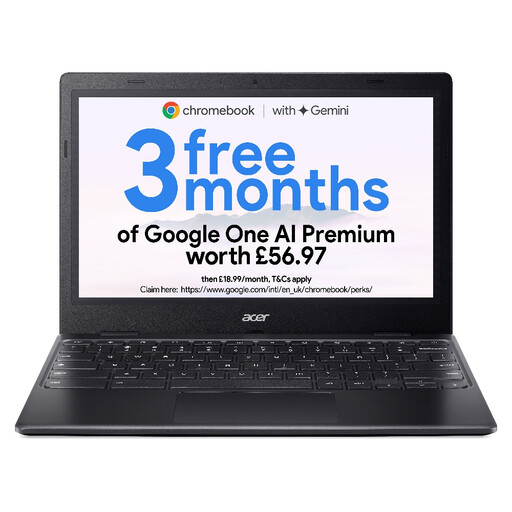
Why This Fits Their Persona: Its compact 11.6-inch format and approximately 1.2kg weight suit basic study, browsing and cloud-based coursework where low carrying weight matters.
The specification clearly identifies 4GB RAM and 64GB eMMC storage, helping buyers avoid assuming it is designed for demanding local applications.
ChromeOS, fanless operation, Wi-Fi 5, USB-C charging and a stated battery life of up to 10 hours.
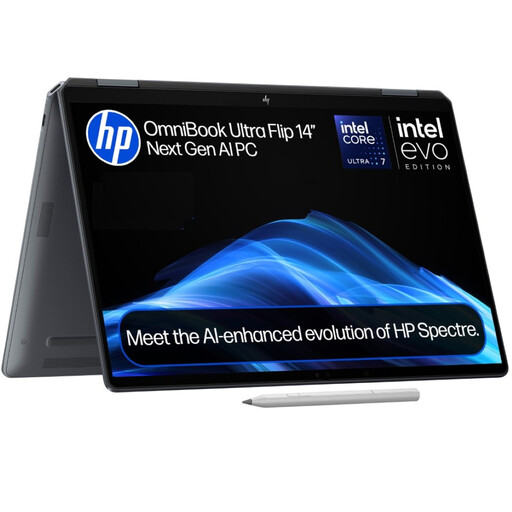
Why This Fits Their Persona: The 360-degree hinge, OLED touchscreen and 1.34kg weight suit professionals who move between desk work, presentations and flexible working locations.
It combines 16GB LPDDR5x memory with a 1TB PCIe 4.0 NVMe SSD, rather than relying on a high-resolution display alone to signal capability.
3K OLED touch display with 48–120Hz refresh rate, Intel Core Ultra 7 processor and Thunderbolt 4 connectivity.

Why This Fits Their Persona: A larger 16-inch touchscreen and 16:10 2K display provide extra room for design work, spreadsheets, split-screen research and entertainment.
The larger screen is paired with a specified Intel Core Ultra 5 processor, 16GB RAM and 512GB SSD, giving the display a practical productivity role.
360-degree hinge, Wi-Fi 7, Intel Arc Graphics and a 5MP IR camera with privacy shutter.

Why This Fits Their Persona: Its 14-inch anti-glare display, 1.49kg weight and Windows 11 environment suit commuting, home working and everyday office tasks.
The product details specify 16GB onboard RAM and a 512GB SSD, while also stating that the memory cannot be upgraded, making the long-term limitation clear.
Snapdragon X processor, Wi-Fi 6E, two USB4 Type-C ports, HDMI 2.1 and an FHD IR camera with privacy shutter.
We have compiled a complete, real-time list of products that fully satisfy these strict selection criteria and UK safety regulations.
A laptop backpack or laptop sleeve should match the device’s physical dimensions rather than only its stated screen size. A padded compartment, water-resistant outer material and secure closure are useful for UK commutes.
For 15- to 16-inch devices, the Targus EcoSmart Cypress 15.6-inch Convertible Backpack has a padded laptop compartment, tuckaway straps and a trolley pass-through. The Targus Avila 15–16-inch 2-in-1 Convertible changes between tote and backpack modes and includes a protective cradle. For a 14-inch laptop, check the internal measurements of a sleeve before buying, especially around thick corners and charging ports.
This depends on your circumstances. Employees should check their employer’s policy and current HMRC guidance. Self-employed users may be able to claim allowable business expenses where the laptop is used for work, but mixed personal use can affect the calculation. Keep your receipt and seek suitable tax advice if unsure.
It can be sufficient for browser-based research, documents, video calls and cloud storage. However, a 16GB laptop offers more headroom for multiple applications, programming tools, creative software and longer-term use. Check whether the RAM is onboard and non-upgradeable before purchasing.
Running costs depend on electricity use, software subscriptions, repairs and how you store files. ChromeOS devices can reduce the need for paid desktop software if your work is browser-based. Windows offers wider software compatibility, but some applications may require separate licences. Compare the complete ownership cost rather than the initial price alone.