Window-side Figma designer
You design and review landing pages mainly in Figma or a browser. Near a bright window, screen reflections and readability deserve attention before you decide whether you need dedicated graphics.


For landing-page design beside a bright window, check the exact laptop screen’s brightness and reflection treatment before paying for more graphics power. A portable laptop can suit browser-led Figma work, while regular work with large Photoshop files or other demanding local applications makes memory and dedicated graphics more relevant. If you prefer a MacBook Pro, also check that your tools work on macOS and whether your chosen configuration includes a power adapter.
You design and review landing pages mainly in Figma or a browser. Near a bright window, screen reflections and readability deserve attention before you decide whether you need dedicated graphics.
You move between desks while combining browser design with image editing in Photoshop. Screen usability, memory and working space on the internal drive all affect your choice; Adobe recommends at least 16GB of memory for Photoshop.
Your landing-page work also involves large Photoshop files or several demanding local applications. A larger creator-focused configuration may be worth considering, provided its screen works in your window-side setup.
Start with the screen you will actually use beside the window, then match memory and graphics capability to your design software.
| Concern | What to check | Who this matters to |
|---|---|---|
| Daylight readability | Check the exact panel’s brightness in nits and its stated anti-glare or low-reflectivity treatment. Lenovo lists 500 nits and anti-glare for one ThinkPad X1 Carbon Gen 13 configuration; Apple describes different reflection treatments for its MacBook Pro display options. | I need to see my layout clearly without repeatedly shifting position to escape window reflections. Roughly 50% of consumers would make daylight readability their primary concern. |
| Browser and image workflow | Check compatibility with your browser and design tools, plus memory and internal storage for image editing. Adobe recommends at least 16GB of memory and a fast internal SSD for Photoshop. | When I move between page layouts, browser tabs and image edits, I want the laptop to accommodate that combined workload. Around 30% of consumers would put this workflow first. |
| Demanding creative work | Compare the exact model’s dedicated GPU, graphics memory and system memory with the requirements of your local applications; balance a larger screen against carrying it. | Large creative files and demanding applications are a regular part of my work, not an occasional addition to browser design. Approximately 20% of consumers would prioritise graphics-heavy work. |
Panel finish, brightness, memory and graphics can differ within a laptop family. Lenovo’s cited 500-nit anti-glare specification belongs to a particular ThinkPad configuration, not every X1 Carbon Gen 13.
Match the retailer’s full model code to the display and hardware specifications before ordering.
Figma describes its browser-based rendering requirements as low, so a dedicated GPU is not automatically necessary for laying out landing pages.
Decide whether Photoshop, rendering or another demanding local application actually calls for dedicated graphics; give screen readability and suitable memory attention either way.
Figma notes that using a dedicated GPU can increase battery consumption.
Apple’s UK configurator says its selected MacBook Pro does not include a power adapter. Charger inclusion can therefore affect what you need to have ready for your desk.
Check the contents of the exact configuration and whether you need a compatible USB-C power supply or connections for an external display.
GOV.UK says electrical products bearing the crossed-out wheelie-bin symbol should not go in household rubbish.
Use an appropriate electrical-waste collection route when replacing your laptop, and follow local guidance for its battery.
MacBook Pro is worth considering if your design tools work on macOS and controlling reflections is a priority.
The ThinkPad X1 Carbon Gen 13 Aura Edition offers a portable Windows route when you can identify the right screen configuration.
The ProArt P16 H7606 family is relevant when landing-page design sits alongside more demanding local creative work.
These laptops cover portable browser-led work and configurations with dedicated graphics for heavier creative tasks. For any model you plan to use beside a bright window, check its exact screen brightness and reflection treatment; a detailed display or powerful GPU alone does not settle that question.
 No image available
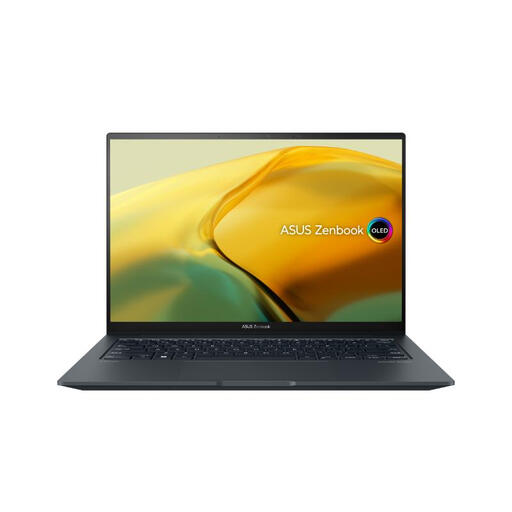
Consider this 14-inch option for portable, browser-led design if its screen suits your position beside the window.
The listed configuration has a Snapdragon X processor, 16GB of memory and a 512GB SSD. Check the display’s brightness and reflection treatment, and confirm compatibility with your required design applications.
 No image available
Consider this configuration if your landing-page work includes local creative applications that call for dedicated graphics.
Its name specifies a 15.6-inch FHD display, 16GB of memory, a 1TB SSD and GeForce RTX 5050 graphics. Check the exact screen specifications for your window-side desk and whether its size suits how often you carry it.
 No image available
This larger configuration is relevant when landing-page design is part of a demanding local creative workflow.
The Joybuy listing identifies a 16-inch, 3840 × 2400 OLED touchscreen, 64GB of memory, a 2TB SSD and GeForce RTX 5080 graphics with 16GB of graphics memory. Check the exact panel’s brightness and reflection treatment before choosing it for a bright window.
 No image available
Consider this model if you want a 14.5-inch laptop with dedicated graphics for design work beyond the browser.
Its name specifies an OLED touchscreen, an Intel Core i9 processor, GeForce RTX 3050 graphics, 16GB of memory and a 1TB SSD. Confirm the panel’s brightness and reflection treatment for your window-side workspace.
 No image available
This Chromebook is a possibility for web-centred design if every required tool works in your Chrome OS workflow.
The named configuration has a 14-inch screen, an Intel Core i3 N305 processor, 8GB of memory and 256GB of eMMC storage. Check screen brightness for the window-side desk and confirm any desktop-application requirements before buying.
Check the exact configuration’s stated brightness and whether its screen has anti-glare or low-reflectivity treatment. Lenovo lists a 500-nit anti-glare panel for one ThinkPad X1 Carbon Gen 13 configuration, while Apple says its optional MacBook Pro nano-texture display further reduces glare and reflections in bright lighting; neither specification applies automatically to other versions.
Not necessarily: Figma says its predominantly browser-based software has low WebGL graphics requirements. Compare dedicated graphics with the requirements of any demanding local applications you also use; Figma notes that using a dedicated GPU can increase battery consumption.
Adobe recommends 16GB of memory or more for desktop Photoshop and lists a fast internal SSD among its recommended specifications. Use those recommendations when assessing your Photoshop work, rather than assuming a browser-only Figma workflow needs the same configuration.
No: check the rules for the place where the laptop is supplied rather than applying Great Britain guidance automatically in Northern Ireland. GOV.UK’s guidance on the Electrical Equipment (Safety) Regulations 2016 describes Great Britain’s recognition of certain goods meeting EU requirements, including CE marking; Northern Ireland has different provisions under the Windsor Framework.
Use an appropriate electrical-waste collection route instead of putting it in household rubbish. GOV.UK says electrical products bearing the crossed-out wheelie-bin symbol should not be disposed of with household waste; follow local collection guidance for the laptop and its battery.