What matters when choosing?
Settle the database stack and operating system before comparing hardware; then work out the capacity your simultaneous tools need and inspect the exact panel specified for the laptop you intend to buy.
| Concern |
What to check |
Who this matters to |
| Memory and storage |
Allow for database files, backups and tools running together; check the memory and SSD capacity of the selected configuration rather than using an installation minimum as your target. |
If I keep a database, containers, an IDE and browser sessions open together, I need capacity beyond what merely starts the server. Around 42% of consumers put local capacity first. |
| Window-side readability |
Check the selected panel’s rated brightness in nits and its screen finish; consider where window reflections will fall on the display. |
When daylight falls across my desk, I need to read code and query results without relying on screen size or resolution alone. For around 33% of consumers, readability is the primary concern. |
| Stack compatibility |
Confirm the required operating system and processor architecture, then check extensions, drivers and container images separately. |
If a required database tool will not run in my chosen environment, extra hardware capacity will not solve the problem. Platform compatibility comes first for around 25% of consumers. |
For the platform decision, Microsoft Learn’s SQL Server 2022 requirements cited here apply to SQL Server on Windows. The PostgreSQL Global Development Group expects PostgreSQL to work on current Windows, Linux and macOS versions, but that does not establish compatibility for every extension or surrounding tool. For the screen decision, Lenovo UK specifies a 400-nit anti-glare panel on one ThinkPad T14 Gen 5 configuration, while Dell UK lists both 300-nit and 400-nit display choices on its cited Pro Max 14 page. Neither figure guarantees comfortable viewing in every window position.
Joybuy laptop choices
These laptops offer configurations to examine for local database work, including MacBook Pro models for a confirmed macOS-compatible stack and other laptops whose platform and screen specifications should be checked against your requirements. The product name alone cannot settle whether a display will suit your window-side desk.
 No image available
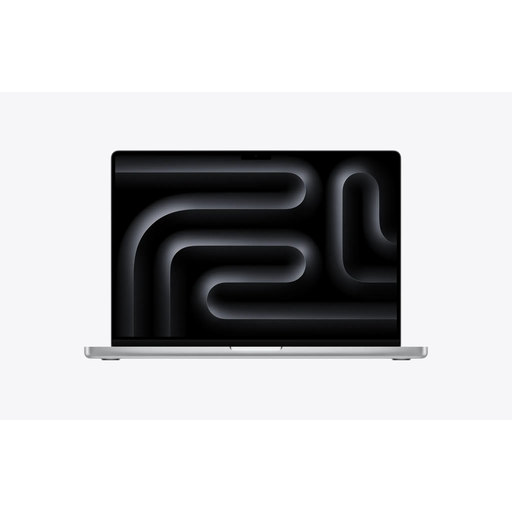
Apple MacBook Pro 16.2-inch M5 Max, 36 GB/2 TB, Silver
Consider this model if your complete database stack supports macOS and you want the stated memory and storage capacity for local work. The product name specifies an 18-core CPU and 32-core GPU. Check the selected display’s brightness and finish for your desk; SQL Server 2022 on Windows is not a direct macOS installation route.
View on Joybuy
 No image available
Apple MacBook Pro 14.2-inch M5 Pro, 24 GB/2 TB, Silver
This is another option when your database tools are confirmed to work on macOS. Its product name specifies an 18-core CPU and 20-core GPU. Check the exact panel specification for window-side use and confirm the power adapter supplied with the selected package.
View on Joybuy
 No image available
MSI Summit 16 AI Evo, 32 GB/1 TB
Consider this laptop if its operating system supports your required database tools and its capacity suits your local workload. The product name specifies an Intel Core Ultra 7 255H, 32 GB LPDDR5 RAM, a 1 TB SSD and a 16-inch QHD+ 165 Hz display. Confirm the selected panel’s brightness and finish before choosing it for a bright-window desk.
View on Joybuy
 No image available
MSI Stealth 18 AI Studio A1VGG-001UK, 32 GB/2 TB
The 18-inch format is worth considering for a desk-based setup if the selected operating system supports your database stack. Its product name specifies an Intel Core Ultra 9, 32 GB RAM, a 2 TB SSD and an NVIDIA GeForce RTX 4070. Check the panel’s rated brightness and finish for window-side use, as well as the carrying weight if you regularly move between work areas.
View on Joybuy
 No image available
ASUS ROG Zephyrus G14 GA403WR-QS088W, 32 GB/2 TB, German Grey
This Windows 11 Home configuration is a candidate if your database stack runs on that edition and you need the stated local capacity. Its product name specifies an AMD Ryzen AI 9 HX 370, 32 GB LPDDR5x-SDRAM, a 2 TB SSD and a 14-inch WQXGA+ display. Check the exact screen’s brightness and finish before relying on it beside a bright window.
View on Joybuy
Frequently asked questions
Are SQL Server’s minimum requirements enough for choosing a laptop?
No: installation requirements alone do not size a laptop for your development workload. Microsoft Learn lists minimum requirements for SQL Server 2022 on Windows and says memory should increase with database size; allow separately for your database files, backups and applications running at the same time.
Should I choose Windows, Linux or macOS for local databases?
Choose the operating system supported by your complete stack. Microsoft’s cited SQL Server 2022 installation requirements apply to Windows, while the PostgreSQL Global Development Group expects PostgreSQL to work on current Windows, Linux and macOS versions. Check required extensions, drivers, container images and processor architecture separately.
Will a brighter screen always be easier to use beside a window?
A brightness rating is useful to compare, but it does not guarantee comfortable viewing in every position. Check the exact panel’s rated brightness and finish, then consider whether the window will reflect directly in the screen; Lenovo UK’s cited anti-glare ThinkPad configuration and Dell UK’s differing Pro Max display options show why the selected variant matters.
Where can I take an old laptop for recycling in the UK?
A local household waste recycling centre is one option for an old laptop. GOV.UK says waste electrical products can be taken to these centres; check the centre’s instructions for equipment containing a battery before you visit.


