
24/7 Customer Support

Free returns

Same-day & Next-day Delivery

Quality Guaranteed

Unlock Your Welcome Offers: FREE Delivery | Up to 80% OFF | Free 30-day JoyPlus trial
Download the APP
Choosing a laptop involves more than comparing processor names and discounted prices. A model that looks impressive on a product page may have limited storage, a heavy charger or software compatibility restrictions that only become apparent after purchase.
For UK buyers, the most common pitfalls include:
The right choice depends on how you work, study and travel, rather than on one headline specification.
The processor affects application responsiveness, multitasking and power consumption. Intel Core, AMD Ryzen, Apple silicon and Qualcomm Snapdragon chips use different architectures, so compare the complete configuration rather than relying on brand names alone.
For general work, web browsing and study, 8GB RAM can be sufficient when using lightweight applications. However, 16GB RAM is a more practical starting point for regular multitasking, video calls, large spreadsheets and many browser tabs. Creative users or people working with virtual machines may benefit from 24GB or 32GB.
ARM-based Windows laptops, including several Copilot+ PCs, can offer efficient operation and integrated AI acceleration. Before buying, check whether your essential accounting, engineering, design or gaming software supports Windows on ARM. Some applications may run through emulation, while others require a native version.
A 512GB SSD provides a useful balance for most laptops for work, laptops for students and everyday home use. A 1TB SSD is more suitable for large media libraries, creative files, games or local project storage.
Check whether the storage is replaceable. Some thin laptops and Apple models use integrated or non-user-upgradable components, so buying the capacity you need at the outset is important. A 256GB SSD or eMMC drive can work for cloud-based tasks, but may become restrictive if you store photographs, games or offline video.
A 13- or 14-inch screen generally suits frequent travel, whereas 15-inch laptops offer more room for documents and split-screen work. Weight matters too: remember to include the power adapter when considering a commuting setup.
Useful display features include:
Also count the ports. Two USB-C ports may be adequate at home, but a user connecting a monitor, wired network, storage drive and accessories may need a dock or additional USB-A and HDMI connections.

Why This Fits Their Persona: A practical option for web-based study, email, streaming and document work, with a 14-inch display and approximately 1.5kg weight for moving between home, college and cafés.
ChromeOS is designed around browser-based work, making its intended use clear. Buyers should still check that required Windows or macOS applications are available.
14-inch Full HD IPS anti-glare display, 8GB RAM and a stated battery capacity of 57Wh.
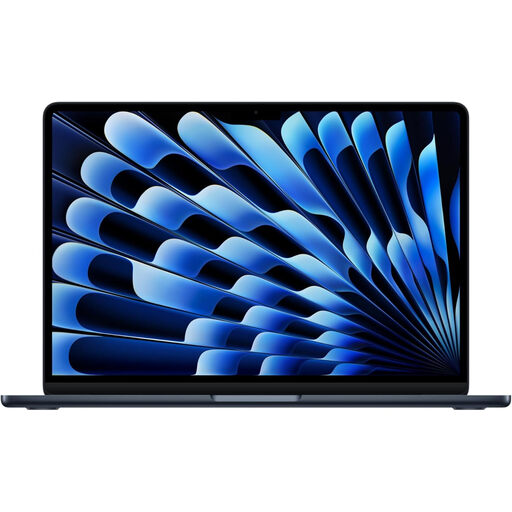
Why This Fits Their Persona: Suits professionals, students and home workers seeking a compact laptop with macOS, a high-resolution display and a portable aluminium design.
The listed 16GB unified memory and 512GB SSD avoid the common entry-level combination of limited RAM and small storage.
M5 chip with a 10-core CPU and 8-core GPU, plus Liquid Retina display, Thunderbolt 4 and MagSafe charging.
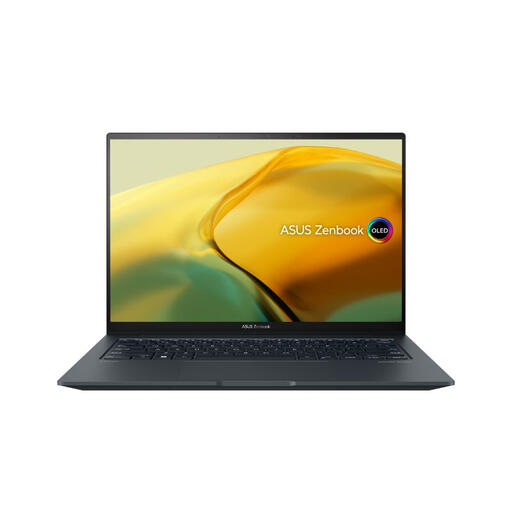
Why This Fits Their Persona: Designed for users combining creative applications, demanding multitasking and occasional gaming in a laptop weighing approximately 1.6kg.
The dedicated RTX 3050 graphics card is clearly specified, rather than relying only on integrated graphics for heavier visual workloads.
2.8K OLED touchscreen with 120Hz refresh rate, 1TB PCIe 4.0 SSD and Intel Core i9-13900H processor.
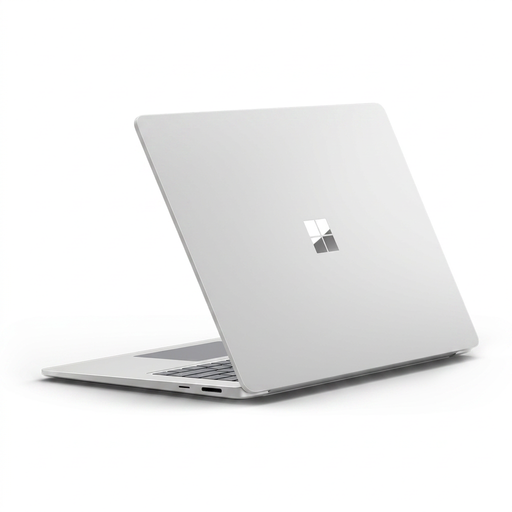
Why This Fits Their Persona: A larger-screen Windows option for remote workers and professionals who value a 3:2 workspace, touchscreen input and built-in video-call features.
Its Copilot+ classification is supported by a Snapdragon X Elite processor and 45 TOPS NPU, while Windows software compatibility should still be checked before purchase.
15-inch 2496 × 1664 touchscreen, 16GB LPDDR5x memory, Wi-Fi 7 and Windows Hello facial recognition.
We have compiled a complete, real-time list of products that fully satisfy these strict selection criteria and UK safety regulations.
For most students, professionals and remote workers, 16GB RAM provides useful headroom for browsers, video calls, office software and moderate creative applications. Users working with large datasets, professional editing tools or virtual machines may prefer 24GB or 32GB.
A 512GB SSD is suitable for many everyday users, but the usable capacity is lower after the operating system and recovery files are installed. Choose a 1TB SSD if you regularly store games, raw video, design files or large offline libraries.
No. Copilot+ PCs add dedicated AI processing and Windows features, but they remain conventional laptops for tasks such as browsing, documents and video calls. Check ARM application support, graphics capability and your preferred software before selecting one.