What to check before buying
Start with the laptop’s output and the TV’s available input, then decide whether keeping the laptop connected by cable suits the room. For wireless viewing, identify the casting system before choosing a receiver.
| Concern |
What to check |
Who this matters to |
| Wired picture and sound |
Confirm compatible HDMI connections, select the TV’s connected input and choose a cable length that fits the room. |
If I mainly want to show saved photos and videos with sound, I would rather keep the laptop connected than set up casting. About 31% of consumers put dependable wired playback first. |
| USB-C video compatibility |
Check the laptop maker’s video-output specification for the exact port, then compare the accessory’s supported display modes. |
Without an HDMI socket, I need a way to connect my laptop to the TV; extra hub ports matter only if I will use them. About 25% of consumers make USB-C compatibility or expansion their primary concern. |
| Cable-free sharing |
Match the laptop to a Miracast or Google Cast receiver as appropriate; for Chrome casting, check the shared Wi-Fi connection and where audio plays. |
I want to share from the sofa without leaving a cable across the room, even if the receiver takes more setup. For about 25% of consumers, cable-free convenience comes first. |
| Streaming-device system |
Choose a receiver that fits the devices you use, and confirm its TV connection and required cable before buying. |
My TV needs a receiver for the sharing system I plan to use, so choosing between an Apple/AirPlay and a Chrome/Google Cast route is the main decision. About 19% of consumers prioritise that receiver choice. |
Joybuy products for connecting a laptop to a TV
These products cover a direct HDMI cable, a USB-C hub with HDMI outputs and a wireless HDMI display adapter. Match any accessory to your laptop and TV before choosing a connection route.
 Image unavailable
Baseus Metal Gleam Series II 10-in-1 USB-C hub, Cosmic Black
Consider this hub if a laptop without HDMI needs a TV connection and you would also use its additional ports. Its listed connections include two HDMI outputs, with stated modes of 4K at 120 Hz and 4K at 60 Hz, plus USB, RJ45, SD/TF and USB-C PD connections. Check that the laptop’s USB-C port supports DP Alt Mode and that the laptop and TV support the display mode you want.
View on Joybuy
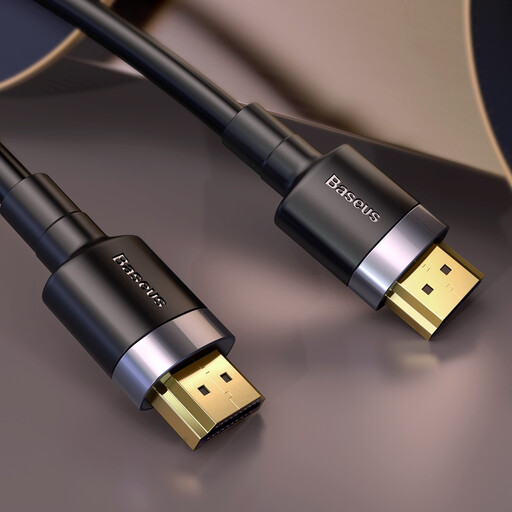 Image unavailable
Baseus Cafule 4K HDMI male-to-male cable, 3 m, black
This is the direct wired option if the laptop and TV have compatible HDMI ports. The cable is 3 m long, so check whether that reaches comfortably without leaving the laptop in an inconvenient position. Which? notes that an HDMI connection can carry both picture and sound.
View on Joybuy
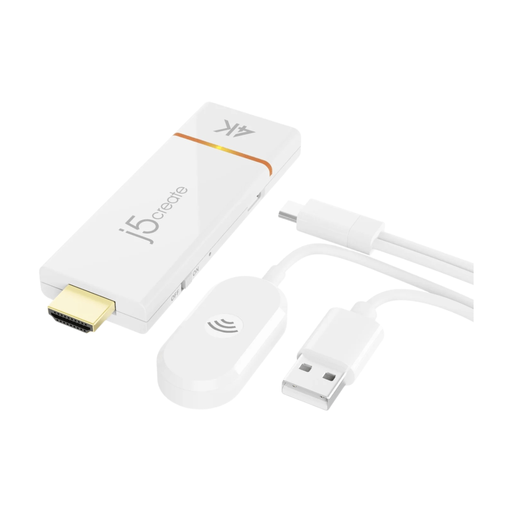 Image unavailable
j5create JVAW56 ScreenCast HDMI wireless display, white
This wireless display adapter is a candidate if you want to share a laptop screen without running a cable from the laptop to the TV. Before buying, confirm that the JVAW56 supports your laptop’s operating system and wireless display method, and check its power, network and setup requirements alongside the TV’s available HDMI input.
View on Joybuy
Common questions
How do I know whether my USB-C laptop can connect to a TV?
Check the exact laptop model’s specification for video output through its USB-C or Thunderbolt port, then compare it with the cable or adapter and the TV. Apple Support notes that an adapter’s specifications determine supported resolution and related features for a Mac HDMI connection.
Why is the picture on the TV but the sound still on my laptop?
If you are casting from Chrome, Google says a whole-screen cast can leave audio on the computer; casting the relevant tab sends that tab’s sound to the TV. For a wired connection, Which? describes HDMI as carrying picture and sound, provided the devices are connected appropriately.
What does a Windows laptop need for wireless TV mirroring?
The laptop and TV or receiver need a compatible wireless-display route; Microsoft documents connecting Windows to displays that support Miracast. Its wireless display adapter also needs an HDMI connection and USB power at the TV, so check the particular setup before buying.
Does showing saved laptop photos on a TV determine whether I need a TV Licence?
The cable or casting method does not determine the rule. TV Licensing says its requirement applies to watching live TV on any service or using BBC iPlayer; check its guidance if the household will use the setup for either activity.
What else do I need to connect a TV streaming device?
Check the device’s HDMI cable and network requirements as well as the TV input. Google specifies a certified HDMI 2.1 cable, sold separately, for Google TV Streamer (4K). Apple says Apple TV 4K requires an HDMI cable; its supported network connections depend on the model.


