
24/7 Customer Support

Free returns

Same-day & Next-day Delivery

Quality Guaranteed

Unlock Your Welcome Offers: FREE Delivery | Up to 80% OFF | Free 30-day JoyPlus trial
Download the APP
Finding a tablet with a large, immersive display often means navigating high price tags and complex specifications. If you're looking for a device that delivers an expansive screen for entertainment, study or creative work without stretching your budget, you've come to the right place. This guide is designed to help you understand the key features to look for in a large screen Android tablet and to highlight some compelling options available today.
As a Joybuy Product Recommendation Officer, my role is to sift through the market and present practical, value-driven choices. Let's explore what makes a great large-screen tablet and look at some models that deliver on both size and performance.
Choosing the right tablet involves more than just picking the biggest screen. Here are a few key considerations to help you make an informed decision.
The main appeal of a large tablet is the screen itself. A display of 12 inches or more, such as a 13 inch tablet, provides a cinematic experience for media consumption and ample space for multitasking. Look for a resolution of at least Full HD (1920x1080) to ensure sharp, clear images. For an even smoother visual experience, especially in gaming or scrolling, a higher refresh rate (like 120Hz) can make a noticeable difference.
The processor is the engine of your tablet. A capable chipset like the MediaTek Helio G99 offers a great balance of power and efficiency, making it a solid choice for an affordable gaming tablet or a responsive tablet for students. Paired with sufficient RAM (8GB or more is ideal), it ensures smooth operation whether you're streaming, browsing or using productivity apps. The latest Android 15 operating system also brings enhanced security, privacy and user interface improvements.
Some tablets come bundled with accessories that significantly enhance their functionality. An Android tablet with keyboard can instantly transform your device into a capable laptop alternative for writing essays or managing emails. For aspiring artists, a model that includes a pressure-sensitive stylus can serve as an excellent drawing tablet for beginners, allowing you to sketch and create with precision straight out of the box.
Here are a few TECLAST tablet models that offer impressive screen sizes and well-rounded features for their price point.
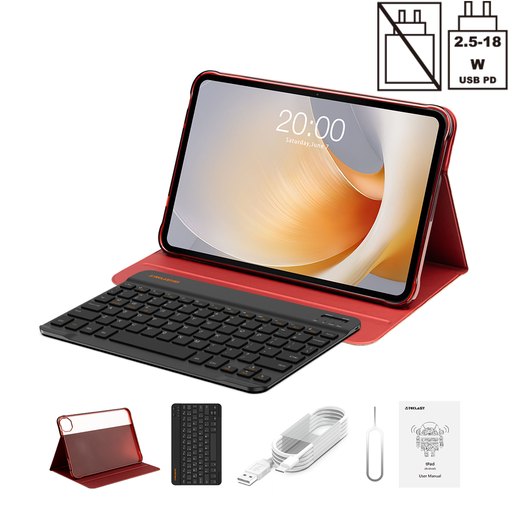
Why It Stands Out: The T65 Plus makes a statement with its expansive 13.4-inch display and a fluid 120Hz refresh rate. Powered by the reliable Helio G99 processor and running on Android 15, it's built for both entertainment and productivity. The inclusion of a Bluetooth keyboard and protective case adds immediate value, making it a comprehensive package.
Pros:
Who is it for? This tablet is ideal for users who prioritise screen size for immersive movie-watching and need a device that can double as a lightweight workstation for typing and multitasking.
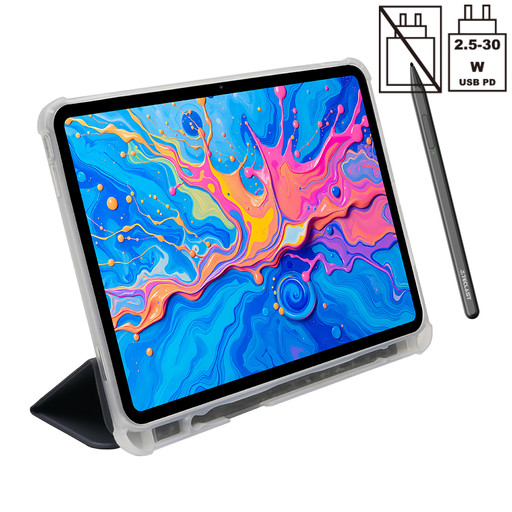
Why It Stands Out: The ArtPad Pro is tailored for creative individuals. Its 12.7-inch 2K display offers excellent detail, but the main attraction is its support for 4096 levels of pressure sensitivity with the included T-Pen stylus. This makes it a fantastic entry point for digital art, note-taking and design. It shares the same powerful Helio G99 processor and a large 10,000mAh battery.
Pros:
Who is it for? Students, artists and hobbyists who want a large, high-quality screen for drawing and note-taking without investing in a professional-grade graphics tablet.
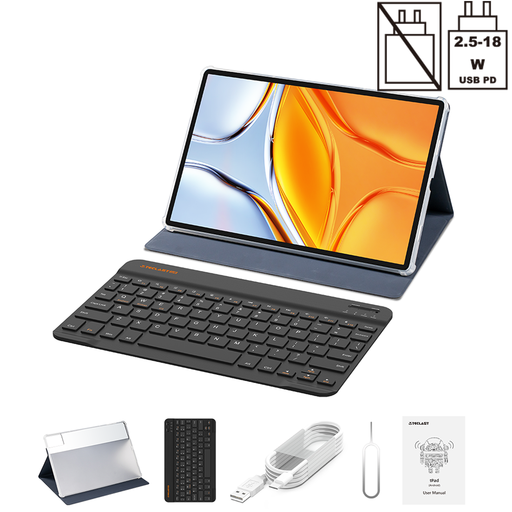
Why It Stands Out: If maximum screen real estate is your goal, the TECLAST T70 delivers with its enormous 14-inch display. This tablet is an excellent choice for those who want the most immersive viewing experience possible for films or need a large canvas for split-screen productivity. Like the others, it is powered by the Helio G99 processor and includes a keyboard, making it a versatile all-rounder.
Pros:
Who is it for? Users who want the largest screen possible for media, light work, or simply enjoying a more spacious interface. It's a great option for families or anyone who values screen size above all else.
If these recommendations aren't quite what you're looking for, or if you'd like to explore other specifications and sizes, we have a wider selection available.
? Explore our full range of 4G Android tablets to find the perfect model for your needs.
Yes, the MediaTek Helio G99 is a very capable mid-range processor. It is designed for efficiency and provides smooth performance for everyday tasks, streaming high-definition video and playing many popular games. It represents an excellent balance of performance and value in an affordable gaming tablet.
An Android 15 tablet offers the latest software enhancements from Google. This typically includes improved user privacy controls, more personalisation options for the interface, better battery optimisation and enhanced security features to keep your device and data safe.
Absolutely. A large screen tablet, especially an Android tablet with keyboard, is a versatile tool for students. The large display is great for research and reading academic papers, while the keyboard allows for efficient note-taking and essay writing. Its portability makes it a convenient alternative to a traditional laptop for carrying to lectures and the library.