Choose the drive according to its job: a portable SSD suits frequent transfers, a desktop hard drive suits a large collection kept mainly at home, and a flash drive suits moving selected files. Measure the complete library before choosing a capacity, and keep a separate, restorable backup rather than treating a one-off transfer as your only copy. If you use Time Machine or File History, choose the backup workflow before deciding how to format the drive.
Who each option suits
Home photo archivists
If your collection mainly stays at home, check the size of the complete photo and video library before choosing a drive for a local copy. Seagate lists its mains-powered Expansion Desktop line in capacities from 4TB to 28TB; the capacity you need still depends on your own files and planned growth.
Frequent laptop and travel users
If you regularly carry a drive or transfer large folders between locations, a portable SSD is worth considering. Samsung's T7 Shield illustrates this route, but its quoted maximum speeds require a compatible computer, cable and connection.
Mixed-device file movers
If you move selected photos between USB-C and USB-A devices, check the ports on each device and the drive's connectors. SanDisk's Ultra Dual Drive Go is a dual-connector flash-drive example; it serves a different task from maintaining a complete backup of the library.
What to check before buying
For a large personal photo and video collection, decide whether the new storage will hold a complete library, travel with you or carry selected files. If it is also a backup, plan how to keep another copy separately; an existing cloud copy can form part of that arrangement once you have checked what it contains and can restore.
| Concern |
What to check |
Who this matters to |
| Capacity for the full library |
Measure all source folders, videos and cloud originals you intend to download; allow room for additions and the planned backup routine. |
I want one local destination for my whole collection without running out of room as it grows; around 31% of consumers would put full-library capacity first. |
| Portability and transfers |
Check the computer's USB mode and the cable, not just the connector shape. Treat a quoted maximum speed as conditional on the connected equipment. |
If I carry the drive and copy large folders regularly, I need a practical portable setup; around 25% of consumers would make portability and transfers their primary concern. |
| Restorable backups |
Decide between manual copies, Time Machine and File History before choosing a file system; plan how to check a restore. |
I need to recover photos if the original becomes inaccessible, not merely move them once. Around 31% of consumers would prioritise a repeatable backup and restore routine. |
| Selected files across devices |
Check whether you need USB-A, USB-C or both, and whether the file system suits ordinary copying between your devices. |
For occasional transfers between differently equipped devices, I need to move chosen folders without carrying the entire archive; around 13% of consumers would put that task first. |
Mistakes to avoid
-
Assuming a one-time transfer is a tested backup
A drive containing copied files has not necessarily been checked for completeness or readability. The National Cyber Security Centre describes a backup as a copy kept in a separate safe location.
Compare folders or file counts where practical, open a sample of photos and videos from the new drive, and keep another copy separately if the collection matters to you.
-
Reformatting a drive that already contains files
Apple warns that formatting a disk or volume erases its contents.
Before changing the file system or partition scheme, check that the drive is empty or that everything on it exists in another complete copy.
-
Choosing exFAT before choosing backup software
exFAT can serve ordinary Mac-and-Windows file copying, but Seagate does not recommend it for Time Machine or File History. Apple identifies APFS or APFS Encrypted as preferred for a Time Machine backup disk.
Decide whether the drive is for shared files or an automated backup, then check the format required by that job before putting files on it.
-
Expecting a quoted SSD speed from every USB port
Samsung's maximum T7 Shield transfer figures depend on a compatible USB 3.2 Gen 2 host, cable and UASP support; they are not a speed promise for every computer.
Check your computer port and cable against the particular SSD before making transfer speed the deciding factor.
Relevant brands for reference
Samsung
Samsung's portable T7 Shield SSD line is relevant when compact storage and frequent transfers matter.
- Samsung offers T7 Shield variants in 1TB, 2TB and 4TB and rates the line at up to 1,050MB/s read and 1,000MB/s write with the required connection.
- Its IP65 and 3m drop-test statements come from controlled manufacturer testing; Samsung says related environmental damage is not covered under warranty.
Seagate
The Expansion Desktop line is a desk-based option for a substantial local archive or backup copy.
- Seagate lists Expansion Desktop capacities from 4TB to 28TB.
- The line uses an 18W power adaptor. Seagate also advises against exFAT for Time Machine and File History, so check the intended backup software before formatting.
SanDisk
The Ultra Dual Drive Go flash-drive line is relevant to selected-file transfers between devices with different USB ports.
- SanDisk describes a 1TB Ultra Dual Drive Go variant with USB-C and USB-A connections.
- The convenience of a small transfer device does not make a selected-file copy a complete backup of an irreplaceable library.
Joybuy product choices
These choices cover portable SSDs and a portable hard drive for local photo storage, plus a flash drive for selected-file transfers. Check each capacity against your actual library and decide separately how you will maintain a backup copy.
 No image available
Samsung MU-PG4T0B 4 TB USB-C SSD, Black
Consider this portable SSD if you need to carry a substantial local photo copy. Its listed capacity is 4 TB and its interface is USB 3.2 Gen 2x2; check the size of your library, your computer's USB mode and your intended backup software before choosing it.
View on Joybuy
 No image available
Samsung Portable SSD T7 4 TB USB-C, Grey
This portable SSD is an option for carrying a local photo collection between compatible devices. It is the 4 TB T7 with a USB 3.2 Gen 2 interface; measure the full collection and check the devices and backup application you intend to use.
View on Joybuy
 No image available
Western Digital My Passport Ultra 5TB Portable Hard Drive, Blue
Consider this portable hard drive if you want a 5TB local destination that can move between locations. Check that its capacity covers the complete library and that its format suits the computer and backup software you plan to use.
View on Joybuy
 No image available
SanDisk Portable SSD 2TB
This portable SSD is worth considering when 2TB covers the files you need to carry. Measure those files first, then check the connector and device requirements before relying on it for transfers or a backup routine.
View on Joybuy
 No image available
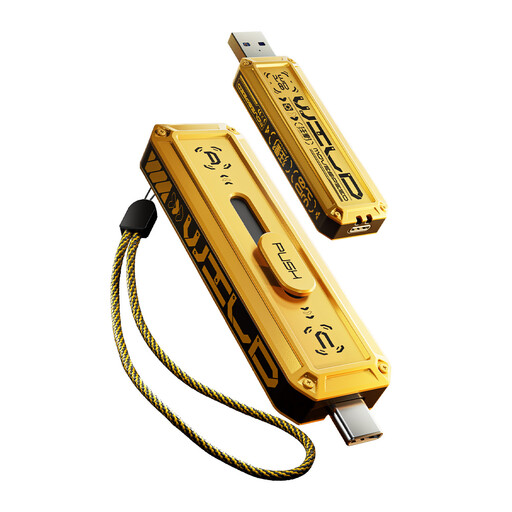
MOVESPEED YSUWD10-1TSY 1 TB Dual-Interface Flash Drive, Yellow
Use this as a selected-file transfer option rather than assuming it will hold or back up your entire library. The product title identifies a 1 TB dual-interface drive with a Type-C connection; check the ports on both devices and the total size of the files you intend to move.
View on Joybuy
Common questions
How much storage does a large photo library need?
Start with the used size of your complete collection, including videos, separate folders and any cloud originals you intend to download. Allow room for additions and for the way you plan to make further copies; a cloud photo count alone does not show which originals are already on your computer.
Can I copy photos using the same drive on a Mac and a Windows PC?
Yes, for ordinary file copying, a suitable shared file system can make that possible. Apple identifies exFAT as an option for disks over 32GB used with Mac and Windows; check the devices you will use, and copy off existing files before formatting because formatting erases the disk.
Should I format a drive as exFAT for automatic backups?
Not if the drive's job is Time Machine or Windows File History. Seagate advises against exFAT for those utilities, while Apple identifies APFS or APFS Encrypted as preferred for a Time Machine backup disk; choose the backup application and its required format before setting up the drive.
Is one external drive enough to back up irreplaceable photos?
An external drive can hold a backup, but do not rely on one unchecked copy as your only protection. The National Cyber Security Centre defines a backup as a copy stored in a separate safe location; keep another copy separately where appropriate and check that you can open or restore files from it.


