What matters when choosing
Start with a science PDF at the text size you actually use, then decide whether handwriting tools or easier carrying matter more to your routine.
| Concern |
What to check |
Who this matters to |
| Visible page area |
Open a representative PDF at your preferred enlargement; inspect two-column text, figures and tables in portrait and landscape. |
If enlarged text leaves too little of a figure or paragraph on screen, I need room to read without constant panning. Around 42% of consumers put usable page area first. |
| Annotation workflow |
Check whether a pen is supplied and whether your PDF reader, notes app and institutional sign-in work on the tablet. |
When I mark diagrams or write alongside an essay, the pen and my usual apps need to work together. Roughly 33% of consumers prioritise this study workflow. |
| Carrying and app access |
Consider the tablet’s weight in your usual reading position and confirm that essential apps are available, particularly on Fire OS. |
For mainly reading and browsing, I can accept more scrolling if the tablet fits how I carry and use it. About 25% of consumers place that simpler routine first. |
Joybuy tablet choices
These tablets offer different approaches to reading enlarged essays, from models with a stated large screen to configurations worth considering for notes. Compare the exact display, included tools and required apps against your own PDFs rather than treating screen size alone as a reading test.
 No image available
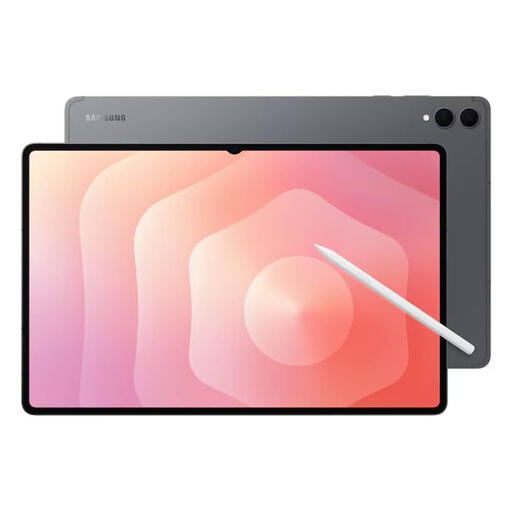
Samsung Galaxy Tab S11 Ultra 12GB 256GB WiFi Gray
Consider this Wi-Fi configuration for essay reading and study notes after checking how your own PDFs display and whether your essential apps work. The product name specifies 12GB memory and 256GB storage; check the exact screen and package contents for the reading set-up you want.
View on Joybuy
 No image available
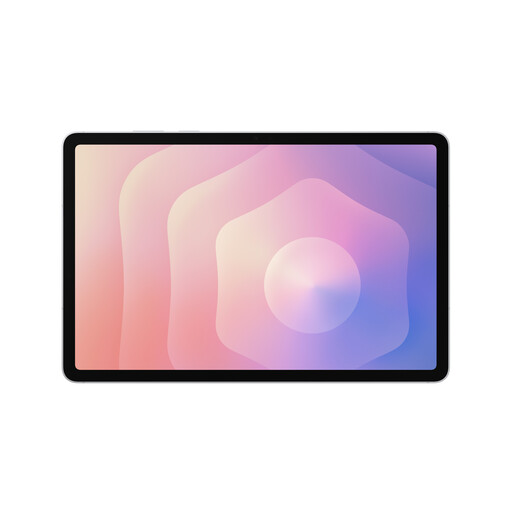
Samsung Galaxy Tab S11 12GB 128GB WiFi Silver
This Wi-Fi tablet is worth comparing if you read essays and also make study notes. Its product name specifies 12GB memory and 128GB storage; check the display at your preferred PDF enlargement and confirm the tools supplied with this configuration.
View on Joybuy
 No image available
Xiaomi Pad 7 Gray 8GB 128GB, Focus Pen listed
If you want to mark up essays as well as read them, check whether this exact package contains the Focus Pen named in the product title. The title specifies 8GB RAM and 128GB storage; test a representative PDF and confirm your required apps before choosing it.
View on Joybuy
 No image available
TECLAST ArtPad Pro 12.7-inch 2K, 256GB, stylus included
The stated 12.7-inch screen makes this a large-canvas option to try with enlarged science PDFs. Its title describes a 2K display, Android 15 and an included stylus; it specifies 8GB physical RAM plus 12GB virtual memory, rather than 20GB physical RAM. Confirm the pen and your annotation apps for the exact package.
View on Joybuy
 No image available
Teclast T65 13.4-inch 120Hz, 128GB
If physical screen size is your priority, the stated 13.4-inch display makes this a model to check with your own enlarged PDFs. The title specifies Android and 6GB physical RAM plus 20GB virtual memory; confirm display detail, handheld comfort and any annotation tools you need.
View on Joybuy
Questions about reading and annotation
Do I need a 13-inch tablet for science essays with large text?
No. An 11- or 11.5-inch tablet may suit you if more scrolling or landscape reading is acceptable. For fixed-layout PDFs with figures and tables, try your preferred enlargement on a 12.6- or 13-inch screen too, then consider how comfortable each device is to hold.
Can screen magnification make a smaller tablet feel like a larger one?
Magnification makes content bigger but does not add physical page area. Apple Support describes full-screen, window and pinned Zoom options on iPad; test your own PDFs to see how much text and how many figure labels remain visible at a comfortable size.
Is a stylus necessary for annotating essays?
A stylus matters if you plan to handwrite comments, mark diagrams or use pen-based markup; readers who only view or type notes may not need one. Samsung states that the cited Galaxy Tab S12+ includes an S Pen, while Apple lists Pencil compatibility for iPad Air and Lenovo presents the Tab Pen Plus as an add-on. Check the exact tablet package and annotation app.
Will my university apps work on a Fire Max 11?
Check each required app before choosing a Fire Max 11: Amazon states that Google Play is not supported on Fire tablets. Confirm your library access, PDF reader, cloud storage, reference manager, note-taking tools and institutional sign-in in the supported Fire tablet environment.


