
24/7 Customer Support

Free returns

Same-day & Next-day Delivery

Quality Guaranteed

Unlock Your Welcome Offers: FREE Delivery | Up to 80% OFF | Free 30-day JoyPlus trial
Download the APP
Buying laser engraving machines and rotary tools involves more than comparing wattage or counting accessories. A professional workshop may need repeatable marking on metal, while a hobbyist might only require a compact engraving pen for wood, jewellery or model finishing. Choosing the wrong format can lead to wasted money, poor results and equipment that is unsuitable for your workspace.
A higher wattage does not automatically mean a machine can process every material. Diode, infrared and fibre lasers interact differently with wood, acrylic, coated metals, stainless steel and jewellery materials. Before ordering, check the manufacturer’s stated material compatibility and whether the machine is intended for engraving, cutting, marking or a combination of tasks.
A dual laser engraver can offer broader material coverage, but it may also require more careful setup, ventilation and safety management than a small desktop unit.
Product listings sometimes highlight a large theoretical work area without explaining how an item must be positioned. Curved bottles, cups and other cylindrical objects need a suitable rotary attachment. Flat-bed capacity is not the same as the diameter or length of an object that can be rotated.
For cylindrical projects, check the roller’s supported dimensions, operating modes and compatibility with your laser before purchase.
A 77-piece or 35-piece kit may appear attractive, but the useful question is whether the included bits match your work. Grinding wheels, polishing pads, sanding drums, drill bits and engraving cutters have different purposes and may use different shank sizes.
Also check charging time, speed control, grip comfort, replacement accessories and storage. A well-matched mini cordless rotary tool can be more practical than a larger kit filled with attachments you rarely use.
For commercial use, confirm the machine’s operating requirements, safety documentation and whether your staff have the appropriate training. Some listed machines are expressly restricted to professional commercial material processing and are not intended for private consumers.
Quoted speeds such as 6,000 mm/s or 10,000 mm/s describe maximum operating capability, not necessarily the speed used for every material or design. Fine detail, deep marking and large filled areas can require different settings.
Useful features include:
A 3D laser engraving machine may add depth or relief effects, but check whether the feature is suitable for your material, software workflow and intended production volume.
When selecting a cylindrical laser engraving roller, measure the items you plan to process. The LaserPecker LP2 rotary roller listed here supports a maximum engraving area of 100 x 2,000 mm and offers cylindrical, trolley and slab modes. It is designed for compatible LaserPecker models, including LP2, LP3, LP4 and LP5. An LP2 Plus requires an additional C-shaped bracket for stable operation.
For handheld tools, confirm the collet size. Some compact systems accept 2.3 mm or 3/32-inch accessories, while other kits may use different fittings. This affects whether replacement cutters and polishing heads will fit.
The following selection focuses on different use cases rather than one universal solution.
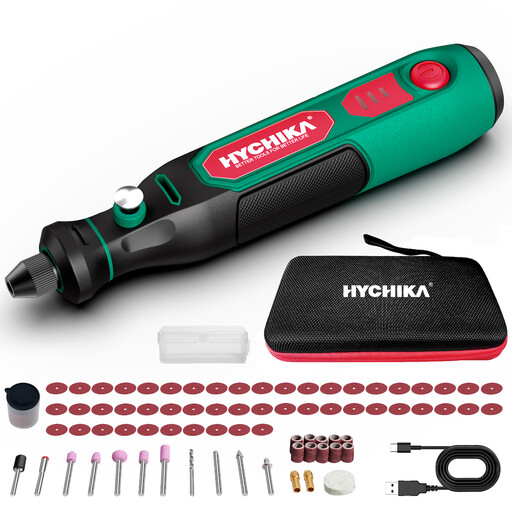
Why This Fits Their Persona: A practical starting point for UK makers, jewellery hobbyists and home users who need one compact tool for occasional engraving, polishing, drilling and small repairs.
Its stated contents and three speed levels make the selection clearer than a loosely specified accessory bundle. USB-C charging avoids the need for a dedicated power adapter.
77 accessories, a 3.6V motor, 250 g weight and three stated speed ranges for light DIY projects.
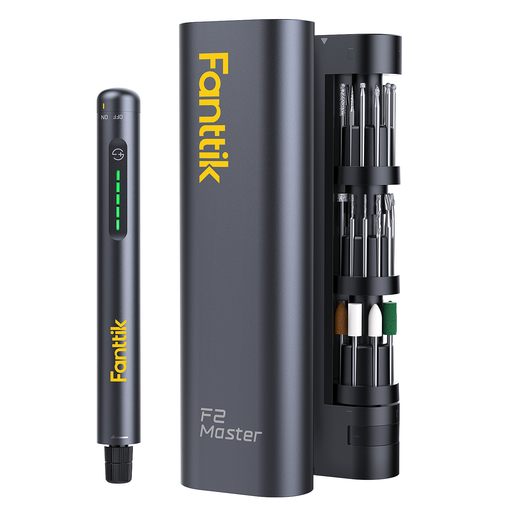
Why This Fits Their Persona: Suits users who value portability, controlled finishing and tidy organisation for crafts, 3D-print finishing, carving and detailed workshop tasks.
The stated 3/32-inch accessory compatibility helps buyers check fit before ordering replacement bits. Five speed settings provide more adjustment than a basic engraving pen.
Up to 25,000 RPM, 35 accessories, USB-C charging and a rotating magnetic storage stand.
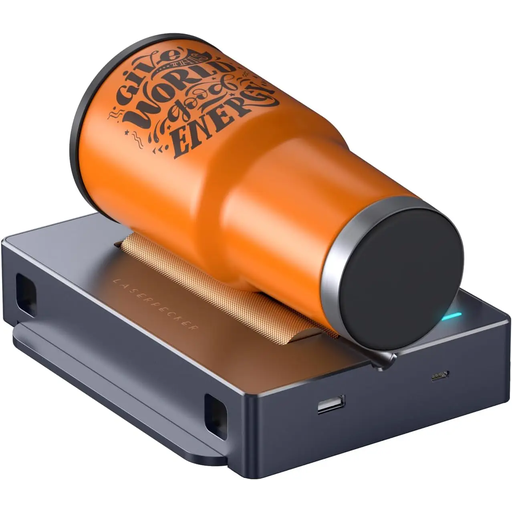
Why This Fits Their Persona: A focused option for makers and small-batch businesses engraving bottles, cups, jugs and other cylindrical products with a compatible LaserPecker machine.
It clearly states its compatible models, operating modes and maximum engraving area. LP2 Plus users can account for the separately required C-shaped bracket.
360-degree cylindrical rotation, 100 x 2,000 mm maximum engraving area and three operating modes.
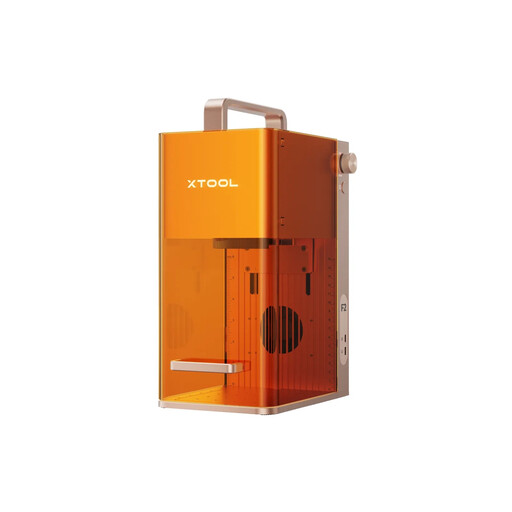
Why This Fits Their Persona: Intended for professional commercial material processing where positioning, mixed-material work and small-batch production are part of the workflow.
The listing explicitly limits use to professional and commercial users and directs buyers to safety documentation before purchase.
5W IR and 15W diode lasers, a built-in 50MP camera and stated maximum speed of 6,000 mm/s.
The xTool F1 Ultra 20W Fibre & Diode Dual Engraver is another specialised option for certified commercial users. Its listed features include a 20W fibre laser, 20W diode laser, smart camera, batch-processing functions and 3D engraving capability. Review the supplied safety documents and workplace requirements before considering this type of equipment.
We have compiled a complete, real-time list of products that fully satisfy these strict selection criteria and UK safety regulations.
Yes, if your laser is not designed to rotate cylindrical objects independently. A compatible roller supports controlled rotation and can help maintain alignment around the surface. Check the bottle diameter, roller dimensions, machine compatibility and any required brackets before ordering.
Running costs include electricity, ventilation, maintenance, software and consumables such as lenses or rotary-tool bits. Laser power alone does not determine total cost. A machine that matches your production volume and material range may reduce wasted setup time and unsuitable consumables.
Not completely. A rotary tool uses a physical bit for engraving, sanding, polishing and grinding, making it useful for tactile detail and finishing. A laser creates contact-free marks and can support repeatable designs. Many workshops use both: a laser for consistent production work and a polishing and grinding tool kit for edge finishing, corrections and small manual projects. Always follow the operating instructions, use suitable eye and respiratory protection where required, and keep rotating accessories secured before use.