What matters when choosing?
For a script recorded indoors, decide where the microphone will sit before choosing its connection to your recorder. Add wireless movement and local recording only if they serve the way you will make the take.
| Concern | What to check | Who this matters to |
|---|
| Room reflections and placement |
Check that you can clip the capsule close to your voice without clothing rubbing against it. Treat changes to the room or recording position as separate from microphone choice. |
In a reflective room, I need a steady, close voice recording rather than a promise that the mic will remove echo. Around 42% of consumers put room reflections first. |
| Device compatibility |
Match the microphone connector and wiring to the actual input; check whether that input supplies the required power or needs an adapter or interface. |
My phone, camera or recorder needs to accept and power the microphone before I can record the script. For around 33% of consumers, a working connection is the primary concern. |
| Movement and take protection |
Decide whether a cable restricts the way you record. If choosing wireless, check the external-mic input, charging routine and whether recording on the transmitter is available. |
When I record while moving, I need the microphone to stay in place and a way to protect a take if the wireless link falters. Movement and backup come first for around 25% of consumers. |
Joybuy products for this setup
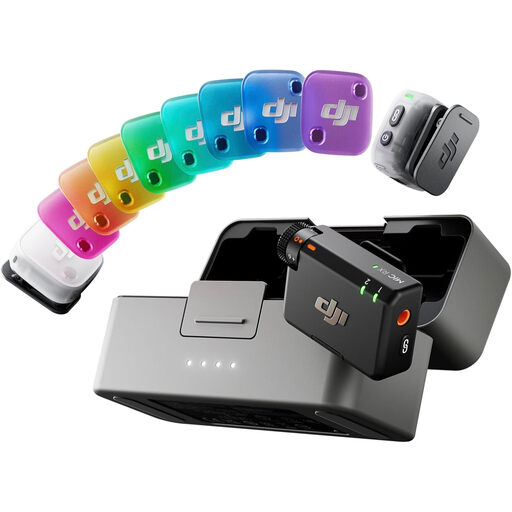
This wireless microphone bundle is worth considering if you expect to record tour narration while moving. For an untreated-room script, confirm that its connection and clothing attachment let you record with a microphone consistently close to your voice.
 No image available
DJI Mic Mini 2 (2 TX + 1 RX + Charging Case)
For narration recorded while moving, check that the microphone can be positioned securely on your clothing and that its phone recording route works with your device and app.
Configuration: 2 TX, 1 RX and a charging case. If a separate backup take matters to you, confirm whether recording on the transmitter is available.
View on Joybuy
Frequently asked questions
Will a lavalier remove echo from an untreated room?
No. Close placement can make direct speech more prominent relative to reflections, but Shure explains that a microphone cannot separate those reflections from the voice or improve the room acoustics. If a test take remains echoey, change your recording position or reduce nearby reflective surfaces.
Should I use an omnidirectional or directional lavalier?
Choose by how reliably you can position the microphone and whether nearby background sound is a concern. Shure’s guidance links pickup pattern and placement to speech clarity; a cardioid or supercardioid capsule needs careful orientation because its pickup area is fixed. Neither pattern substitutes for close placement in a reflective room.
Can any 3.5 mm lavalier plug straight into my phone or camera?
No. Check the plug wiring, whether the socket accepts microphone input and whether it supplies the power the lavalier requires. RØDE, for example, specifies a 3.5 mm TRS connection with 2.7 V plug-in power for Lavalier GO.
Do I need a licence to use a wireless lavalier in the UK?
That depends on the system’s operating band and intended use. Check those details against current Ofcom guidance before operating it rather than assuming all wireless microphones follow the same rules. Ofcom also notes that shared bands can experience interference from other low-power equipment.
Which mounting accessories matter for a spoken script?
Start with a secure clothing clip and a way to route the cable without rubbing; test both with the clothes you will wear. A pop filter or windscreen may also suit close speech or a later outdoor take. Check what comes with the exact model: RØDE lists a pop filter for Lavalier GO and both a pop filter and mini furry windshield for Lavalier II.


