Solo presentation narrators
If you record one voice for slides, tutorials or internal presentations, a one-transmitter system may be enough. Match its connection to the phone, camera or computer that will capture the recording.


For a single presenter in a fixed setup, start with a microphone arrangement that works with the device and recording app you already use. Wireless is worth its extra charging and connection checks when you need freedom to move or an on-board recording for a take that would be difficult to repeat; choose a second transmitter when another person will speak.
If you record one voice for slides, tutorials or internal presentations, a one-transmitter system may be enough. Match its connection to the phone, camera or computer that will capture the recording.
When repeating a presentation would be difficult, on-board recording offers a separate file to check if the main recording has a level or wireless-link problem. Allow time to charge the equipment and retrieve that file.
If you record on a phone, move between locations or sometimes include a co-presenter, check how the microphone attaches, whether the kit has two transmitters and which devices its receiver supports.
Identify your recording device and speaker count before comparing wireless features. If a take would be hard to repeat, decide whether you also need a recording saved on the microphone system.
| Concern | What to check | Who this matters to |
|---|---|---|
| Backup recording | Check whether the exact transmitter records internally and how its files are retrieved. DJI lists 32-bit-float internal recording and 8 GB of transmitter storage for the Mic 2 one-transmitter kit. | If I cannot easily repeat a presentation, I want a separate recording to check when the main take has a problem. Around 30% of consumers put a recoverable recording first. |
| Device connection | Match the receiver, port and recording app to your device. Shure says MoveMic Two pairs directly with compatible phones through its MOTIV apps; its Receiver Kit adds 3.5 mm TRS and USB-C outputs. | My microphone needs to work with the camera, computer or phone I actually record on, not just with a device in the same product family. Device compatibility comes first for roughly 30% of consumers. |
| Discreet placement | Check how the microphone attaches to your recording clothes. If using a separate lavalier capsule, confirm its connector fits the transmitter; RØDE lists a locking lavalier connection for Wireless GO (Gen 3). | For an on-camera presentation, I want the microphone close to my voice without a distracting or awkward attachment. About 20% of consumers chiefly prioritise discreet, straightforward placement. |
| Movement and second speaker | Check the number of transmitters and channels, charging requirements and how the wireless system behaves in your room. Stated transmission range is not an indoor working-distance guarantee. | If I move while presenting or sometimes record a co-presenter, I need the kit to accommodate that change. Around 20% of consumers put mobility or a second speaker first. |
Direct phone pairing and receiver-based recording are different workflows. Shure specifies its MOTIV apps for direct MoveMic Two pairing, while the MoveMic Two Receiver Kit provides connections for cameras and computers.
Before buying, note your exact device, port and capture app; then check which MoveMic kit supports that combination.
Changing devices later may also call for a compatible receiver or adapter.
RØDE specifies the Wireless GO (Gen 3) range under line-of-sight conditions. Walls, placement and other wireless equipment can make a presentation room a different recording environment.
Record a short test in the actual room while moving as you intend to during the presentation. For an important take, check whether your system can also record internally.
A second transmitter is useful for a co-presenter, but it also adds equipment to charge and manage. DJI offers a Mic 2 one-transmitter/one-receiver kit for a solo workflow.
Start with the number of people who need their own microphone. Compare backup recording and device connections before deciding that a two-transmitter bundle is necessary.
UK wireless-use conditions depend on the equipment’s frequency range and the applicable technical requirements. Ofcom lists licence-exempt ranges subject to those requirements; a product’s description as wireless is not enough to establish its status.
Check the exact model’s radio information against current Ofcom guidance before using it, particularly if the equipment is intended for a frequency outside the usual licence-exempt ranges.
DJI Mic systems include kits for solo and multi-speaker recording. The Mic 2 one-transmitter/one-receiver configuration is relevant to a single presentation narrator.
Wireless GO (Gen 3) is a dual-channel option for presenters who may use a camera, phone or computer, including those considering a separate lavalier capsule.
MoveMic distinguishes between direct-to-phone use through Shure MOTIV apps and a receiver-equipped kit for other recording devices.
LARK M2 is a compact wireless line to consider when the weight of a worn microphone matters.
These wireless kits are relevant to solo presentation recording or occasional two-speaker use. Choose by speaker count and recording-device connection, and confirm how the transmitter can be worn if you need a lavalier-style setup.
 No image available
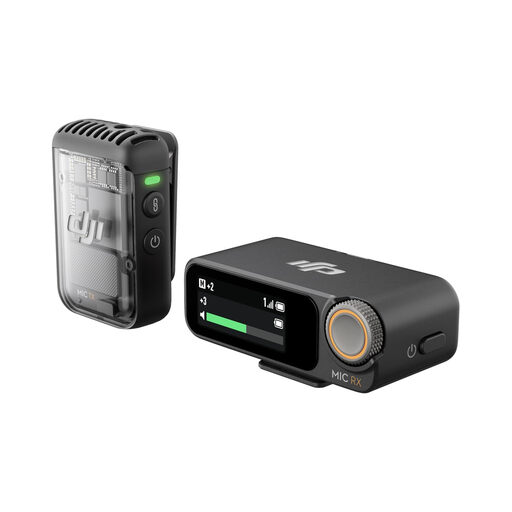
Consider this one-transmitter kit for a solo presentation that would be difficult to repeat.
The listed variant includes 32-bit-float recording. DJI specifies internal recording and 8 GB of transmitter storage for the Mic 2 one-transmitter kit; check the connection needed by your recording device.
 No image available
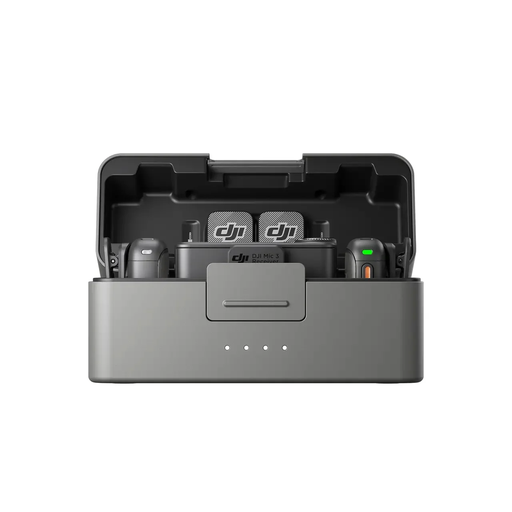
The two transmitters make this kit worth considering when a co-presenter also needs a microphone.
Joybuy describes dual-file 32-bit-float internal recording. Confirm that the receiver and any required adapter work with your camera, computer or phone.
 No image available
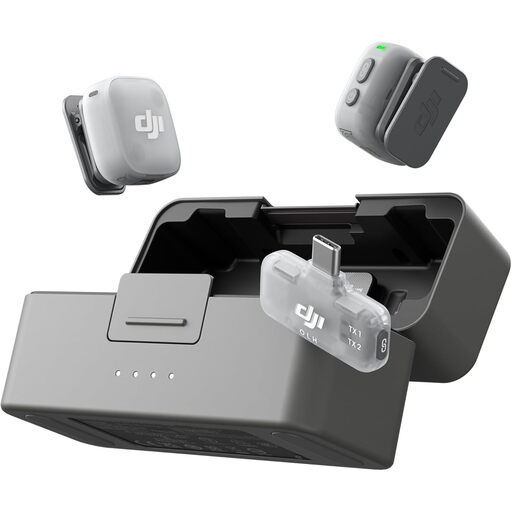
Consider this mobile-receiver kit if you record presentations on a phone and may occasionally need two microphones.
Check the mobile receiver against your phone and recording app. If a separate backup file matters, confirm the exact kit’s recording options before choosing it.
 No image available
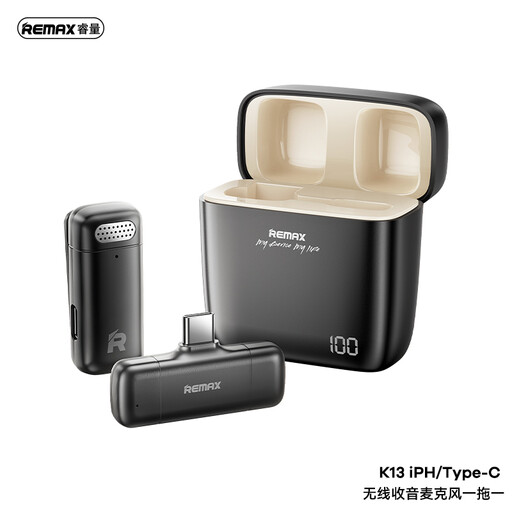
This one-to-one wireless set is worth checking for a single-speaker recording device that accepts its USB-C receiver.
Confirm the receiver connection and how the transmitter attaches to clothing if you need lavalier-style placement.
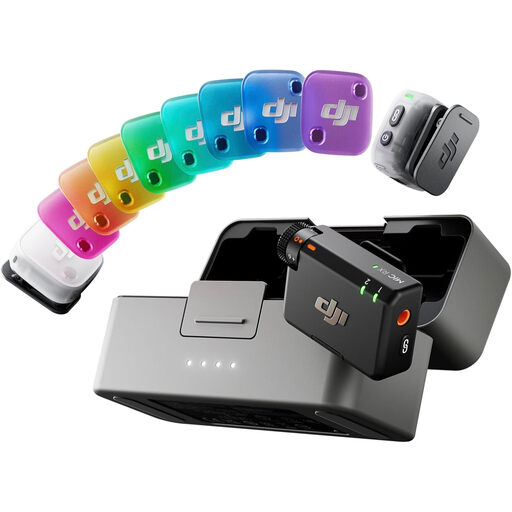 No image available
The two-transmitter kit is relevant when you sometimes record a second presenter.
Unlike the listed Mobile RX variant, this bundle is named with a one-receiver configuration; check that receiver’s connection to your device and capture app. Confirm its recording options if an on-board backup is important.
One transmitter can be enough when only one person speaks and the kit connects to your recording device. Choose two when a co-presenter needs a separate microphone; DJI offers a Mic 2 one-transmitter/one-receiver configuration for solo recording.
Only if the exact kit provides a compatible connection. Shure specifies MOTIV apps for direct MoveMic Two phone pairing, while its MoveMic Two Receiver Kit adds 3.5 mm TRS and USB-C outputs for camera and computer workflows.
No. Ofcom notes that licence-exempt ranges are shared with other low-power equipment, so interference remains possible. Test the recording in your presentation room and consider an on-board recording for a take you cannot readily repeat.
That depends on the exact equipment and how it is used. Ofcom lists 173.8–175 MHz, 863–865 MHz and 2400–2483.5 MHz as usable without a licence subject to the relevant exemption requirements; check current Ofcom guidance and the model’s radio information rather than assuming every wireless kit qualifies.
Make a short recording with the intended device, app, clothing and microphone position, then listen back. Charge the equipment where needed and, if your system records internally, check that recording is enabled and has available storage.