Seated smartphone reviewers
If you record solo at a desk or in a reading chair, a compatible wired connection may suit you better than a wireless setup you do not need to move around.


For a seated book review, a wired lavalier is a straightforward choice if its connector matches your phone, camera or recorder. Choose a wireless clip-on system when changing position or recording a second speaker matters more than avoiding charging and receiver checks. A phone-oriented TRRS plug is not interchangeable with a camera TRS input, so confirm the recording device’s connection before choosing either route.
If you record solo at a desk or in a reading chair, a compatible wired connection may suit you better than a wireless setup you do not need to move around.
If you film with a camera, DSLR or handheld recorder, check its microphone input and plan where the cable will run before choosing a lavalier.
If you stand, change framing or sometimes record with another speaker, cable-free placement may be worth the added charging and receiver checks.
Start with the device you record on and its input, then decide whether a cable reaches your usual speaking position or wireless placement would make the session easier.
| Concern | What to check | Who this matters to |
|---|---|---|
| Device connection | Match the microphone plug or receiver to the device’s TRS, TRRS, USB-C or Lightning input. Check any adapter against both devices. | When I pick up my phone or camera to record, I need a plug or receiver that fits it; around 36% of consumers put connection fit first. |
| Seated voice recording | Check the wired microphone’s cable length and whether a pop filter or windscreen is included for your planned position. | For a solo review at a desk, I would rather keep the microphone close and the setup straightforward; roughly 29% of consumers prioritise simple seated voice recording. |
| Flexible placement | For wireless use, check the number of transmitters, receiver fit and charging needs. Try any noise-control setting in your room. | If I change framing or invite another speaker, I want room to move without trailing a mic cable; around 21% of consumers put flexible placement first. |
| Camera workflow | Confirm the camera or recorder’s 3.5 mm microphone input, the cable route and any microphone battery requirement. | With a camera or handheld recorder set away from my chair, I need a workable cable route and battery routine; roughly 14% of consumers primarily consider that recording workflow. |
TRS and TRRS plugs can look alike but serve different inputs. RØDE identifies this mismatch as a common cause of connection problems.
Identify your recording device’s input and check the microphone and any adapter against it before ordering.
A different socket may mean you need a compatible adapter or another microphone.
RØDE Wireless Micro comes in USB-C and Lightning versions. DJI states that using Mic Mini with a Lightning-port phone requires the appropriate adapter.
Check your phone’s port and the exact receiver and adapters included in the bundle.
A suitable Lightning adapter may be an additional item for a DJI Mic Mini setup.
DJI Mic Mini has adjustable noise-cancelling and limiting functions, but those features do not establish how your voice will sound in a particular room.
Make a short recording with your usual clothing, speaking position and background noise before a full review.
The Audio-Technica ATR3350xiS uses an LR44 battery; wireless systems also need their components charged.
Keep a compatible battery for the ATR3350xiS, or charge the wireless transmitters, receiver and case before recording.
Offers smartphone-focused wired and wireless options with different connection requirements.
Offers receiver-based wireless systems for recording setups that may involve a phone or camera.
Offers a wired lavalier specified for compatible cameras, DSLRs and handheld recorders.
These wireless choices suit reviewers considering cable-free placement. Compare each bundle with your recording device rather than assuming that a USB-C connection or a mobile receiver works with every phone, camera or recording app.
 No image available
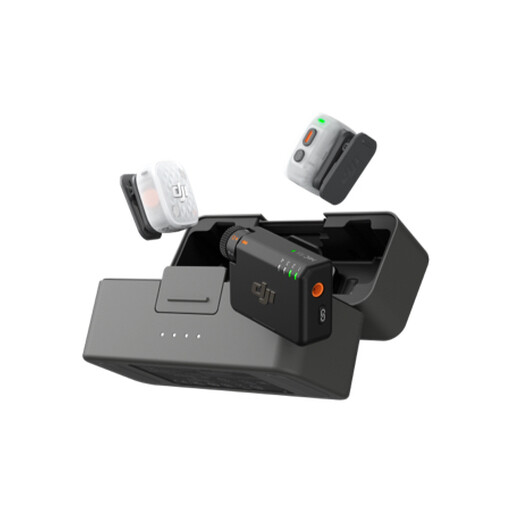
Consider this wireless bundle if your book reviews involve changing framing or a second speaker.
The title specifies two transmitters, one receiver and a charging case. Check the receiver’s connection against your phone or camera and confirm the bundle contents before ordering.
 No image available
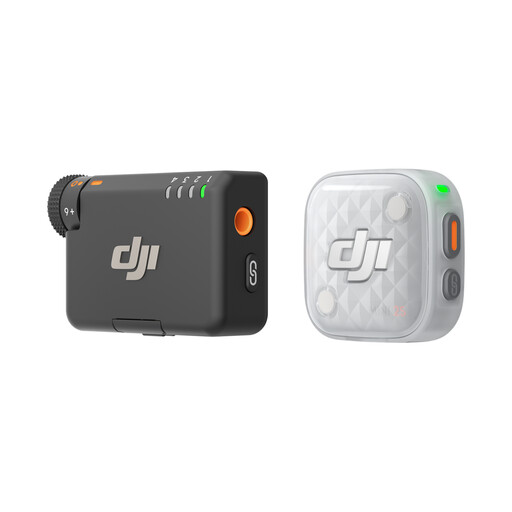
For a solo review, this wireless bundle is worth considering when you want to place the microphone without a cable running to your phone.
The title specifies one transmitter, one mobile receiver and a charging case. Confirm the included items and the receiver’s fit with your phone port.
 No image available
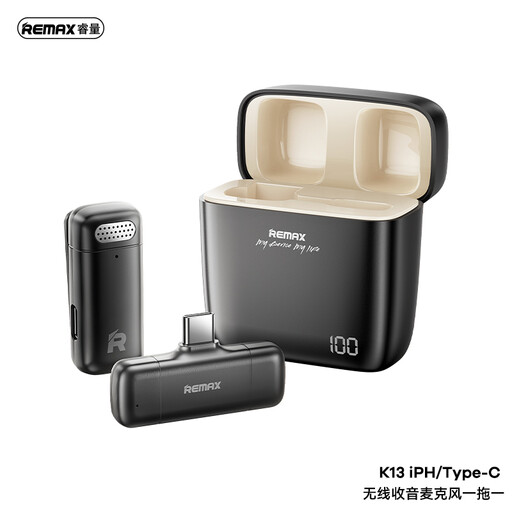
This wireless option may suit a book reviewer who wants cable-free recording with a compatible USB-C device.
Check that it works with your particular device and recording app, and confirm its battery runtime if you plan longer sessions.
Not necessarily: the plug must match each device’s input. RØDE distinguishes phone-oriented TRRS from camera-oriented TRS connections, so check both devices and any required adapter rather than relying on the shared 3.5 mm size.
A wired lavalier can suit a seated solo review when its connector fits the recording device and its cable reaches your speaking position. Consider wireless instead if you need cable-free movement, changing framing or a second microphone for another speaker.
Do not rely on noise cancelling alone to make a recording in your room sound clear. DJI describes different noise-cancelling modes for Mic Mini; test your voice, microphone position and any fan or air-conditioning noise before recording a full review.
Check the seller’s warranty and support terms for the exact microphone model and bundle you plan to buy. Confirm what the terms cover and which seller will handle a problem; do not assume a brand’s own-store offer applies to another retailer.