For a seated interview, start with a lavalier you can place close to the speaker and connect to the recorder you already have. A compatible wired phone microphone keeps the setup simple; a bodypack lavalier makes sense if you already have the right transmitter, while a wireless kit can help with movement or backup recording but adds charging and connection checks. Close placement can improve the balance between speech and background sound, but it will not remove room reflections.
Who each setup suits
Interviewers in reflective rooms
If the room is untreated, you need a secure position close to the speaker and a chance to listen to a test recording. RØDE's mounting guidance explains the value of close placement; it does not suggest that a lavalier removes reverberation.
Phone-first oral-history recorders
A wired lapel microphone can keep a seated interview straightforward, provided its plug works with your phone or tablet. Shure specifies a 3.5 mm TRRS connection for its MVL, so check the device input or required adapter before ordering.
Interviewers who need to move
If the speaker will stand, walk or show objects away from the recorder, a wireless kit may be useful. Check its charging and recording workflow in advance, particularly when the conversation would be difficult to repeat.
What matters when choosing
Choose the connection route to match your recorder and interview format, then test microphone placement in the actual room. The routes below differ in the equipment they require, not in any proven ability to eliminate echo.
Wired phone lavalier
Choose when: The interview is seated and your phone or tablet has a compatible microphone input or adapter.
Trade-off: A cable limits movement, but there is no wireless link or transmitter battery to manage.
Lavalier for an existing bodypack
Choose when: You already have a wireless transmitter that accepts the exact lavalier connector and electrical configuration.
Trade-off: A locking 3.5 mm TRS plug or Microdot connector does not establish compatibility by appearance alone.
Wireless microphone kit
Choose when: Movement matters, or a kit with internal recording would help protect a hard-to-repeat interview.
Trade-off: Allow time to charge, set up and test the wireless and recording connections.
| Concern | What to check | Who this matters to |
|---|
| Speech in a reflective room |
Check that the capsule can sit securely near the speaker's upper chest; listen to a short recording made in the interview room. |
When a room sounds reflective, I want the speaker's voice to remain clear enough to follow without assuming the microphone will remove the echo. Around 33% of consumers put voice-to-room balance first. |
| Recorder compatibility |
Match the microphone connector and any adapter to the exact phone, recorder or bodypack input. |
If I am using equipment I already own, I need a connection that works before other features matter. For around 27% of consumers, compatibility is the primary concern. |
| Freedom to move |
Decide whether the interview calls for wireless movement, then check charging needs and test the connection in the room. |
When the speaker stands or moves to show objects, I do not want a cable to restrict the conversation. Cable-free movement comes first for around 20% of consumers. |
| Recording backup |
If you need a second recording path, confirm that the chosen transmitter records internally and that you can retrieve its files. |
For a conversation that may not be repeatable, I want a way to preserve the recording if the main connection fails. Around 20% of consumers prioritise that backup. |
Mistakes to avoid
-
Expecting a lavalier to remove room echo
Close placement can favour direct speech over more distant sound, but reflections can remain audible in an untreated room.
Clip the microphone near the speaker's upper chest and listen on headphones to a short recording with the actual speaker and recorder before the full interview.
-
Choosing by plug size alone
Shure's MVL uses 3.5 mm TRRS, RØDE's Lavalier II uses locking 3.5 mm TRS, and Deity's W.Lav Pro uses Microdot. These connections should not be treated as interchangeable.
Note your recorder or transmitter model, then confirm its microphone input and any required adapter against the manufacturer's compatibility guidance.
The chosen connection may require a compatible adapter, interface or bodypack transmitter.
-
Overlooking clothing and cable noise
Fabric rubbing against a close-mounted capsule or cable can distract from the speaker's words.
Keep the capsule clear of clothing, secure the cable with strain relief and listen for rubbing while the speaker moves naturally.
-
Assuming wireless will work the same in every room
A wireless interview adds a radio link and battery-powered equipment; a stated outdoor transmission range does not describe your indoor recording conditions.
Charge the equipment and test the complete recording setup in the interview room. For a stationary conversation, decide whether movement or internal recording justifies the additional setup.
Charging and checking the equipment take time before the interview.
Brands to consider for these setups
RØDE
Relevant if you have a compatible wireless system or audio interface and want a low-profile, clothing-mounted lavalier.
- RØDE specifies an omnidirectional capsule, locking 3.5 mm TRS connector and included mounting accessories for Lavalier II.
- Confirm the input of your existing equipment; the locking connector is not a universal direct-to-phone connection.
Shure
Relevant to a seated interview recorded on a compatible phone or tablet.
- Shure specifies a 3.5 mm TRRS connector, clip and windscreen for its MVL lavalier.
- Check for a compatible TRRS jack or appropriate CTIA-compliant adapter; the MVL is not a locking-TRS bodypack lavalier.
DJI
Relevant if movement or an internal recording path matters more than the simplicity of a wired connection.
- DJI specifies internal transmitter recording for Mic 2, giving buyers a feature to consider for a difficult-to-repeat interview.
- A wireless kit needs charging and an in-room connection test; Mic 2 features should not be assumed to apply to other DJI models.
Deity Microphones
Relevant to interviewers using a bodypack transmitter who need to choose a lavalier connection for that system.
- Deity specifies a Microdot connection for W.Lav Pro and describes W.Lav options for exposed interview mounting.
- Check the exact transmitter or adapter before choosing a Microdot model.
Joybuy wireless microphone options
These DJI options are relevant if you are considering a wireless interview setup. Check how each one attaches to the speaker and connects to your recorder or phone; their presence here does not establish how they will sound in your room.
 No image available
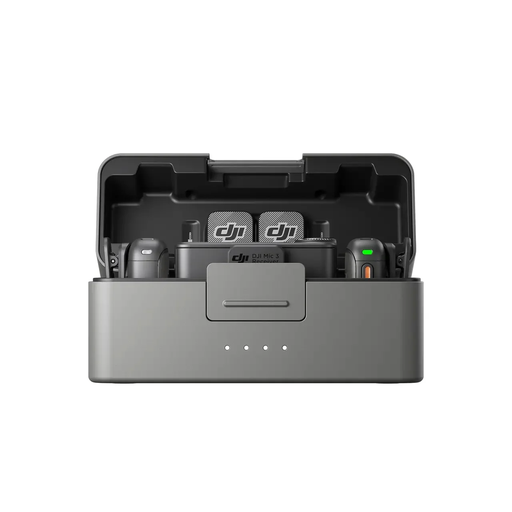
DJI Mic 3 — 2 TX, 1 RX and Charging Case
Consider the two-transmitter configuration if you need to record two speakers. Before a local-history interview, confirm how the transmitters attach, whether the receiver connects to your recorder and how you will make a backup recording.
View on Joybuy
 No image available
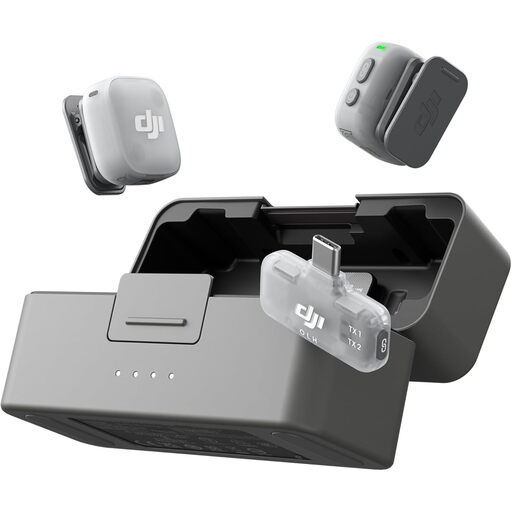
DJI Mic Mini 2 — 2 TX, 1 Mobile RX and Charging Case
The two-transmitter bundle is worth considering for a mobile conversation involving two speakers. Check its attachment method and compatibility with your intended phone and recording app, then test the complete setup in the interview room.
View on Joybuy
 No image available
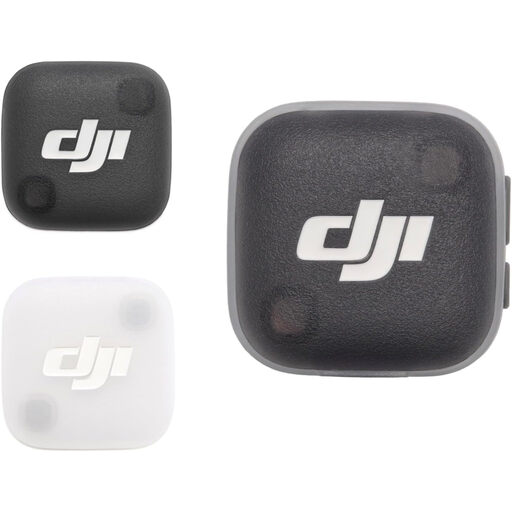
DJI Mic Mini 2 Transmitter
If you are building a phone-based interview setup, check what else you need to record with this transmitter. Confirm the included components, attachment method, operating time and compatibility with your phone and recording app before purchase.
View on Joybuy
Common questions
Will a lavalier remove echo from an untreated room?
No: close placement can improve the balance between the speaker's voice and more distant sound, but it does not eliminate room reflections. Make a short test recording in the actual room before the interview.
Where should I clip a lavalier for a spoken interview?
For conventional exposed mounting, clip it where the capsule stays clear of clothing and the cable will not tug as the speaker moves. Shure's guidance for its Microflex lavaliers places the microphone approximately 76–152 mm below the neckline; follow the guidance for your chosen model and check the result by listening.
Can I plug any lavalier into my phone?
No: the connector must match your phone's input or a suitable adapter. Shure specifies a 3.5 mm TRRS connection for its MVL and calls for a TRRS jack or appropriate CTIA-compliant adapter; a locking 3.5 mm TRS bodypack lavalier is not automatically phone-compatible.
What should I agree with the interviewee before recording?
Explain what you plan to record, how the interview will be used and stored, and seek the participant's agreement before starting. If you are recording for an organised project, establish its consent and personal-data arrangements before the session; the appropriate arrangements depend on the organiser and intended use.


