For solo recipe narration recorded mainly on a phone, start with a clip-on system that connects to your phone’s port and keeps setup simple. If you need a separate, less visible lavalier capsule or record with a camera or computer too, check for the appropriate external microphone input and receiver connections. On-board recording can provide another track for difficult-to-repeat takes, but it adds files to manage and does not automatically repair the audio recorded by a camera.
Who is each setup for?
Phone-first solo recipe creators
If you narrate while cooking alone, a receiver that connects directly to your phone can reduce the cables and setup steps around the worktop. RØDE’s Wireless Micro is one example of this phone-focused approach; check whether its USB-C or Lightning version matches your phone.
Creators who want a separate lavalier capsule
If you want to position a small microphone independently of the transmitter or keep the transmitter out of frame, look for a system with an external lavalier input. RØDE specifies this connection on Wireless GO (Gen 3) and Wireless PRO; a built-in clip-on microphone is a different arrangement.
Cooks who record repeated takes
If retakes are awkward or kitchen sound levels change during filming, on-board recording and monitoring may be worth checking. RØDE documents on-board recording for Wireless GO (Gen 3) and Wireless PRO, while Sennheiser lists internal recording and a headphone output for Profile Wireless. You will still need to manage the recorded files.
What matters when choosing?
For recipe narration, decide which need takes priority: a quick phone connection, flexible microphone placement or more control over a take that would be difficult to repeat.
| Concern | What to check | Who this matters to |
|---|
| Fast phone setup |
Match the receiver to your phone’s USB-C or Lightning port, and check whether a separate adapter is needed. |
When my hands are occupied with ingredients, I want to start recording without arranging extra cables. Around 44% of consumers put quick phone setup first. |
| Placement and device connections |
Check for an external lavalier input if you want a separate capsule, then match the receiver connection to your recording device. |
I want to position the microphone near my mouth without leaving a transmitter prominent in shot, or switch between a phone and camera. Roughly 33% of consumers prioritise that placement and connection flexibility. |
| Recording control |
Check whether the exact system records on-board and offers headphone monitoring; confirm which recording path any 32-bit-float feature covers. |
If a noisy cooking step spoils a take, I want another recording to check before filming it again. About 23% of consumers make backup-recording control their primary concern. |
Mistakes to avoid
-
Assuming every clip-on transmitter accepts a separate lavalier
RØDE Wireless Micro uses built-in clip-on microphones, whereas Wireless GO (Gen 3) and Wireless PRO specify connections for external lavaliers. They offer different ways to position the microphone.
Decide whether you need a separate capsule, then check the transmitter input, connector and contents of the exact kit.
A compatible capsule or adapter may be needed separately.
-
Using a maximum range figure as a kitchen-distance promise
DJI measures its stated 400 m maximum for Mic Mini in an open, unobstructed environment free of interference. Ofcom also notes that licence-exempt spectrum is shared with other equipment.
Try the microphone from your filming position with the recording device where you intend to place it, including when nearby appliances are running.
-
Assuming on-board recording repairs the camera track
RØDE says the 32-bit-float feature on Wireless GO (Gen 3) applies to its on-board recordings, not automatically to audio recorded by the camera.
If the internal track matters to you, practise starting a recording and retrieving a test file before a longer shoot.
Using the internal track also takes time to export, organise and align audio files.
-
Ordering a receiver for the wrong phone port
RØDE sells USB-C and Lightning versions of Wireless Micro. DJI Support says a Lightning adapter is needed separately for the relevant DJI Mic Mini mobile workflow.
Check your phone’s port, the receiver version and the accessories in the specific kit before ordering.
Brands to consider for these microphone setups
RØDE
RØDE offers a phone-focused Wireless Micro, Wireless GO (Gen 3) with an external lavalier input, and the more extensively equipped Wireless PRO.
- RØDE specifies locking lavalier connections and 32-bit-float on-board recording for Wireless GO (Gen 3).
- Wireless Micro’s built-in clip-on microphones are not the same as a separate lavalier capsule. On Wireless GO (Gen 3), the 32-bit-float feature applies to on-board files rather than the camera track.
DJI
DJI Mic Mini is a compact clip-on wireless option for creators considering phone or camera recording.
- DJI specifies a 10 g transmitter and approximately 11.5 hours of transmitter runtime under its stated test conditions.
- DJI’s stated 400 m maximum range was measured in an open, unobstructed, interference-free environment; it does not predict the connection or background sound in a kitchen.
Sennheiser
Profile Wireless is a two-channel system to consider if you may record a second speaker or want an external lavalier connection and monitoring.
- Sennheiser lists two clip-on microphones, 16 GB of storage in each and a dedicated headphone output.
- Its recording features do not replace checking microphone placement and listening for appliance noise during a take.
Joybuy microphones for recipe narration
These kits cover phone-connected narration and receiver-based wireless setups. Choose by your recording device and whether you need one or two transmitters; check the exact kit if a separate lavalier capsule or on-board backup is essential.
 No image available
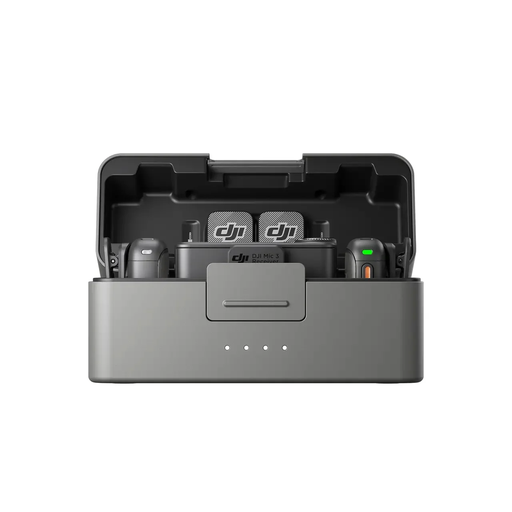
DJI Mic 3 (2 TX + 1 RX + Charging Case)
Consider this two-transmitter kit if your recipe filming may involve a second speaker. If you need a backup track, check how recording is controlled and how files are retrieved for editing; confirm the connections for your recording device.
View on Joybuy
 No image available
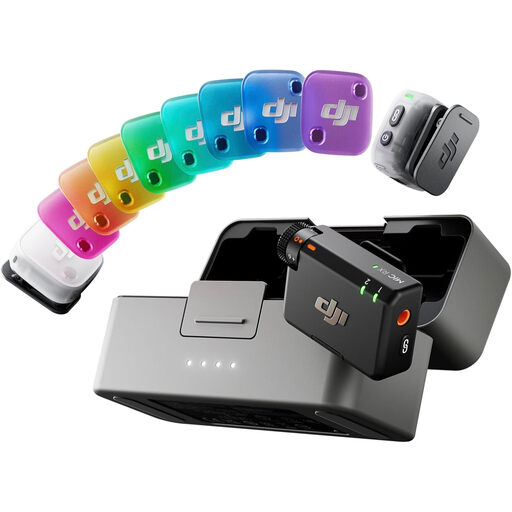
DJI Mic Mini 2 (2 TX + 1 RX + Charging Case)
The two-transmitter kit may suit narration with another person. For phone recording, check that the connection works with your exact phone and recording app; confirm separately whether the kit meets any need for a wired lavalier capsule or backup recording.
View on Joybuy
 No image available
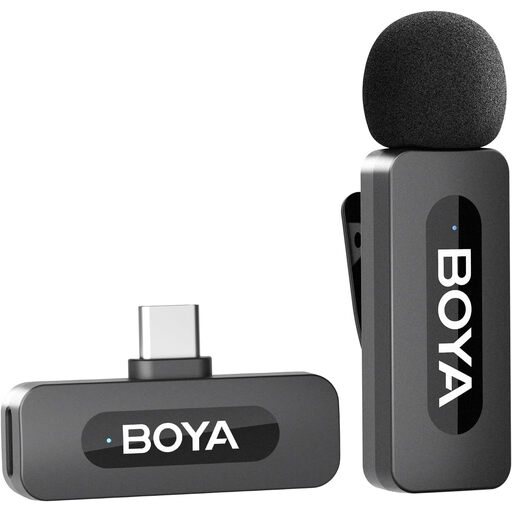
BOYA BY-V10 V2.0 USB-C (1 TX + 1 RX)
For solo narration on a USB-C phone, check that your exact device and recording app work with the receiver. The product title lists iPhone 16/17 and Android devices and claims 9h battery life; confirm the applicable conditions if you plan a long recording session.
View on Joybuy
 No image available
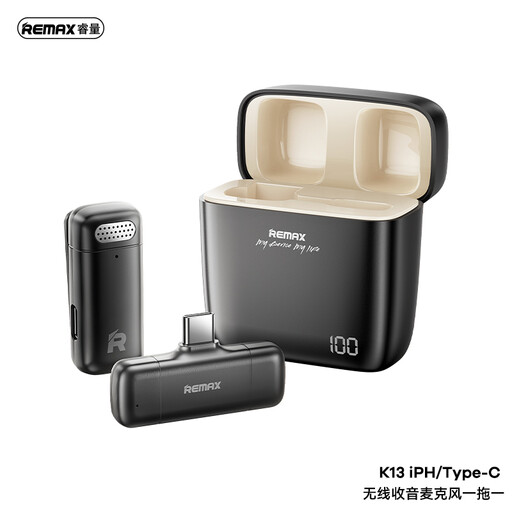
REMAX K13 1-to-1 USB-C Wireless Microphone, Black
This USB-C kit is relevant to solo narration if its receiver works with your recording device. Check device and app compatibility, and confirm the available monitoring and recording connections if you need to listen during filming or keep a separate track.
View on Joybuy
Frequently asked questions
Does a 2.4 GHz wireless microphone need a UK licence?
Ofcom states that wireless microphones can use 2400–2483.5 MHz without a licence, subject to the applicable exemption requirements. Check the operating frequency and UK documentation for the exact model you intend to use; licence-exempt spectrum can still experience interference.
Will 32-bit-float recording fix every problem with recipe narration?
No. RØDE says the 32-bit-float feature on Wireless GO (Gen 3) applies to the transmitter’s on-board recordings, not audio recorded directly into the camera. It can help with an internal recording that is too quiet or loud, but microphone placement and appliance noise still need attention.
Can one wireless lavalier system work with both a phone and a camera?
Yes, if that specific system provides connections compatible with both devices. RØDE documents USB and 3.5 mm receiver connections for Wireless GO (Gen 3); check your phone port, camera input and any adapter needed for the particular setup.


