Choose a lavalier that connects to your recording device, then give close, secure placement priority over advertised wireless range. A wired microphone suits a stationary diary setup; a wireless system with onboard recording is worth considering when you need to move or keep a separate copy, but it adds charging and file-management work. An omnidirectional lavalier will still pick up instruments and PA sound nearby.
Who is this setup for?
Speech-first rehearsal diarists
If instruments or the PA are active while you speak, you need a stable position for the microphone and a test recording with the room at its usual level. RØDE’s placement guidance and Shure’s advice on keeping clothing clear of the capsule offer useful starting points; neither makes an omnidirectional lavalier a sound-isolation device.
Phone-based note recorders
If you record straight into a phone or tablet, check its microphone input before choosing a plug. Shure specifies its MVL for compatible devices with a 3.5 mm TRRS jack or an appropriate CTIA-compliant adapter.
Mobile multi-take diarists
If you move around the rehearsal room or want a separate copy of a take, a wireless system with internal recording may fit your routine. You will also need to manage charging, the radio connection and recorded files.
What matters when choosing?
Start with the device that will capture your diary, then decide whether a cable restricts how you record. Whichever route you take, test microphone placement while the rehearsal is active.
| Concern |
What to check |
Who this matters to |
| Speech amid room sound |
Check that the clip holds the capsule close without fabric rubbing against it. Make a short recording during a loud rehearsal passage. |
If my diary needs to remain understandable while instruments are playing, I would prioritise stable placement over a noise-reduction claim. Around 42% of consumers put speech clarity first. |
| Device connection |
Identify the recorder’s input and confirm the microphone’s wiring or required adapter; a 3.5 mm socket alone does not establish compatibility. |
When I record directly to my existing phone or recorder, I need a microphone that connects to that particular device. Connection compatibility is the primary concern for around 33% of consumers. |
| Movement and backup |
Check what the wireless kit includes, how it connects to your recorder and whether it makes a separate internal recording. Plan for charging and file transfer. |
If I walk between positions or make repeated takes, freedom from a cable and a separate copy may matter more to me. Roughly 25% of consumers prioritise that mobile or backup workflow. |
Mistakes to avoid
-
Expecting a lavalier to isolate your voice
An omnidirectional capsule also picks up rehearsal-room sound, even when it is clipped close to your mouth. Nearby instruments or PA spill can still obscure diary speech.
Keep the capsule clear of clothing, set recording levels with the room active and listen back to a short test before relying on the setup.
-
Assuming every 3.5 mm plug fits
Shure’s MVL uses a phone-oriented TRRS connection, while RØDE’s Lavalier II uses a locking TRS connector for compatible audio equipment. The matching socket size does not make the wiring interchangeable.
Check the exact recorder and microphone models, and use an adapter only when the device or microphone maker confirms the connection.
An incompatible connection may mean finding a suitable adapter or changing the microphone you planned to use.
-
Buying wireless for its range figure alone
Wireless performance in a rehearsal room cannot be inferred from an outdoor, unobstructed range figure. Ofcom identifies Wi-Fi, Bluetooth and wireless microphones among users of the shared 2.4 GHz band.
Choose wireless for a movement or recording-backup need, check the system’s operating band and test the connection in the room where you will record.
Charging and transferring internal recordings add steps after each session.
Relevant brands to consider
Shure
Shure’s MVL is a wired option for spoken recording to a compatible phone or tablet.
- Shure specifies a 3.5 mm TRRS connection and includes a clothing clip and windscreen with the MVL.
- For a device without a compatible TRRS input, check whether an appropriate CTIA-compliant adapter provides a confirmed connection.
RØDE
RØDE’s Lavalier II is a wired option for compatible recorders, interfaces and wireless equipment.
- RØDE specifies an omnidirectional capsule, a 1.2 m cable and a locking 3.5 mm TRS connector; mounting and wind-protection accessories are included.
- Its locking TRS connector should not be assumed to work directly with a phone’s TRRS input.
DJI
DJI Mic 2 illustrates a wireless-system route for diary recording that involves movement or a separate internal recording.
- DJI specifies 32-bit floating-point internal recording for Mic 2.
- A wireless workflow requires charging and managing recordings. DJI’s published maximum transmission distance is measured outdoors without obstruction or interference, so it is not a rehearsal-room range promise.
Joybuy wireless microphone options
These wearable wireless options suit consumers considering a mobile diary setup. Check each kit’s connection to your recording device and whether it meets any need for a separate recording; the selection does not cover the wired routes discussed above.
 No image available
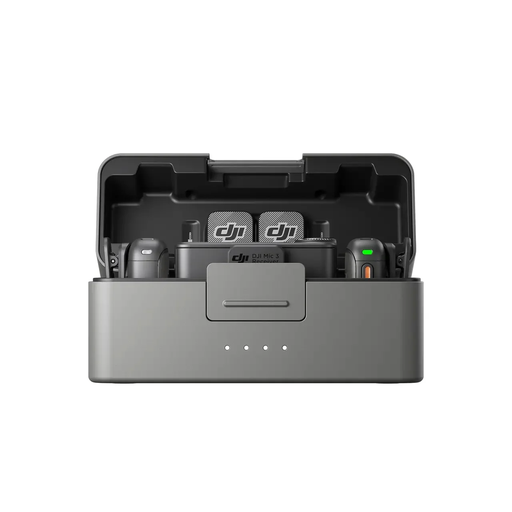
DJI Mic 3, 2 TX + 1 RX + Charging Case
Consider this kit if you want to move while recording diary speech and need two transmitters. The named bundle has one receiver and a charging case.
Confirm its connection to your recording device and the internal-recording and file-transfer steps before relying on it for a separate copy. Test speech with the rehearsal room active.
View on Joybuy
 No image available
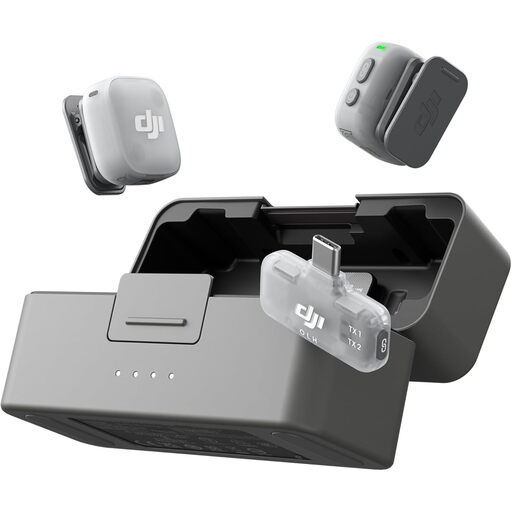
DJI Mic Mini 2, 2 TX + 1 Mobile RX + Charging Case
This kit is worth checking if you want two wearable microphones for mobile diary recording. Its title identifies two transmitters, a mobile receiver and a charging case.
Confirm compatibility with your phone or recorder. If a separate backup copy is important, check whether this exact kit offers onboard recording rather than assuming it does.
View on Joybuy
 No image available
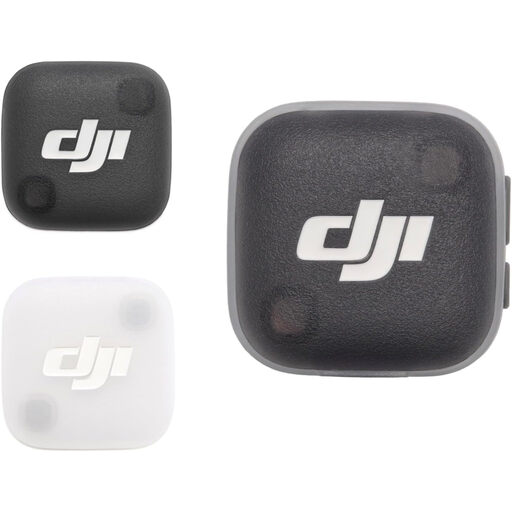
DJI Mic Mini 2 Transmitter
Consider this transmitter if you are assembling a phone-based wearable recording setup rather than choosing a named multi-part kit.
Confirm what else your phone needs to record from it, what is included with this item and whether it can make the separate copy your diary workflow requires.
View on Joybuy
Common questions
Will a lavalier remove the sound of the band or PA?
No. Close placement can help your voice stand out against more distant room sound, but an omnidirectional lavalier still picks up sound around it. Record a short sample during a loud passage and listen for whether your words remain understandable.
Where should I clip the microphone for diary speech?
Clip it to a stable clothing edge with the capsule clear of rubbing fabric. RØDE suggests roughly 20–30 cm from the mouth as a starting point; adjust the position after listening to a recording made in the rehearsal room.
Can any 3.5 mm lavalier plug into my phone?
No. Shure specifies its MVL’s TRRS plug for compatible mobile devices or an appropriate CTIA-compliant adapter, whereas RØDE’s Lavalier II has a locking TRS connector for compatible audio equipment. Match the microphone wiring to your exact phone and adapter before buying.
Does a wireless lavalier need a UK radio licence?
The answer depends on the system’s operating band and applicable technical conditions. Ofcom identifies qualifying 2.4 GHz wireless-microphone use as licence-exempt, but the band is shared with equipment including Wi-Fi and Bluetooth. Check the exact system and its intended operating band before using it at your venue; licence exemption does not assure an interference-free recording.


