What matters when choosing
Check the recording device's input first, then plan where the capsule and cable will sit on your clothing. Treat wireless movement as a separate requirement, not a remedy for room echo.
| Concern | What to check | Who this matters to |
|---|
| Room reflections |
Check whether the clip holds the capsule consistently near your upper chest and whether you can keep it clear of clothing. |
If my spoken slides sound distant in a reflective room, I want more direct voice in the recording, not a promise to remove echo. Around 34% of consumers put close, stable capture first. |
| Device compatibility |
Match the microphone connector and wiring to the actual input; confirm plug-in power or a compatible adapter where required. |
If I record to a phone, laptop or recorder, I need the microphone to work with that device before its other features matter. For around 33% of consumers, connection and power are the primary concern. |
| Rustle and placement |
Check the clip, cable routing and available windscreen or pop filter; make a short movement test in your presentation clothing. |
When I turn my head or gesture, I do not want clothing rubbing against the capsule or cable to spoil a take. Preventing that noise comes first for around 20% of consumers. |
| Wired or wireless |
For wireless, check the receiver output, battery routine and intended radio-use route; for wired, plan a practical cable path. |
If I need to move away from the recording device, a cable may restrict my delivery. Around 13% of consumers prioritise freedom of movement. |
Joybuy product choices
These wearable microphone kits are options to consider if your voiceover workflow calls for close placement and, particularly, movement while recording. Check each kit's connection to your recording device; a wireless kit does not replace attention to room reflections or clothing noise.
 No image available
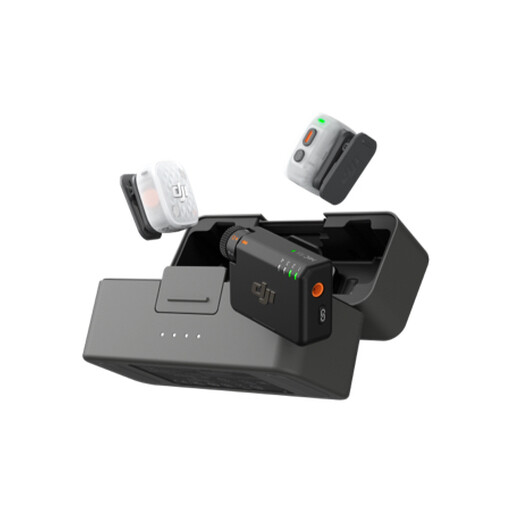
DJI Mic Mini 2S (2 TX + 1 RX + Charging Case)
Consider this kit if your presentation involves movement, but confirm how it connects to the device that will record your voiceover.
The listed configuration contains 2 TX, 1 RX and a charging case. Check its mounting arrangement, pickup pattern and intended radio-use requirements for your setup.
Joybuy
 No image available
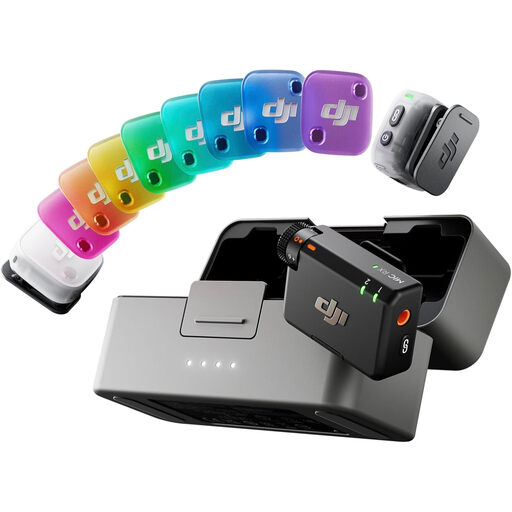
DJI Mic Mini 2 (2 TX + 1 RX + Charging Case)
If you want a wearable setup for spoken presentations, confirm that your recording device and app can accept audio from this kit.
The listed configuration contains 2 TX, 1 RX and a charging case. Check the connection method, pickup pattern and intended radio-use requirements before choosing it.
Joybuy
 No image available
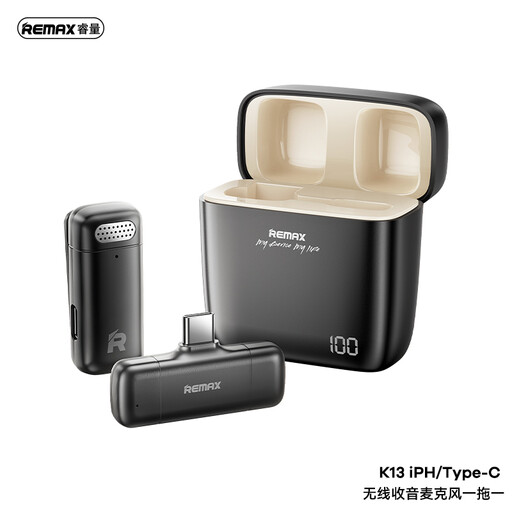
REMAX K13 1-to-1 USB-C Wireless Microphone, Black
This USB-C variant may suit recording with a compatible device when you need to move, provided you can mount the microphone securely for a voiceover.
Check the exact USB-C device and recording-app compatibility, attachment method and intended radio-use requirements.
Joybuy
Common questions
Will a lavalier remove echo from an untreated room?
No. Close placement can improve the balance of direct voice to reflected sound, but Shure explains that a microphone cannot repair the acoustic environment. Reduce nearby reflections where practical and test the intended speaking position before recording a long presentation.
Should I choose an omnidirectional or cardioid lavalier?
An omnidirectional lavalier is more forgiving of changes in position, while a directional model is worth considering when you can keep its capsule correctly aimed and need greater rejection of unwanted sound. Shure describes its cardioid CVL as rejecting unwanted sound, but neither pattern removes reverberation from the room.
Why might a 3.5 mm lavalier not work with my device?
The connector may fit while its wiring or power requirements do not. RØDE identifies TRS and TRRS mismatch as a common connection problem; check your device's microphone input, the lavalier's power requirement and whether a compatible adapter is needed.
Do I need a licence to use a wireless lavalier in the UK?
The answer depends on the system's frequency and how it is used. Ofcom says the 2400–2483.5 MHz range can be used without a licence subject to its requirements; do not assume the same rule applies to every wireless system. Confirm the exact operating frequency and applicable Ofcom conditions before use.


