Readers comparing colours
If coloured lines, symbols, maps or paint references carry meaning, check the lamp’s stated colour rendering as well as whether you can direct light onto the paper.


Choose a desk lamp you can aim across the paper without putting its bright source in your line of sight. Look for brightness control, and check the stated colour-rendering index (CRI) when coloured lines matter. A clip lamp can leave more worktop clear if it fits the desk edge; a monitor light bar is worth considering for paper beside a compatible screen only if its light reaches the area you use.
If coloured lines, symbols, maps or paint references carry meaning, check the lamp’s stated colour rendering as well as whether you can direct light onto the paper.
When diagrams share a surface with tools and materials, the base footprint, arm reach or clamp fit may determine whether a lamp can sit where it is useful.
Small print and intricate diagrams call for light directed at the task. The Health and Safety Executive notes that more detailed activities generally need more light than less detailed ones.
Start with the size and detail of the paper you read, then check glare and whether the lamp can fit and reach across your work area.
| Concern | What to check | Who this matters to |
|---|---|---|
| Colour and fine detail | Compare the stated CRI or Ra value and, where given, illuminance at its specified distance. Check whether the head reaches across the sheet. | When coloured paths and small symbols carry different meanings, I need to distinguish them on the paper. Around 36% of consumers put colour and detail visibility first. |
| Glare during longer sessions | Look for brightness settings and a shade or movable head that lets you keep direct light and reflections out of view. | Glossy pages or a nearby screen can make reflections distracting while I study. Roughly 29% of consumers would prioritise glare control. |
| Desk fit and positioning | Check the base footprint or clamp opening, arm reach and cable position. For a monitor bar, check screen compatibility and stated coverage. | I need room for diagrams and tools, but the light still has to reach the paper. Around 21% of consumers would make desk fit their primary concern. |
| Very small markings | Decide whether you need magnification; if so, check lens size, magnification strength and whether the lens moves aside. | Some markings remain difficult for me to inspect even with the light well positioned. About 14% of consumers would put close-detail assistance first. |
CRI describes colour rendering, not how far a lamp reaches or how evenly it lights your diagram.
Compare any stated illuminance with its measurement distance, then check the head’s reach and the area it can illuminate without your hand blocking the light.
A bar may leave the worktop clear, but its mount must fit the monitor and its light must reach the paper. BenQ specifies monitor-thickness limits for its ScreenBar Halo and a coverage area of 63 cm × 40 cm at 500 lux.
Measure your screen’s thickness and compare the stated coverage with where your diagrams sit, particularly if you use large sheets.
OttLite specifies a standard 120 V outlet for its Dimmable LED Task Lamp. Do not assume that this particular model is suitable for a UK socket or that a different OttLite model has the same power requirements.
For the exact version you plan to buy, confirm its input voltage, plug or supplied power unit, applicable conformity information and warranty territory before purchase.
A lens can help with exceptionally small markings, but it narrows the area you can inspect at once and may be awkward for a full sheet.
Try directing an ordinary task lamp onto the paper first. Consider a magnifier lamp if small symbols still need optical enlargement.
Its task-lighting range includes table, clamp and magnifying lamps for reading and close-detail work.
Its articulated desk lamps offer an option for readers who want to reposition the light and use a replaceable bulb.
The ScreenBar Halo is a monitor-mounted option for paper kept near a compatible display.
Its task and magnifier lamps include options aimed at reading and close-detail work.
These options offer a clip-mounted lamp and a lamp with three brightness settings for a paper-diagram workspace. Check their fit and light coverage against the sheets you use.
 No image available
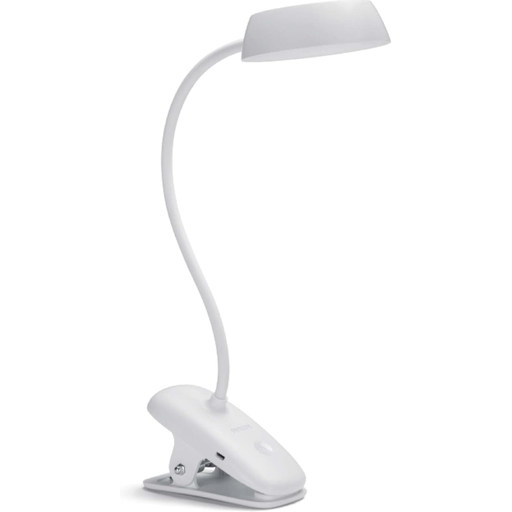
Consider the clip format if you want to keep the worktop free and have a suitable desk edge.
The product title states USB rechargeable operation and 3 W. Check the clip opening, the light’s reach across your paper and the stated colour rendering if coloured details matter.
 No image available
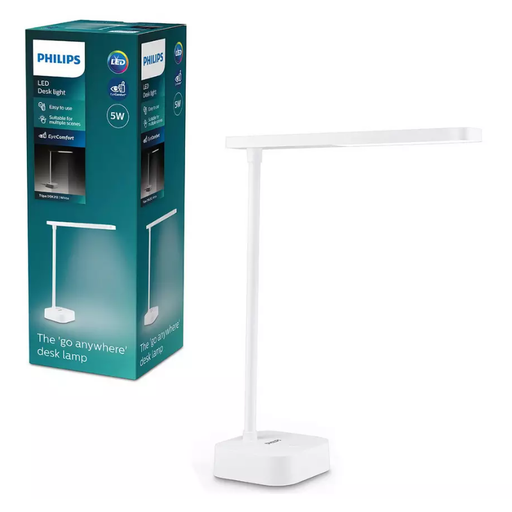
Its three brightness settings are worth considering if you want to adjust the light while reading diagrams.
The product title states USB rechargeable operation and 18 W. Check whether its head can direct light across your sheet, whether a suitable charging adaptor is included and what colour-rendering information applies to this model.
Start with light you can direct onto the whole area you read without seeing the bright source or a strong reflection. Brightness control helps when room light changes; the Health and Safety Executive notes that more detailed tasks generally require more light.
A stated high colour-rendering index is useful to compare when distinguishing coloured lines is important, but it does not tell you whether the whole sheet will be bright enough. Check coverage, any illuminance measurement and the lamp’s adjustability too.
It may suit diagrams kept beside a compatible monitor, but it is not automatically suitable for a large paper work area. BenQ specifies a 63 cm × 40 cm area at 500 lux for its ScreenBar Halo; compare that stated coverage and the monitor-fit limits with your own setup.
Consider one when unusually small markings still need enlargement after you have positioned ordinary task lighting well. Check that the lens can move out of the way when you want to read a full sheet.
Check the exact model’s input voltage, plug or power unit and the conformity information applicable to where it is sold. Department for Business and Trade guidance dated 31 March 2026 addresses product-marking regimes for Great Britain and Northern Ireland separately; a marking alone does not establish that a lamp fits your desk or power setup.