Paperwork and label checkers
If you regularly inspect receipts, forms, instructions or labels, a light you can direct onto the item is more useful to assess than a lamp chosen only for its appearance.


Choose a lamp you can aim and dim over the document, rather than relying on its advertised brightness alone. A movable task lamp suits paperwork in different positions; a clamp saves desk space if it fits the edge, while a monitor light bar suits paper kept in front of a compatible screen. If small print remains difficult to read with better lighting, consider magnification as well.
If you regularly inspect receipts, forms, instructions or labels, a light you can direct onto the item is more useful to assess than a lamp chosen only for its appearance.
If you switch between a monitor and small printed material, consider where the paper sits, whether light reflects on the screen and how much desk space a lamp can occupy.
If better room lighting still leaves standard print difficult to read, a lamp may be only part of the solution. RNIB discusses lighting and magnification as distinct options for reading.
Start with the position and size of the print you check, then consider glare and mounting fit. Lighting cannot enlarge text that remains too small to read.
| Concern | What to check | Who this matters to |
|---|---|---|
| Light on the document | Check whether you can aim and dim the lamp over the whole area you use. If lux is stated, note its measurement distance before comparing models. | When I move between a receipt and a full page, I need the light to reach the print without constantly shifting the paper. Roughly 33% of consumers put directed coverage first. |
| Glare during longer checks | Look for adjustable positioning, dimming and a diffuser or anti-glare shade where specified. | Glossy paper or light shining towards my eyes can interrupt a longer reading task. Glare control is the main concern for around 27% of consumers. |
| Print that remains too small | Consider whether improved illumination is enough or whether you also need magnification suited to the task. | If I still struggle with instructions or labels after adjusting the light, I need to make the text larger rather than buy on brightness alone. For roughly 20% of consumers, that is the primary need. |
| Desk and mounting fit | Measure the available space and, where relevant, the desk edge or monitor against the exact lamp’s mounting requirements. | On a shallow desk, a lamp that cannot be mounted where I work will not put light on my documents. Around 20% of consumers prioritise workspace fit. |
Wattage alone does not tell you how much light reaches your document. A lux figure is more useful for this decision when its measurement distance is stated, but different distances should not be compared as though they were the same test.
Check the stated distance, beam coverage, positioning and dimming against the place where you actually read.
A clamp needs a suitable desk edge; a monitor light bar must fit the screen it rests on. Neither format can be judged by its lighting controls alone.
Measure the mounting point and compare it with the exact model’s stated requirements before ordering.
A lamp changes illumination, not character size. RNIB identifies magnification alongside lighting as an option for reading tasks.
If print remains difficult after you have positioned the light, consider a magnifier suited to the task or seek individual low-vision advice.
A supplied USB cable does not necessarily mean a mains charging plug is included. RNIB Shop specifies that its Daylight Smart Clip-On Lamp comes without a USB charger plug.
Check the accessories and charging requirements for the particular lamp you choose.
Using a wall socket may require a compatible charging plug if one is not supplied.
These ranges illustrate different lamp formats; check the specifications of the particular model rather than treating a brand name as a lighting specification.
Desk and clamp task lamps for paper, craft and other close work.
Monitor-mounted lighting for documents kept near a screen.
Table reading lights focused on directing a beam towards close reading tasks.
Adjustable desk lamps for buyers who want directed light and, in some models, a replaceable bulb.
Adjustable-arm and adjustable-head lamps for basic directed desk lighting.
These choices include desk lamps for positioning near paperwork and monitor bars for screen-centred work. For each one, judge where its light will fall on your own document and check any mounting requirements.
 No image available
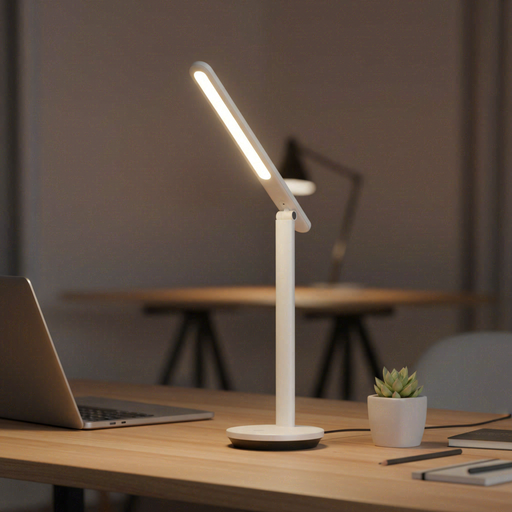
Consider this folding desk lamp if you need to position light near different paperwork. Its title states rechargeable operation and adjustable brightness; check how much of your document it illuminates, plus its runtime and charging arrangements if you plan to use it without a power connection.
 No image available
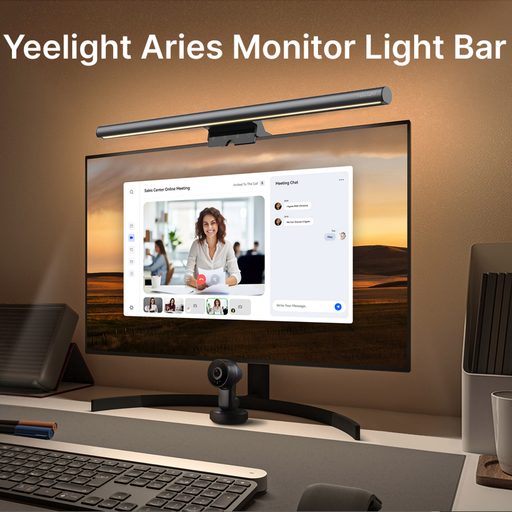
This monitor-bar format is relevant if you keep the paper you check in front of a screen. Its title states USB-C, dimming and adjustable colour temperature; check monitor fit and whether the light reaches your usual document position.
 No image available
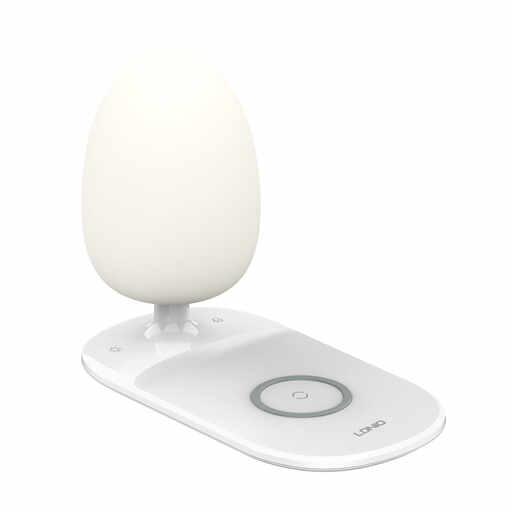
For paperwork on a desk, check whether you can position this lamp to cover the page or label you read. The title identifies wireless and USB-C charging; confirm how those features work, device compatibility if relevant, and the lamp’s coverage before choosing it for fine print.
 No image available
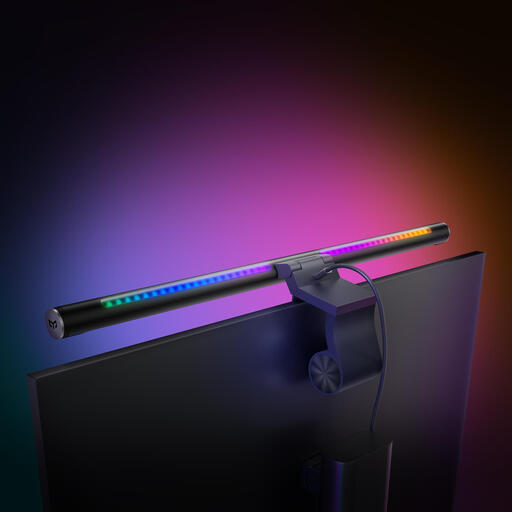
Consider this monitor light bar for documents positioned at a screen-based workstation. The title lists knob control, Matter compatibility and support for Alexa, Google Home and Apple Home; confirm the mounting fit and whether the illuminated area reaches your paper.
 No image available
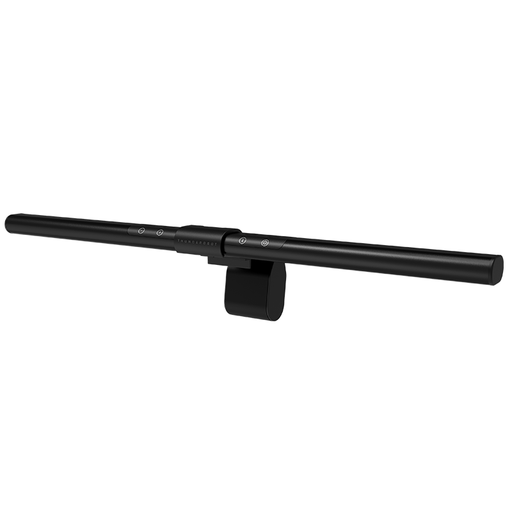
This is another screen-mounted format to consider when your documents sit near the monitor. Its title states Ra95, an asymmetric light source and ten-level dimming; check the exact monitor fit and the light reaching your paper rather than treating those specifications as a measure of fine-print readability.
No. Light must reach the print in a position you can use comfortably, so consider direction, dimming, coverage and glare alongside output. Compare lux figures only with their stated measurement distances in mind.
Aim it at the document without looking into the light source. RNIB advises placing task lighting between you and the task, keeping the shade below eye level and using general lighting as well to reduce shadows.
Not necessarily: brighter lighting does not make the characters larger. RNIB discusses magnifiers as a separate option, and individual low-vision advice may help when difficulty with essential print continues.
Check its stated runtime, charging method, included accessories and whether you can aim it at the print you need to read. For example, RNIB Shop states that its Daylight Smart Clip-On Lamp includes a USB charging cable but not a USB charger plug.