What matters when choosing a lamp?
For paper-diagram study, establish where light needs to fall, then weigh glare control, available desk space and any colour or brightness controls you need.
| Concern |
What to check |
Who this matters to |
| Light on the paper |
Look for adjustable positioning and a lux figure measured at a stated distance; consider whether the beam reaches your usual page area. |
When reading small labels or adding annotations, I need light where the detail sits, not just a bright-looking lamp. Around 33% of consumers would put usable illumination first. |
| Glare and reflections |
Check whether the shade or beam keeps the bright source out of sight and can be aimed away from a nearby screen. |
With paper beside a display, I need to see both without a reflection obscuring the screen. Avoiding glare would come first for around 27% of consumers. |
| Desk space |
Compare base size and arm reach, or measure the clear desk edge against a lamp’s clamp range. |
Books and loose sheets already take up my working surface, so the lamp must leave room to spread them out. Around 20% of consumers would prioritise desk space. |
| Colour and fine markings |
For colour-coded work, compare the exact model’s stated colour rendering index (CRI), dimming and colour-temperature settings. |
If similar colours or faint marks carry meaning, I want controls that let me adjust the light as room conditions change. Colour and marking visibility would lead the choice for around 20% of consumers. |
Joybuy lamps for paper and screen study
These products represent two ways to position light around diagram work: an adjustable desk lamp for paper tasks and a monitor light bar for a desk used with a screen. Check how much of your paper each would illuminate in your own layout.
 No image available
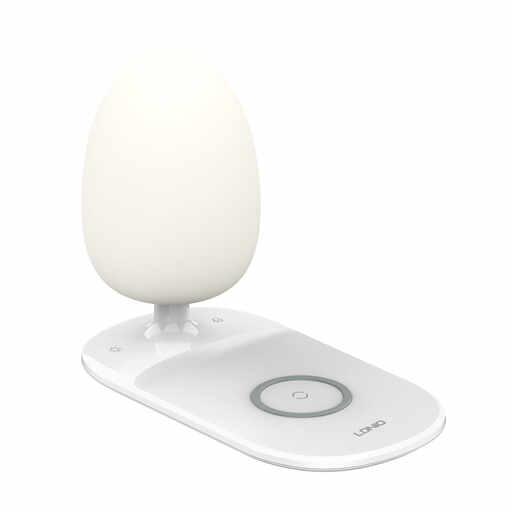
LDNIO Wireless USB-C Charging Desk Lamp, 1M, White
Consider this desk lamp if you move light between diagrams and handwriting: its product description specifies an adjustable gooseneck and head with multiple brightness levels.
Check the lamp’s base dimensions and how much of your usual paper area it lights. The wireless charging function requires a compatible device and does not indicate lighting performance.
View on Joybuy
 No image available
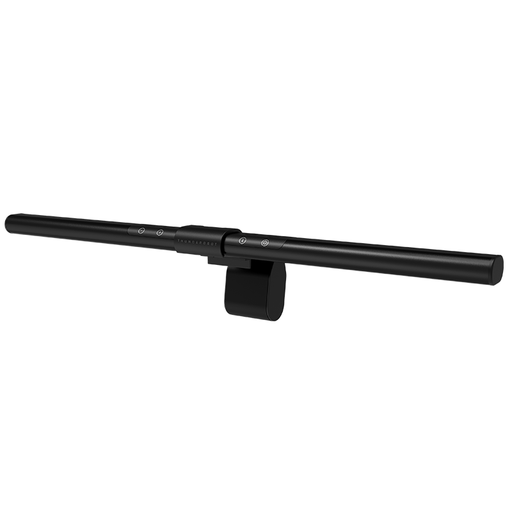
Thunderobot L1 Computer Monitor Light Bar, Ra95
Consider this format when diagrams sit beside a monitor and you want to keep the desk surface clear. The listing states Ra95, an asymmetric light source and ten-level dimming; these are product claims, not independent test findings.
Check that the mount fits your monitor and that the illuminated area reaches your paper before using it as your only diagram light.
View on Joybuy
Common questions
How bright should a lamp be for studying paper diagrams?
Choose by the light reaching your working area, not lumens alone. The Health and Safety Executive gives studying an engineering drawing as an example that may require 750 lux; compare any lamp’s stated lux at its measurement distance, then consider your page size and whether the bright source stays out of sight.
Where should I put a lamp when writing on diagrams?
Aim it across the paper while keeping the bright source out of your direct line of sight. Anglepoise suggests trying the lamp on the left if you write with your right hand, or on the right if you write with your left; adjust its position if your hand casts a shadow or a nearby screen catches a reflection.
Will a clamp lamp fit any student desk?
No: the edge must fit the particular clamp and leave enough clear space to secure it. IKEA lists a 10–40 mm clamping range for SAMBORD, so measure your own desk and check the range for the model you intend to buy.
Can a monitor light bar be my only light for paper diagrams?
It may work for paper close to a compatible monitor, but check the coverage against your normal document layout before relying on it alone. BenQ states 60 cm by 30 cm coverage at 500 lux for ScreenBar; that figure does not establish how a different light bar will illuminate a wider or more distant sheet.


