What matters when choosing?
Choose the lamp format around the print's usual position, then check its lighting specifications and how it fits the desk.
Specialist task lamp
Consider it when: Loose prints are your main work surface and you want disclosed colour-rendering data and diffused light. Daylight Company lists 95+ CRI and an anti-glare diffuser for its Slimline 4.
Trade-off: The Slimline 4 has a fixed 6,000K output, and its listed clamp opening is limited to 55 mm.
Monitor-mounted light bar
Consider it when: You review prints beside a computer and want to keep the desk surface clear. BenQ lists adjustable brightness and colour temperature for ScreenBar Halo.
Trade-off: A monitor bar needs a compatible monitor and power source; check its stated illuminated area against where you place larger prints.
Articulated lamp with a replaceable bulb
Consider it when: You need to move the light between work areas or prefer to choose and replace the LED bulb yourself.
Trade-off: Arm reach does not establish colour-rendering suitability. Check the bulb's CRI and colour temperature separately, as well as the lamp's bulb-rating limit.
| Concern |
What to check |
Who this matters to |
| Colour and consistency |
Look for a stated CRI or Ra value and colour temperature for the exact lamp or bulb; check how brightness can be kept consistent. |
If I compare colour and shadow detail across prints, I want to know what light I am judging them under. Around 40% of consumers put that colour-review need first. |
| Print coverage and desk space |
Compare stated illumination coverage with your print size, and measure the desk edge or mounting position before choosing a clamp. |
When prints, tools and albums share my desk, I need light over the photograph without losing the space to work. For around 30% of consumers, usable coverage and space come first. |
| Screen-side comfort |
Check brightness controls, monitor fit where applicable, and whether the planned lamp angle reflects off your usual paper finish. |
If I move between a screen and glossy prints, I want a light I can adjust without a distracting reflection. That workflow is the primary concern for around 30% of consumers. |
Joybuy products for a screen-side desk
This monitor-mounted option is relevant if you review photographs beside a computer and want to preserve desk space. Check its fit and the light falling on your usual print position before choosing it for print review.
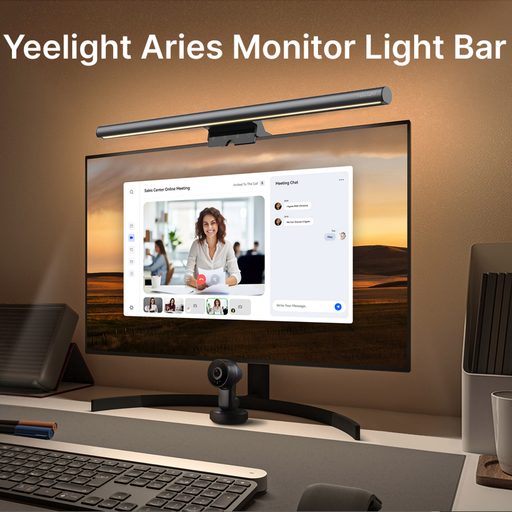 Image unavailable
Yeelight Aries USB-C Monitor Bar Light
Consider this monitor bar if prints sit beside your computer and you want to keep the desk surface clear.
Its product name specifies USB-C, dimming and adjustable colour temperature. Check monitor fit, the available power connection and illumination over your usual print size and position.
View on Joybuy
Questions about print-review lighting
Does a high-CRI lamp make my print-review desk ISO compliant?
No: a lamp's CRI alone does not establish compliance for the complete viewing setup. The International Organization for Standardization's ISO 3664:2025 addresses viewing conditions for photographic prints, including critical comparison and practical appraisal.
Which lamp specifications should I compare for printed photos?
Start with stated colour rendering, colour temperature and illumination at a specified distance, then check coverage and glare control against your print size and paper finish. For context, Daylight Company lists 95+ CRI and an anti-glare diffuser for Slimline 4, while BenQ specifies Ra≥95 and centre illuminance of 800 lux at 45 cm for ScreenBar Halo; those figures describe different characteristics and are not an overall performance ranking.
Will a clamp lamp fit my hobby desk?
Measure the desk edge and check the exact lamp's mounting specification before buying. Daylight Company lists a maximum clamp opening of 55 mm for Slimline 4, so do not assume it will fit a thicker edge.
Can a monitor light bar illuminate physical prints?
It can suit prints placed within its useful desk illumination, provided the bar fits the monitor. BenQ specifies 63 cm × 40 cm coverage at 500 lux for ScreenBar Halo; compare that stated area with your print size and placement rather than relying on monitor compatibility alone.
What should I check for a UK mains desk lamp?
Check the supplied plug and fuse before using a mains-powered lamp. Electrical Safety First advises a UK 3-pin plug and fuse; also keep the cable clear of walkways and stop using the lamp if its plug or cable is damaged.


