What matters when choosing?
For pencil sketching in a student room, decide where the light must fall and how the lamp will mount before comparing its stated lighting specifications.
| Concern |
What to check |
Who this matters to |
| Directed light for detail |
Check whether you can aim and dim the light over your paper. Compare stated lux figures only alongside their measurement distances. |
When I work on fine lines for a long stretch, I need to see the page clearly without a bright spot or a shadow from my drawing hand. Around 36% of consumers put controllable light for detailed sketching first. |
| Clear desk space |
For a clamp, measure the desk edge and clearance beneath it; for a light bar, check monitor fit and whether the lit area reaches your paper. |
If my sketchbook competes with books and a screen, I want the drawing surface clear rather than occupied by a lamp base. Keeping usable desk space is the main concern for around 29% of consumers. |
| Tonal and colour judgement |
Look for stated CRI or Ra and colour-temperature options, then consider brightness, coverage and glare as well. |
When I move between graphite, coloured media and a screen reference, I want to judge how the work looks under my task light. Around 21% of consumers make tonal and colour judgement their primary concern. |
| Bulb replacement and upkeep |
Confirm whether the light source is replaceable and, if it is, the permitted bulb type and maximum rating. Check what a dimming setup requires. |
I would rather know whether I can change the bulb or need additional hardware before committing to a lamp. For around 14% of consumers, maintaining and adapting the light takes priority. |
Joybuy products for clamp and monitor setups
These choices cover a clamp-mounted desk lamp and monitor light bars for sketching beside a screen. For any of them, check the mounting fit and whether the light reaches the part of the paper where you draw.
 No image available
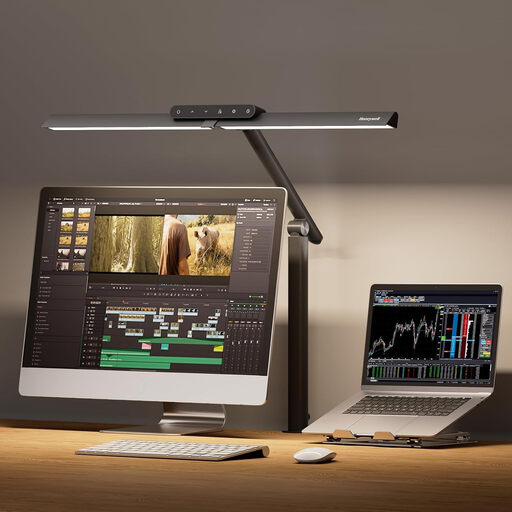
Honeywell HJ1 Sunturalux LED Clamp Desk Lamp, Black (UK)
Consider this clamp lamp if you want to keep the desk surface clear while positioning light over a sketchbook.
The product name states 1200 lm, four colour modes and stepless dimming. Check that its clamp fits your desk and that the light covers your drawing area.
View on Joybuy
 No image available
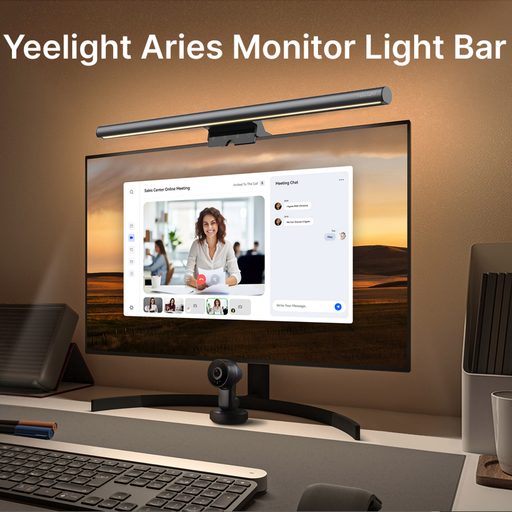
Yeelight Aries USB-C Monitor Light Bar
This monitor-mounted option is worth considering if you sketch beside a screen and want to avoid a lamp base on the desk.
Its product name states dimming and adjustable colour temperature. Confirm monitor fit and light coverage for your paper before choosing it.
View on Joybuy
 No image available
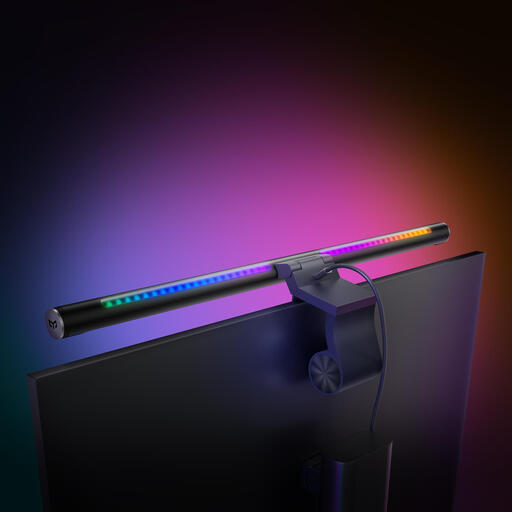
Yeelight Screen Light Bar Pro Libra 2
Consider this light bar if your drawing space sits beside a monitor and you also want its stated smart-home controls.
The product name lists knob control and Matter compatibility with Alexa, Google Home and Apple Home. Check the exact monitor fit and whether it lights the full area you use for sketching.
View on Joybuy
 No image available
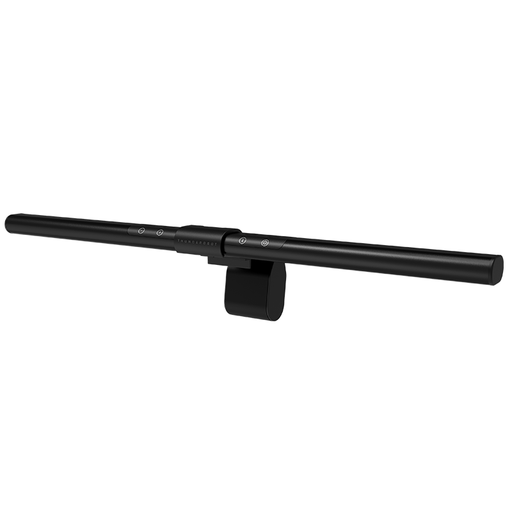
Thunderobot L1 Monitor Light Bar
This monitor light bar may suit sketching beside a screen when adjustable light level is a priority.
The product name states Ra95, an asymmetric light source and ten-level dimming. Verify that it fits your monitor and illuminates the paper where you work.
View on Joybuy
Common questions
How bright should a lamp be for pencil sketching?
Choose enough adjustable light to see detail on your paper without uncomfortable glare, rather than selecting a lamp by its lumen figure alone. The Health and Safety Executive notes that more detailed tasks generally need more light; when comparing stated lux figures, check the measurement distance and where the lit area will fall.
Is warm or cool light better for drawing?
Neither is a requirement for home pencil sketching; an adjustable lamp lets you assess how the paper and marks appear in your room. Daylight Company specifies 2700 K, 4000 K and 6000 K settings for Techne 2, while Anglepoise specifies 2700 K for the supplied Type 75 desk-insert bulb.
Can a monitor light bar replace a desk lamp for sketching?
It can serve as your task light if you draw beside a compatible monitor and it illuminates your paper adequately. BenQ specifies a 63 cm × 40 cm area at 500 lux for ScreenBar Halo, but you should still check the monitor mount and the position of your sketchbook, particularly for larger sheets.
What should I check if I want to replace the bulb later?
Confirm that the bulb is replaceable and check the permitted fitting and rating before choosing a replacement. For the Anglepoise Type 75 desk-insert lamp, Anglepoise specifies an E27 LED bulb with a maximum 10 W LED E27 rating; dimming requires additional electrical hardware.


