Tone-focused pencil sketchers
If you work with fine marks and subtle graphite values, look for controllable light across the paper. Published colour-rendering information may also matter when you use coloured materials alongside pencil.


Choose an adjustable lamp that lights your sketching area without putting glare in your eyes or on a nearby screen. A freestanding drawing lamp suits a fixed desk, while a clamp lamp can keep the surface clear if its mount fits; an articulated lamp offers reach and a replaceable bulb, and a monitor light bar works only if both the monitor and paper area suit it.
If you work with fine marks and subtle graphite values, look for controllable light across the paper. Published colour-rendering information may also matter when you use coloured materials alongside pencil.
If your sketchbook shares space with a keyboard or monitor, a clip-on lamp or monitor light bar may free up the desktop. Check the mount and the area it actually lights before choosing either format.
If you alternate between reading, screen work and drawing, an adjustable lamp position matters. The Health and Safety Executive advises adjusting screens and lighting to avoid reflections and glare during display-screen work.
Start with the size and position of your paper, then check whether the lamp can be aimed comfortably and mounted in the space available.
| Concern | What to check | Who this matters to |
|---|---|---|
| Detail and tone visibility | Compare brightness control and the stated illuminated area with your paper size. Check any lux figure at its quoted distance; look for a model-specific CRI or Ra rating if colour rendering matters. | If subtle graphite transitions are my priority, I need light across the working area rather than one bright patch. Around 45% of consumers put paper visibility first. |
| Positioning and glare | Check arm reach, head adjustment and whether you can aim the lamp without seeing the light source or its reflection in a screen. | When I move between a sketch and a monitor, I want to redirect light around my drawing hand without creating reflections. Around 33% of consumers prioritise positioning and glare control. |
| Desk space and fit | For a clip, measure the mounting edge and underside clearance. For a monitor bar, check monitor thickness and whether its lit field reaches your paper. | With limited room beside my sketchbook, I would consider moving the lamp off the desktop, but the mount still has to fit. Around 22% of consumers put space and compatibility first. |
A thick or inaccessible edge can prevent a clamp from attaching. Daylight Company states a maximum clamp opening of 55 mm for the Techne 2.
Measure the edge and check the clearance underneath, as well as the space needed for the arm.
A monitor-mounted light still needs a compatible screen and a lit field that reaches the sketchbook. BenQ states separate flat- and curved-monitor thickness ranges for the ScreenBar Halo.
Measure your monitor and compare the bar’s stated coverage with your usual paper size and position.
Anglepoise’s cited Type 75 bulb information gives 2700 K and 470 lumens but no CRI value. Daylight Company publishes 95+ CRI specifications for its Tricolor and Techne 2; those figures alone do not establish how either lamp will cover your paper.
If choosing a replaceable-bulb lamp, check the exact bulb’s CRI, colour temperature, output, E27 fitting and compatibility with the lamp.
A different bulb specification may mean obtaining a separate compatible E27 bulb.
Reflections or direct glare can distract from drawing and screen work even when the paper is bright enough.
Reposition the lamp and screen to avoid reflections. The Health and Safety Executive includes this adjustment in its display-screen guidance.
Its Tricolor desk lamp and Techne 2 clamp lamp offer different placements for drawing work.
The Type 75 is an articulated desk-lamp option for buyers who want reach and a replaceable light source.
The ScreenBar Halo is a monitor-mounted option for a compact, screen-centred study desk.
These rechargeable desk lamps and clip-on option suit different ways of arranging a study desk. Check their positioning, mount where applicable, and light coverage against the paper you use.
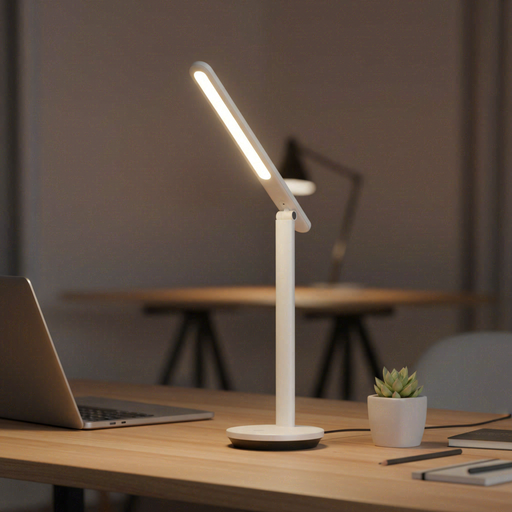 Image unavailable
Consider this folding lamp if you need to reposition light around a sketchbook on a flexible study desk.
Rechargeable, with adjustable brightness. Check its illuminated area, colour-rendering information and battery runtime against your drawing sessions.
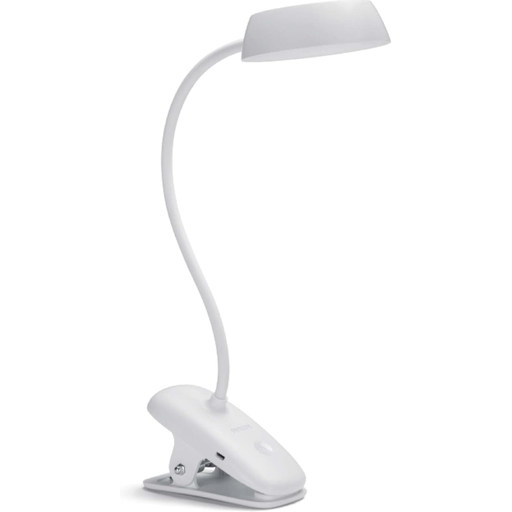 Image unavailable
The clip-on format may leave more desktop room for a sketchbook if your mounting edge fits.
Check the clip opening, underside clearance and light coverage before choosing it for a drawing board. Allow for self-assembly and follow its dry-environment use directions.
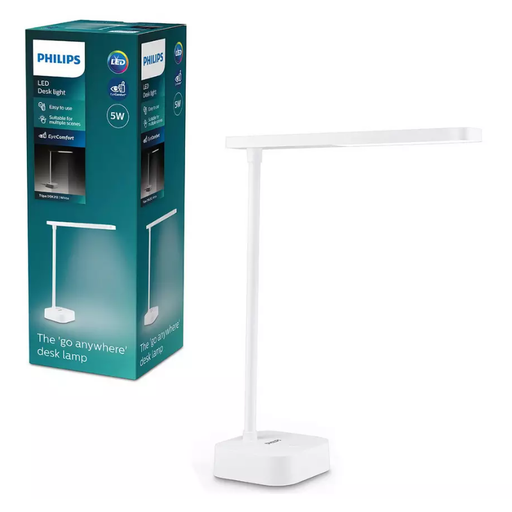 Image unavailable
If you change where you draw at your study desk, its rechargeable format and three brightness settings offer placement and light-level options.
Check whether the lamp can light your usual paper area from a comfortable position. If replacing the light source matters to you, check its integrated LED arrangement before choosing this model.
Compare the lamp’s placement and the area it can light before focusing on a single brightness figure. Then check adjustment, dimming and model-specific colour-rendering information where relevant; lux figures measured at different distances are not directly comparable.
No: clamp fit depends on the particular lamp and mounting edge. Daylight Company gives the Techne 2 a maximum clamp opening of 55 mm, so measure the edge and check underside and arm clearance.
It can serve a compatible, monitor-centred sketching setup if its light reaches your paper. BenQ specifies 63 cm × 40 cm coverage at 500 lux for the ScreenBar Halo, alongside different monitor-thickness ranges for flat and curved screens; that does not establish coverage for every drawing board.
Position the lamp so it lights the paper without causing a bright screen reflection or direct glare. The Health and Safety Executive’s display-screen guidance advises adjusting screens and lighting to avoid reflections and glare.