Small-desk diagram readers
If printed plans or notes take up most of your desk, consider the lamp’s footprint and where its arm, clamp or cable will sit before choosing extra lighting features.


Choose a compact lamp with adjustable positioning and brightness when printed diagrams are your main work surface. If distinguishing colours matters, check the colour rendering index (CRI) for the exact model; if a monitor occupies the desk, a light bar can keep the work surface clear, but its fit and fixed position must suit where you place the paper.
If printed plans or notes take up most of your desk, consider the lamp’s footprint and where its arm, clamp or cable will sit before choosing extra lighting features.
If you need to distinguish coloured lines or fine annotations, compare the stated CRI and brightness controls for the particular lamp, as well as whether you can direct light onto the page.
If you move between a monitor and printed diagrams, leave enough lit space for the paper and position the light to avoid screen reflections. The Health and Safety Executive advises adjusting screens and lighting to reduce reflections and glare during display-screen work.
Start with where the diagram and lamp can physically sit, then decide how much control you need over colour, brightness and light direction.
| Concern | What to check | Who this matters to |
|---|---|---|
| Clear paper space | Measure the free desk area and any usable edge; compare the lamp footprint or clamp opening with those measurements. | On a crowded desk, I need room to lay out a diagram without the lamp occupying the page area. Around 36% of consumers put clear paper space first. |
| Colour and fine detail | Check the exact model’s stated CRI, brightness settings and any lux figure at its specified measurement distance. | When coloured lines or faint annotations carry meaning, I want lighting I can adjust while reading them. Colour and detail are the first concern for around 36% of consumers. |
| Glare and shadows | Check whether you can reposition and dim the light for your page and, where relevant, your screen. | If my hand shadows the diagram or a nearby screen reflects the lamp, I need to change the light’s position. Around 28% of consumers prioritise glare and shadow control. |
A long arm or wide shade still needs room to move above the paper. Daylight Company lists a 51 cm-wide shade and 100 cm reach for its Lumi, while Anglepoise lists the 90 Mini Mini at W25 × D12 cm.
Measure the space behind and beside your diagram, including the arm’s path and any drawers or shelves it could obstruct.
Published CRI values differ between models: Anglepoise lists CRI 86 for the 90 Mini Mini, while Daylight Company lists 95+ for Tricolor and Lumi. CRI is a useful specification to check, not a guarantee that every detail will be easy to see.
Compare the CRI stated for the exact variant you intend to buy, alongside its positioning and brightness controls.
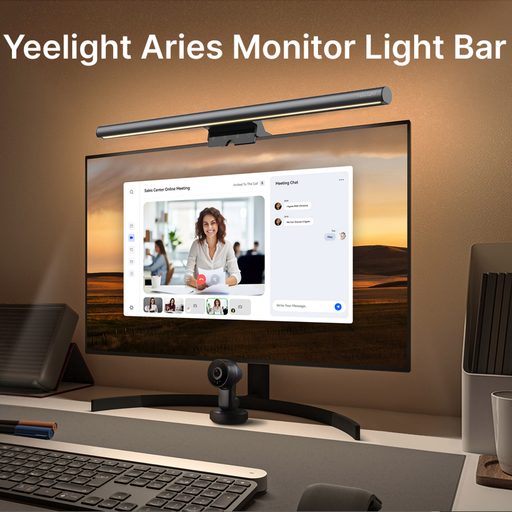
A bar relies on the monitor for its position. BenQ specifies ScreenBar Halo compatibility by monitor shape and thickness, so its fit cannot be assumed from the screen size alone.
Measure the monitor at the mounting point and check whether the lit area will reach your usual paper position.
For Great Britain, the Department for Business and Trade says CE marking continues to be recognised alongside or instead of UKCA where applicable. Northern Ireland follows different processes.
For a purchase intended for Great Britain, check the applicable product information rather than rejecting a lamp solely because it bears a CE mark. Check the separate requirements if the lamp is intended for Northern Ireland.
The 90 Mini Mini is a compact, adjustable desk-lamp option for a restricted work surface.
Its task-lighting range includes desk lamps with published colour-rendering and illuminance specifications.
ScreenBar Halo represents a monitor-mounted option when a screen already occupies the desk.
These choices include monitor-mounted bars for desks with a screen, a clip lamp for a suitable desk edge, and freestanding lamps for positioning beside the paper. Check the mounting or standing space against your own diagram layout.
 No image available
Consider this monitor-mounted light if a screen is already part of your small-desk setup. The product name specifies USB-C, dimming and adjustable colour temperature; check monitor fit and whether the light reaches your paper layout.
 No image available
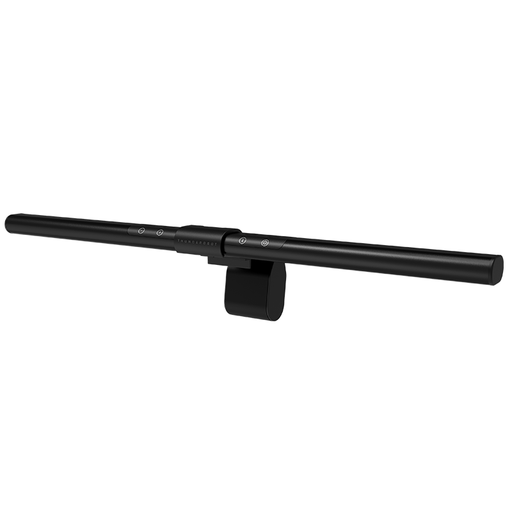
This is another monitor-mounted format to consider when desk surface is limited. Its product name states Ra95, asymmetric lighting and ten-level dimming; check the mount against your monitor and the light’s reach across the paper.
 No image available
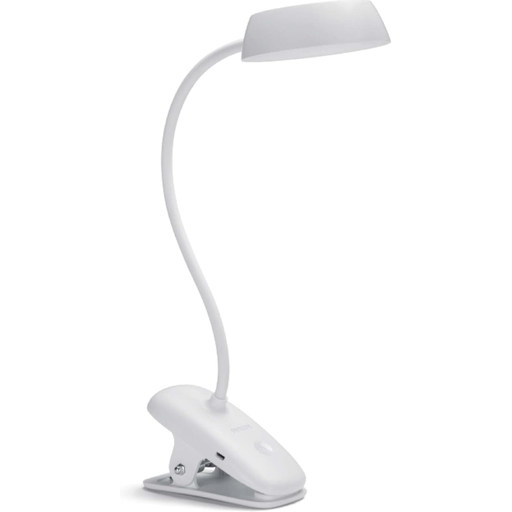
A clip format is worth considering if your desk has a suitable edge and you want to leave the main surface for paper. The product name specifies USB rechargeability and 3W; check the clip opening and whether you can aim the light where you read.
 No image available
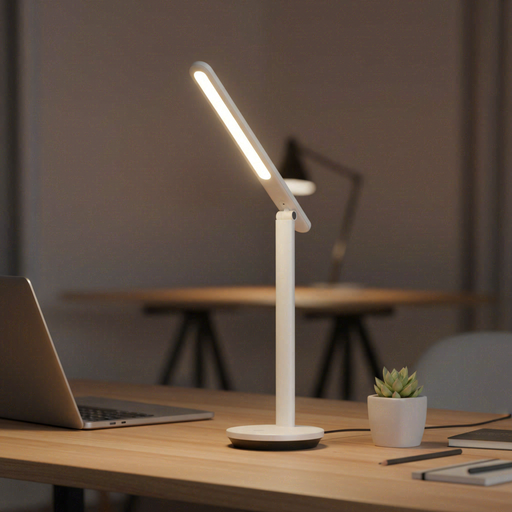
Consider a folding freestanding lamp if you need to reposition the light as your paper layout changes. The product name specifies rechargeability and adjustable brightness; check its in-use footprint and the range of positions it allows above the page.
 No image available
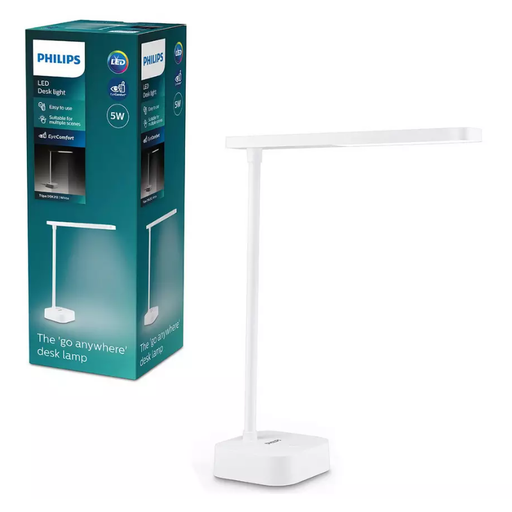
This freestanding option may suit a desk with room beside the diagram. The product name specifies USB rechargeability and three brightness settings; check its footprint and whether the light can be directed away from your writing hand’s shadow.
Start with light you can direct onto the paper without losing the space needed to study it. If colour distinctions matter, check the exact lamp’s stated CRI as well as its brightness controls; Daylight Company, for example, lists 95+ CRI for Tricolor and Lumi, but that specification does not guarantee comfort or a particular study outcome.
It can serve your paper layout if the bar fits your monitor and lights the area where you normally put diagrams. BenQ lists a 63 × 40 cm area at 500 lux for ScreenBar Halo, but a monitor-mounted bar cannot be moved independently of the screen when the paper changes position.
Place and adjust the lamp so the paper is lit without a bright reflection on the display. The Health and Safety Executive advises adjusting screens and lighting to avoid reflections and glare during display-screen work; reassess the position when room lighting or the paper layout changes.
Not solely on that basis: the Department for Business and Trade says CE marking continues to be recognised alongside or instead of UKCA in Great Britain where applicable. Check the product’s applicable information and documentation; Northern Ireland has separate processes, so this Great Britain marking guidance should not be assumed to apply there.