Leather sellers concerned about colour
If your wallet listings need a consistent-looking leather tone and finish, compare published colour-rendering specifications, then keep your camera white balance and lighting settings consistent between shots.


Choose a panel with adjustable colour temperature so you can balance it with the window light, or reduce the daylight contribution and use the panel as your main light. For wallet-sized subjects, check dimming and whether you can place and soften the light to control reflections; a compact battery panel suits close-up work, but do not assume it can overpower a bright window from a distance.
If your wallet listings need a consistent-looking leather tone and finish, compare published colour-rendering specifications, then keep your camera white balance and lighting settings consistent between shots.
If you want to keep the window-lit look, an adjustable panel can fill darker parts of the wallet. If daylight changes during a session, consider whether you can reduce its contribution and position the panel as the main light.
If you photograph one wallet at a time, a compact panel can be placed close to the subject. Check how you will mount and power it, and allow for its more limited reach when positioning the light.
Decide whether the window or the panel will be your main light, then assess colour control, reflection control and the working distance your space allows.
| Concern | What to check | Who this matters to |
|---|---|---|
| Consistent leather colour | Check the adjustable colour-temperature range and how you will set camera white balance when window and panel light mix. | If the leather looks warmer in one listing photo than the next, I need control over the two light sources. Around 36% of consumers put colour consistency first. |
| Grain and reflections | Check whether the panel can be positioned off-axis and whether a diffuser is included or compatible. | For a wallet with a reflective finish, I want the grain visible rather than covered by a bright highlight; this is the primary concern for around 36% of consumers. |
| Repeatable lighting | Check dimming and stated output at a defined distance, comparing measurements only when their conditions match. | When daylight changes during a run of listing photos, I need a lighting setup I can reset. Around 21% of consumers prioritise that repeatability. |
| Compact setup | Check the panel's size, power arrangement and stated output at your intended working distance. | If I have little room around a single wallet, I need a light I can position close by; compactness comes first for around 7% of consumers. |
Adjusting the panel alone may not keep wallet colour consistent if a warmer room light also reaches the leather.
Choose whether to balance the panel with the window or reduce the daylight contribution and use the panel as the main source. Keep camera white balance consistent across the shoot.
A brighter reflection can obscure grain, embossing or edge detail rather than reveal it.
Change the panel angle and distance, and assess whether diffusion helps move or soften the visible highlight.
A small continuous light used far from the wallet may leave too little light for the exposure you want, particularly beside a bright window.
Try a close working position for a static wallet and consider a tripod if a longer exposure is practical. Check stated output under comparable conditions if you need greater distance.
An international product description does not establish which charger or plug comes with the exact bundle you order.
Check the listing contents, charger input rating and supplied plug or lead before purchase, particularly if you plan to use mains power.
The P60x is a bi-colour panel to consider for a tabletop setup where you have room to position the light deliberately.
The P260C Pro is relevant if you want an adjustable panel and plan to manage reflections through light placement and diffusion.
The NL-192AI is a compact bi-colour option to consider when you can work close to one wallet at a time.
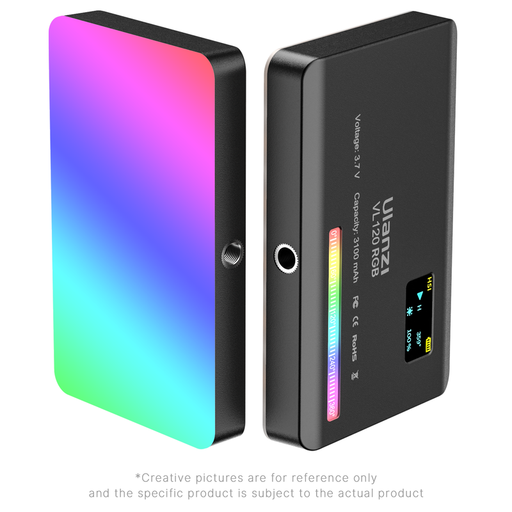
This compact, battery-powered panel is a choice to examine for lighting a wallet at close range. Check its brightness control and how you would soften and position its light for your setup.
 No image available
This compact panel is worth considering if you can place the light close to a wallet in a small tabletop setup.
The product title states a 2500–9000 K colour-temperature range, CRI of at least 95 and an integrated 3100 mAh battery. These stated figures do not establish how faithfully a particular leather colour will appear. Check the brightness controls and whether the exact bundle includes a diffuser and suitable charging hardware if those matter to your setup.
No. You can use the panel as fill while the window remains the main light, provided you manage the colour balance between them. If changing daylight disrupts a series of wallet photos, reduce its contribution and use the panel as the main source instead.
Start close to the wallet and off the camera's axis, then adjust the angle until reflections no longer hide the grain. NEEWER's product-photography guidance suggests roughly 45 degrees as a starting position, not a fixed setting for every leather finish.
It can work when the wallet is static and you can position the panel close to it. If the available light calls for a longer exposure, a tripod may help; check the panel's stated output at your working distance rather than assuming it can dominate bright window light.
Confirm what charger, plug or lead comes with the exact product bundle and check its input rating against how you intend to power it. A panel's general specifications do not tell you which charging hardware a particular listing includes.