
24/7 Customer Support

Free returns

Same-day & Next-day Delivery

Quality Guaranteed

Unlock Your Welcome Offers: FREE Delivery | Up to 80% OFF | Free 30-day JoyPlus trial
Download the APP
If you are comparing a Lexar ARES PRO 4TB Gen5 NVMe SSD with other high-speed internal drives, headline read speeds are unlikely to be your only concern. Compatibility, cooling, sustained workloads and usable capacity can determine whether a premium PCIe 5.0 purchase delivers practical value.
This guide from the Joybuy Product Recommendation Officer separates useful specifications from common marketing traps, then matches several SSDs to different types of UK buyer.
A PCIe 5.0 x4 SSD requires a compatible M.2 slot to reach its advertised interface performance. If you install the drive in a PCIe 4.0 or PCIe 3.0 slot, it will operate at the lower platform speed. Before ordering, check your motherboard manual or laptop specification for:
Backward compatibility is useful, but it does not turn a Gen4 system into a Gen5 one.
A specification such as up to 14,000 MB/s refers to sequential transfers under stated test conditions. Large file copying may benefit significantly, but game loading, application launches and general desktop responsiveness also depend on random performance, CPU workload, software and the rest of the system.
Dynamic SLC cache can help with short bursts. During very large or sustained writes, performance may change once the cache is used. Buyers editing large video projects or managing AI datasets should therefore consider thermal control and sustained behaviour, rather than focusing only on one peak number.
Gen5 controllers can produce more heat than many Gen4 models. Thermal throttling may reduce performance when the drive becomes too warm. A motherboard M.2 heatsink and suitable case airflow are important for a desktop build.
The Lexar ARES PRO includes Thermal Guard technology, a metal construction and a graphene heat-dissipation patch. Its factory-installed cooling materials should not be removed. Laptop buyers should be particularly careful: physical space, screw position and the manufacturer’s cooling design may limit compatibility.
The Lexar ARES PRO uses a PCIe 5.0 x4 interface and an M.2 2280 form factor, making it intended for compatible desktops, laptops and other systems with a standard 80 mm M.2 slot. It is also listed as backward compatible with PCIe 4.0 and PCIe 3.0 systems, although performance will be restricted by the host interface.
A 4TB PCIe 5.0 NVMe SSD provides substantial working space for games, applications, video files and AI-related datasets. The formatted capacity will be lower than the advertised 4TB because some space is reserved for formatting and system functions.
The Lexar ARES PRO is specified at:
These figures make it a suitable candidate for a high-performance gaming SSD, an SSD for video editing, and demanding high-performance computing workflows. They should be treated as maximum rated figures, not guaranteed speeds in every PC or laptop.
The eight-channel controller and integrated thermal features are relevant for users who regularly transfer large files or run demanding software. The listed 5-year limited warranty provides a longer support period than some entry-level alternatives, but buyers should still check the current warranty terms, exclusions and any applicable endurance conditions before purchase.
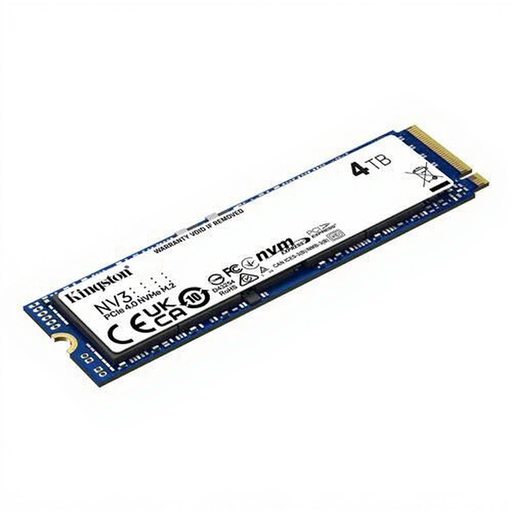
Why This Fits Their Persona: A practical 4TB option for UK users who want substantial internal storage for gaming, media and everyday applications without moving to PCIe 5.0 hardware.
Its PCIe 4.0 specification makes the platform requirement clearer, helping buyers avoid paying for Gen5 performance their system cannot use.
4TB capacity, M.2 2280 design and rated sequential speeds of up to 6,000 MB/s read and 5,000 MB/s write.
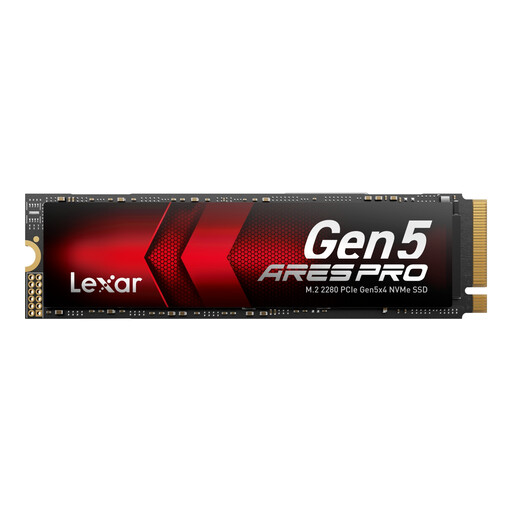
Why This Fits Their Persona: Suits PC enthusiasts and creators building a compatible Gen5 desktop who want 4TB capacity alongside high rated transfer performance.
The product specification clearly identifies PCIe 5.0 x4, M.2 2280 sizing, thermal management and platform requirements before installation.
Rated up to 14,000/11,000 MB/s sequential read/write, Dynamic SLC Cache and a 5-year limited warranty.
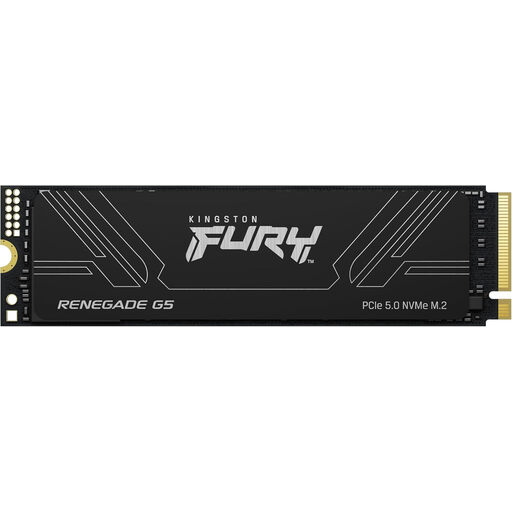
Why This Fits Their Persona: Designed for users managing very large game libraries, video assets, AI datasets or workstation projects who need more than 4TB.
The 8TB capacity reduces the need to split active projects across several drives, while its aluminium heatsink addresses the need to plan for cooling.
PCIe 5.0 x4 interface, rated up to 14,800/14,000 MB/s read/write and a 5-year limited warranty.
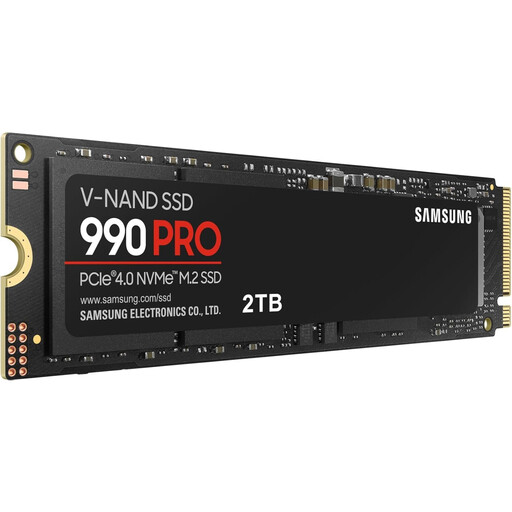
Why This Fits Their Persona: A 2TB alternative for users whose desktop, laptop or compatible gaming system supports PCIe 4.0 and does not require 4TB capacity.
It avoids paying for Gen5 capability where the existing system is limited to PCIe 4.0, while retaining an M.2 2280 layout.
Rated up to 7,450/6,900 MB/s read/write, with PS5 compatibility listed in the product specifications and a 5-year limited warranty.
For PS5 users, verify the console’s physical clearance and follow the console manufacturer’s storage expansion requirements. A compatible heatsink is important, and advertised PC speeds may not be reached in a console environment.
We have compiled a complete, real-time list of products that fully satisfy these strict selection criteria and UK safety regulations.
It is listed as backward compatible with PCIe 4.0 and PCIe 3.0 systems. However, the drive will run at the lower interface speed in those systems. Confirm the slot supports NVMe and M.2 2280 before installation.
It can be suitable for workloads involving large project files, data transfers and demanding applications. The practical benefit depends on the software, processor, memory, source storage and cooling. For sustained editing or dataset work, select a motherboard with an M.2 heatsink and maintain adequate airflow.
Lifespan varies with workload, write volume, temperature and drive design. A 5-year SSD warranty is a support term, not a guarantee that every drive will operate for that exact period. Monitor health through the manufacturer’s utility, keep firmware current and maintain independent backups.