
24/7 Customer Support

Free returns

Same-day & Next-day Delivery

Quality Guaranteed

Unlock Your Welcome Offers: FREE Delivery | Up to 80% OFF | Free 30-day JoyPlus trial
Download the APP
A Lexar ARES PRO 4TB Gen5 NVMe SSD is aimed at users who need very high internal storage performance for modern gaming PCs, AI applications, video editing and demanding workstation tasks. Its headline specification is impressive: PCIe 5.0 x4, an M.2 2280 form factor, sequential read speeds of up to 14,000 MB/s and sequential write speeds of up to 11,000 MB/s.
However, buying purely on headline speed can lead to an unsuitable upgrade. The right drive depends on your motherboard, laptop design, cooling system, workload and whether you need internal or portable storage.
A PCIe 5.0 SSD can operate in older PCIe 4.0 or PCIe 3.0 systems, but it will run at the lower interface speed. If your motherboard only offers PCIe 4.0, you will not receive the advertised Gen5 transfer rate.
Before ordering, check:
A Gen5 SSD for PC and laptop is most suitable when the host device has a matching PCIe 5.0 slot. Backward compatibility is useful, but it does not turn a Gen4 system into a Gen5 system.
High sequential speeds can generate more heat than older drives. During long transfers, 4K video exports or large game installations, thermal protection may reduce performance to control temperature. This is commonly referred to as thermal throttling.
The Lexar ARES PRO includes a metal housing, graphite heat dissipation patch and Thermal Guard technology. Even so, the product instructions recommend a compatible motherboard heatsink for sustained workloads. Confirm that your desktop has:
Do not remove factory-installed cooling materials, as this may affect heat dissipation and could affect warranty coverage.
A 4TB PCIe 5.0 SSD connects directly to a compatible internal M.2 slot. A portable USB SSD is easier to move between devices but is limited by its USB interface. For example, the Samsung Portable SSD T7 4TB is specified at up to 1,050 MB/s read and 1,000 MB/s write through USB 3.2 Gen 2.
That makes an external drive practical for backups, media libraries and transferring files between a home PC and laptop, but it is not a replacement for a PCIe 5.0 x4 internal SSD when your priority is maximum internal bandwidth.
The ARES PRO uses PCIe 5.0 x4, meaning it uses four PCIe lanes through the NVMe interface. This is the key requirement behind its quoted performance. A compatible system is essential for achieving the drive’s stated “up to” speeds; real-world results vary according to the processor, motherboard firmware, operating system, file type and workload.
For a Gen4-only computer, a drive such as the Kingston NV3 4TB, with PCIe 4.0 and quoted speeds of up to 6,000 MB/s read and 5,000 MB/s write, may provide a more proportionate upgrade.
A 4TB capacity is useful for large game libraries, source footage, AI datasets and project files. The formatted capacity will be lower than the advertised figure because storage manufacturers calculate capacity differently from operating systems, and some space is reserved for formatting and system functions.
Keep free space available rather than filling the drive completely. This can help maintain practical performance and leaves room for temporary editing files, game updates and operating system operations.
The ARES PRO is an M.2 2280 NVMe SSD, measuring approximately 22mm wide and 80mm long. This is common in desktop motherboards and many full-size laptops, but not every M.2 slot accepts this length.
A laptop may require a shorter M.2 2230 drive, while some systems have only a SATA M.2 interface. Check the manual before purchase, particularly if you are upgrading a thin UK laptop or compact PC.
For PS5 users, confirm the console’s current storage requirements and installation guidance. An internal expansion SSD generally needs suitable cooling and physical clearance; compatibility should not be assumed solely because a listing mentions PS5.
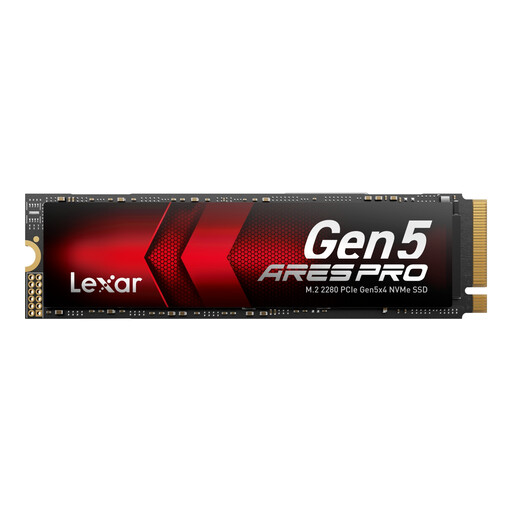
Why This Fits Their Persona: A strong match for UK PC builders, AAA gamers, AI developers and creators with a PCIe 5.0 desktop or compatible laptop who want 4TB of fast internal storage.
Its PCIe 5.0 interface is clearly specified, while Thermal Guard technology and a graphite heat dissipation patch address the need for suitable cooling.
Up to 14,000 MB/s read, 11,000 MB/s write, 4TB capacity, dynamic SLC cache and a 5-year limited warranty.
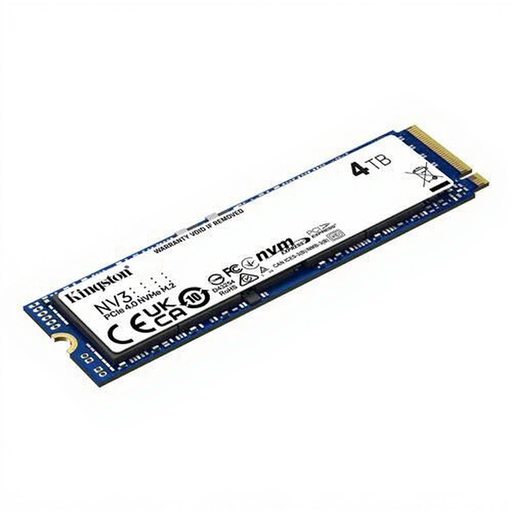
Why This Fits Their Persona: Suitable for users who want 4TB for games, media and everyday applications without requiring a PCIe 5.0 platform.
It avoids paying for unused Gen5 bandwidth when the computer is built around PCIe 4.0.
4TB M.2 2280 capacity with quoted PCIe 4.0 read/write speeds of up to 6,000/5,000 MB/s.
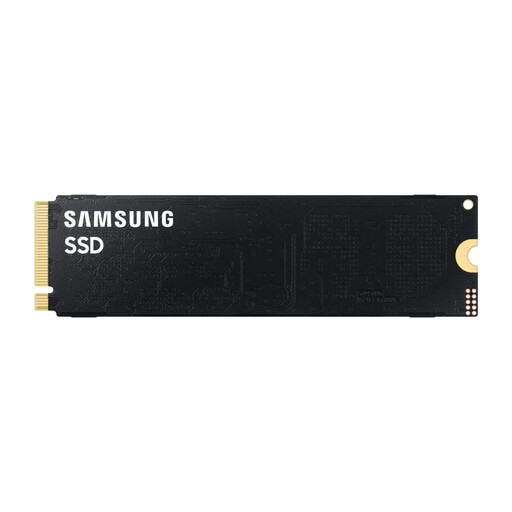
Why This Fits Their Persona: A 2TB Gen5 option for professional creators and workstation users who prioritise high transfer performance but do not require 4TB in one drive.
The listed PCIe 5.0 x4 interface and thermal management requirements make platform and cooling checks visible before purchase.
Up to 14,800 MB/s read and 13,400 MB/s write, with a 5-year limited warranty and SSD management software support.
We have compiled a complete, real-time list of products that fully satisfy these strict selection criteria and UK safety regulations.
Install the SSD with the computer fully powered off and disconnected from the mains. Insert the drive at roughly a 30-degree angle, secure it with the correct screw and initialise it through Windows Disk Management if it is new. GPT is generally appropriate for modern systems.
High-performance drives may draw more power under sustained workloads than entry-level storage. For a desktop, this is usually a small part of total system consumption, but laptop users should check battery impact and thermal space. Use the manufacturer’s management software to monitor temperature, health and firmware, and keep important files backed up separately.
It uses the M.2 2280 format and is described as compatible with PS5, but console compatibility also depends on physical clearance, firmware and suitable heat dissipation. Check Sony’s current expansion-storage requirements before installation and use a compatible heatsink arrangement.
Only when installed in a system with a suitable PCIe 5.0 x4 M.2 slot and supporting hardware. In a PCIe 4.0 or PCIe 3.0 slot, it will operate at the lower interface speed. The quoted figure is an “up to” sequential read rate, not a guaranteed result for every workload.
No. The Lexar product includes a 5-year limited warranty, subject to its terms and conditions, but a warranty does not restore lost files. Maintain at least one separate backup of valuable work, photographs, game saves and AI datasets.