
24/7 Customer Support

Free returns

Same-day & Next-day Delivery

Quality Guaranteed

Unlock Your Welcome Offers: FREE Delivery | Up to 80% OFF | Free 30-day JoyPlus trial
Download the APP
A lightweight wireless gaming mouse can make low-sensitivity FPS movements feel easier and reduce cable drag across a desk. However, a low weight alone does not guarantee a suitable gaming upgrade. UK buyers should compare the complete specification, including wireless mode, sensor behaviour, battery claims and software support.
The following guide explains the main buying traps and highlights Our Top Recommendations for 2026 based on different gaming and everyday-use profiles.
A mouse advertised as a high DPI gaming mouse may offer 26,000, 30,000 or even 40,000 DPI. Most players use a much lower setting, particularly in FPS games. DPI is only one part of tracking performance; sensor consistency, lift-off distance adjustment, feet and surface compatibility also affect control.
Look for software that allows sensible DPI stages and, where useful, independent X/Y adjustment. This is more practical than choosing a mouse solely because its maximum number appears higher.
An 8K polling rate gaming mouse may support 8,000Hz only in wired mode, may require an additional receiver, or may reduce battery life substantially. Check whether the included receiver supports the stated rate and whether your PC can handle the increased USB and CPU workload.
For many players, 1,000Hz remains adequate. Higher polling rates are more relevant to high-refresh-rate monitors and users who prioritise very frequent cursor updates.
Wireless gaming mice vary considerably in connectivity. A tri-mode gaming mouse normally offers 2.4GHz wireless, Bluetooth and USB wired operation, but the polling rate may differ between modes. Bluetooth is convenient for a laptop or office setup, while 2.4GHz is generally the mode intended for responsive gaming.
Also check whether the charging dock, receiver, cable and any higher-rate dongle are included. A stylish dock is useful only if it occupies suitable desk space and keeps the receiver close enough to the mouse.
Ultra-lightweight gaming mouse models in this selection range from approximately 47g to 59g, while other lightweight designs are heavier. Lower weight can make broad swipes feel less demanding, but shape is equally important.
Do not assume that the lightest option will suit every hand. Compare dimensions, side-button placement and your preferred grip before ordering.
A gaming mouse with optical sensor technology should list its sensor model and measurable specifications. Examples in this range include PixArt PAW3395 and PAW3950 sensors, with listed maximum sensitivities from 26,000 DPI to 42,000 DPI.
Useful figures to compare include:
These figures describe the hardware’s capability, not guaranteed improvement in your game. Your in-game sensitivity, mouse mat and hand control remain important.
Polling rate describes how often the mouse reports its position to the computer. A 1,000Hz setting reports at approximately 1ms intervals, while 8,000Hz is listed at approximately 0.125ms. The practical difference depends on your display refresh rate, game engine and computer hardware.
Battery estimates should always be read alongside their testing conditions. For example, the Rapoo VT3 MAX lists up to 750 hours at 1,000Hz with low-power mode enabled, while higher polling rates can consume more energy. A programmable gaming mouse should also identify its supported operating systems and whether custom profiles are stored onboard.
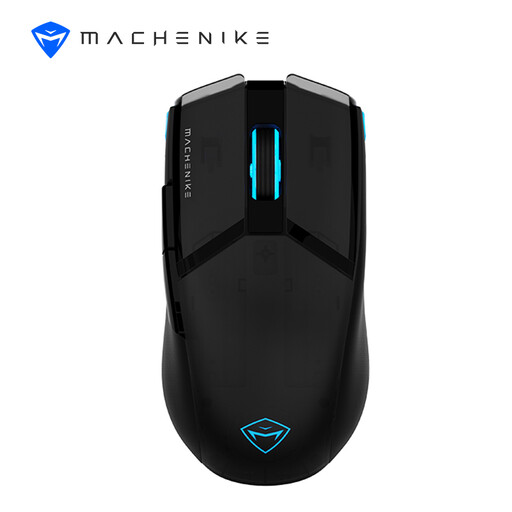
Why This Suits Their Persona: A straightforward dual-mode option for PC gamers who want a lightweight wireless gaming mouse without paying for a charging display or extensive extras.
Its product listing identifies a PAW3395 sensor and 26,000 DPI, helping buyers compare named hardware rather than an unspecified DPI headline.
PAW3395 optical sensor; dual-mode wireless and wired configuration; listed as an ultra-lightweight gaming mouse.

Why This Suits Their Persona: Suits competitive FPS players and streamers seeking a symmetrical, right-handed wireless mouse with an included high-rate wireless dongle.
The listing specifies that the HyperPolling wireless dongle and USB cable are included, while also stating that a USB wall adaptor is not included.
Approx. 54g weight; Focus Pro 35K optical sensor; up to 8,000Hz polling and up to eight programmable controls.

Why This Suits Their Persona: Designed for users who play frequently, switch between work and gaming, or want to minimise charging interruptions during long sessions.
Its battery figure is tied to 1,000Hz and low-power mode, making the operating conditions clearer than an unqualified battery-life claim.
Approx. 53g; native 8K wireless polling; up to 750 hours at 1,000Hz; optical switches and 10 programmable buttons.
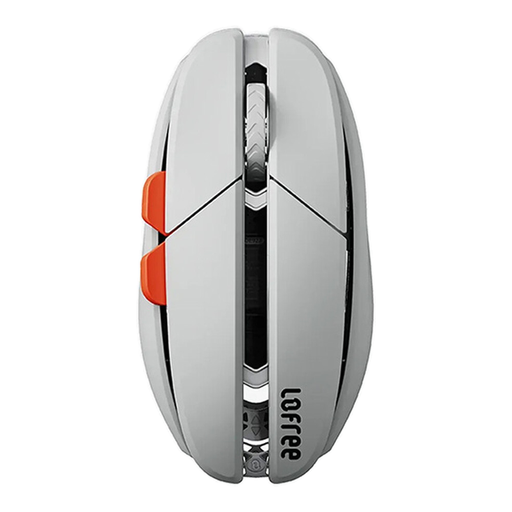
Why This Suits Their Persona: A practical choice for people moving between a MacBook, Windows PC, tablet and everyday work, while retaining gaming-focused sensor hardware.
The listing clearly separates Bluetooth, 2.4GHz and USB-C wired modes, and identifies a limitation with Boot Camp dual-system mode on Mac devices.
Approx. 47g magnesium-alloy construction; adjustable DPI up to 40,000; compatibility with Windows, macOS, iPadOS, iOS and Android.
We have compiled a complete, real-time list of products that fully satisfy these strict selection criteria and UK safety regulations.
It can be useful for high-refresh-rate gaming and users who prioritise frequent position updates, but the benefit depends on your monitor, game and PC hardware. It may also increase CPU usage and battery consumption. A reliable 1,000Hz mode is still valuable for everyday gaming.
There is no universal figure. Models around 47g–59g are suitable for users who prefer quick, low-resistance movement, while a heavier shell may provide greater stability or palm support. Grip style and dimensions should be considered alongside weight.
Many models support macOS, but compatibility varies by software, receiver and connection mode. Bluetooth may work for basic use without a driver, while DPI, macros and profiles can require dedicated Windows or Mac software. Check the product listing before purchase, particularly if using Boot Camp or another dual-system setup.