For home video creation and livestreaming, buy for the problem you actually face: prioritise a microphone for unclear speech, a camera or stable mount for framing, a light for inconsistent illumination, an HDMI capture device for an HDMI source, or external storage for large files. Before buying, check the connections, power and software requirements, and the output mode you will use; a higher camera recording specification will not fix poor audio or an incompatible connection.
Who this equipment suits
Desk-based talking-head creators
If you record tutorials, commentary or livestreams from one desk, speech, camera position and lighting are separate decisions. A webcam may address framing, while a microphone placed for your voice addresses audio that a camera upgrade alone cannot improve.
Phone or camera-led home creators
If you already record with a phone or camera, a stable mount, suitable light or working storage may be more relevant than another camera. Check the fit of accessories and the device’s actual connection options before changing your setup.
Console and HDMI-source streamers
If your video comes from a console or another HDMI source, the connection into your computer becomes the key question. A capture device has a different job from a USB webcam, and its recorded output must be checked separately from what it passes through to a display.
What to prioritise before buying
Identify the part of your recording that needs attention, then check whether the equipment for that job fits your device and space.
| Concern |
What to check |
Who this matters to |
| Voice clarity and monitoring |
Check the microphone connection, placement and whether you can monitor your voice through headphones. Confirm any companion software works with your device. |
If speech is the point of my video, I need listeners to follow it without struggling with room echo or a distant microphone. Around 28% of consumers put voice clarity first. |
| Framing and camera position |
Check the field of view, mount fit and the camera’s output at your intended resolution and frame rate. For USB streaming, check the required computer port and cable. |
When I demonstrate something or speak to camera, I need a stable shot that includes the right part of the scene. Framing is the primary concern for around 22% of consumers. |
| Consistent lighting |
Check where the light can sit, its output with your available power source and whether its controls suit the room. |
If daylight changes during a recording, I want to keep my face adequately lit without rearranging the camera. Around 22% of consumers make lighting their first priority. |
| HDMI-source capture |
Check the source input, computer connection, supported capture mode and display passthrough as separate specifications. |
To show console gameplay or another HDMI source in a computer-based stream, I need a working path from the source to the computer and display. Capture comes first for around 17% of consumers. |
| Recording and project storage |
Check capacity, the computer port and cable, and whether the drive is for active files or an additional copy of important footage. |
When recordings crowd my device, I need room to move or work on files without treating one portable drive as my only backup. Around 11% of consumers prioritise storage. |
Common buying mistakes
-
Choosing a camera by its recording resolution alone
Recording and USB-streaming modes can differ. Sony states that its ZV-E10 II outputs 720p over a USB 2.0 connection even when USB streaming is set to 4K or 1080p.
Check the exact camera model’s streaming modes and the required computer port and cable before planning to use it as a webcam.
The intended streaming mode may require a compatible 5 Gbps USB connection and cable.
-
Confusing capture with display passthrough
Elgato specifies 4K30 capture and up to 4K60 passthrough for its discontinued HD60 X. The picture sent to a display therefore does not establish the resolution you can record.
For the capture device you are considering, compare its supported input, recording and passthrough modes separately, including frame rate and HDR requirements.
-
Assuming any USB port powers a light at full output
Elgato rates Key Light Neo at 400 lm on USB-A, 700 lm on USB-C and 1,000 lm with a 3 A power supply. Its output depends on how it is powered.
Match the light’s stated power requirements to the port or supply you intend to use.
Reaching the stated maximum output may require a separate compatible power supply.
-
Treating one external SSD as a complete backup
Samsung’s stated maximum T7 Shield transfer speeds depend on the host, cable and USB configuration. Faster portable working storage also does not give you another copy if the drive or its files are lost.
Check your connection before relying on a speed specification, and keep a separate copy of footage you cannot replace.
Brands to consider for specific setups
Logitech
Relevant to computer-based webcam recording where screen or tripod placement matters.
- Logitech lists 4K/30, 1080p/60 and 720p/90 modes for its Brio 4K, alongside USB-A or USB-C connection and a 1/4-inch tripod thread.
- Check the port and computer requirements for the mode you want. A webcam alone will not address an echoey recording position.
Elgato
Relevant to desk webcams, adjustable lighting and workflows that bring an HDMI source into a computer.
- Elgato lists 1080p60 HDR for Facecam and power-dependent output for Key Light Neo.
- Its HD60 X capture device is marked discontinued. Check the capture and passthrough limits of any current model individually rather than assuming they match.
Shure
Relevant when speech is central to the recording and both direct USB use and a possible later XLR setup matter.
- Shure lists USB-C and XLR outputs and a 3.5 mm headphone jack for the MV7+.
- Check the requirements of any companion app on your intended device; connection options do not replace suitable microphone placement.
Sony
Relevant to creators considering an interchangeable-lens camera for recording or direct USB streaming.
- Sony lists an APS-C sensor, E-mount lenses and USB streaming for the ZV-E10 II.
- Sony says its stated 4K or 1080p USB-streaming modes need a compatible 5 Gbps computer connection and cable; USB 2.0 output is 720p.
Samsung
Relevant when recordings or editing projects call for portable external SSD space.
- Samsung lists up to 1,050 MB/s read and 1,000 MB/s write for the T7 Shield under its stated conditions.
- Those maximum speeds require a suitable host, cable and USB 3.2 Gen 2 connection with UASP support. Samsung says liquid, dust and drop damage are not covered by its warranty.
Joybuy equipment for home recording
These products address particular parts of a home setup: desk or mobile audio, webcam framing, phone positioning with a fill light, and portable file storage. Choose the part that matches your recording problem, then check its fit with the devices you already use.
 No image available
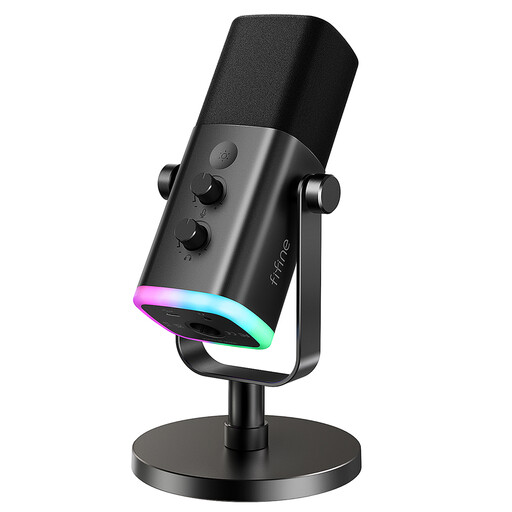
FIFINE AM8 USB/XLR dynamic microphone with desktop stand
Consider this microphone for speech recorded at a desk, particularly if you want a USB connection now and an XLR connection as another setup option.
- The product information describes a mute control and headphone monitoring in USB mode.
- The XLR cable and boom arm are not included; the described monitoring and RGB controls do not operate over XLR.
View on Joybuy
 No image available
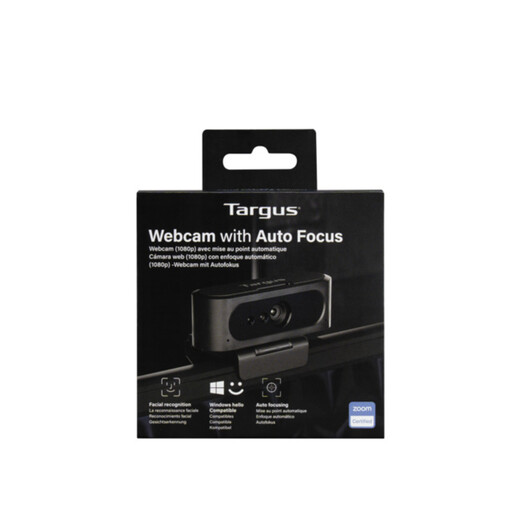
Targus 2K Webcam with Auto Focus
Consider this USB webcam for a fixed computer position where autofocus and a choice of monitor or tripod mounting are useful.
- The product information describes a rotating clip, tripod thread and privacy slider.
- Check the exact video output before buying: the product title says 2K, while its detailed specification describes 1080p at 30 fps.
View on Joybuy
 No image available
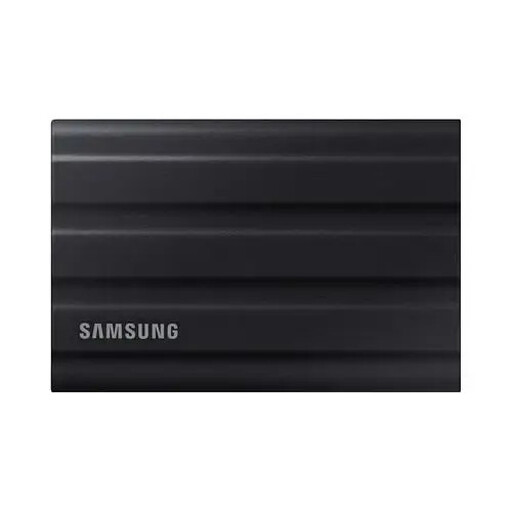
Samsung MU-PE1T0S 1TB USB-C external SSD
Consider this portable drive when recordings or editing files need more working space than your device provides.
- The product information identifies 1TB capacity and a USB Type-C 3.2 Gen 2 connection.
- Samsung’s stated maximum T7 Shield speeds depend on the host, cable and UASP support. Keep a separate copy of important footage.
View on Joybuy
 No image available
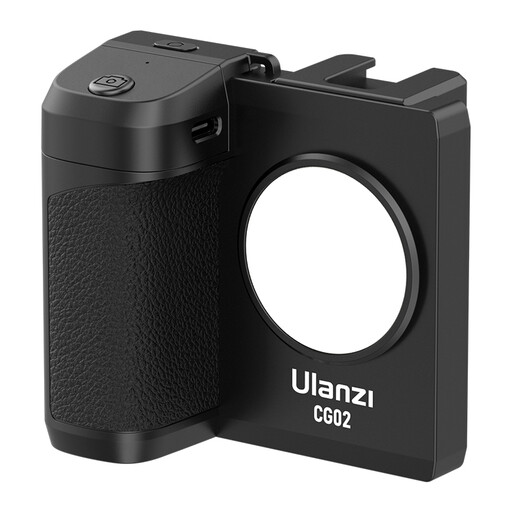
Ulanzi CG-02 phone camera grip with fill light
Consider this accessory for phone-led recording when you need a grip, a standing position and supplemental light together.
- The product description presents a tripod mode and adjustable light.
- Check that your phone fits, including its case, and confirm the light’s output and power requirements for your intended space.
View on Joybuy
 No image available
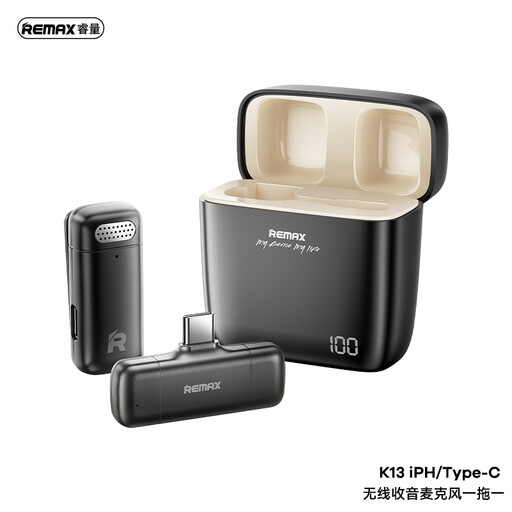
REMAX K13 1-to-1 USB-C wireless microphone – Black
Consider this transmitter-and-receiver microphone for recording away from a fixed desk, provided your intended device accepts its USB-C receiver.
- The product information describes a mute control and a receiver headphone jack.
- Check compatibility with your particular phone, tablet or camera, as well as battery runtime and wireless range if those affect your recording.
View on Joybuy
Questions about home recording equipment
Do I need a capture card for a webcam or camera?
Usually not for a USB webcam or a camera that supports direct USB streaming. Sony documents direct USB streaming for the ZV-E10 II; a capture device becomes relevant when you intend to send a camera or console’s HDMI output into a computer. Check your camera’s connection modes before buying one.
Why might a 4K camera stream at 720p?
A camera’s recording resolution does not establish its output over every connection. Sony states that the ZV-E10 II outputs 720p when USB streaming uses USB 2.0, even if a higher streaming mode is selected; its stated 4K or 1080p USB modes require a compatible SuperSpeed USB 5 Gbps computer and cable.
Will a USB light reach its maximum brightness from my laptop?
That depends on the light and the power available from the port. Elgato specifies 400 lm for Key Light Neo on USB-A, 700 lm on USB-C and 1,000 lm with a 3 A external supply, so check the power arrangement you will actually use.
What should I check before using a mains-powered light or charger?
Check that its stated voltage, supplied plug or power supply, and manufacturer instructions suit your intended connection. If the light needs a separate supply for a particular output level, confirm the required rating before choosing that supply.


