Choose a living-room TV around the household’s main frustration: check the exact model’s apps for streaming, its dialogue and accessibility controls for shared viewing, and its ports and gaming modes for the console you use. A TV can serve films and games together, but a display label or headline refresh rate does not establish how speech will sound, which apps will work or which features each HDMI port supports.
Who this choice affects
The same living-room TV may serve several people, but the feature that most affects the purchase will differ between households.
Dialogue-first shared viewers
If speech in films or programmes is difficult to follow over music and effects, assess dialogue settings, subtitle and audio-description access, and whether a soundbar belongs in the setup. Which? assesses TV audio separately from picture quality; Ofcom identifies subtitles and audio description as access services.
Streaming-centred living rooms
When several people use the TV’s built-in interface, check their preferred UK services on the exact model, along with navigation and sign-in arrangements. Netflix says its app is available on many smart TVs and also through compatible external devices, so an operating-system name alone is not an app guarantee.
Occasional console gamers
If gaming shares time with films and streaming, check the modes the console can actually use rather than paying attention only to a maximum refresh-rate claim. Sony’s UK model table shows that 4K120, variable refresh rate (VRR), automatic low-latency mode (ALLM) and enhanced audio return channel (eARC) support can differ by TV series.
What to check before choosing
For a shared living-room TV used for films, streaming and occasional games, identify the need that would most change your choice, then check the exact screen size and model against it. Picture technology, smart features and gaming modes can coexist; none establishes how well the other needs are met.
| Concern |
What to check |
Who this matters to |
| Speech and access |
Try dialogue-heavy material and locate speech settings and subtitle controls. If adding a soundbar, check the TV’s audio output and the planned connection. |
If dialogue gets lost under effects, I need to hear speech without constantly adjusting the volume; around 31% of consumers would put speech clarity or accessible viewing first. |
| Film picture |
Compare the screen size from the intended seats and assess dark and bright scenes in lighting similar to the room’s. |
For film nights, I care most about how the picture looks from our seats, not just the panel label; roughly 25% of consumers would make film presentation their primary concern. |
| Streaming use |
Check the exact UK model for required apps and how it receives software updates. Decide whether an external streaming device would be acceptable. |
When different people choose programmes, I need an interface that gives us practical access to our services; around 25% of consumers would prioritise everyday streaming use. |
| Gaming readiness |
Confirm 4K120, VRR and ALLM by model and HDMI port; check whether a soundbar would use an eARC port needed in the connection plan. |
If I connect a current console, I want to know which gaming modes its port can use rather than buy for a headline refresh rate; roughly 19% of consumers would put gaming readiness first. |
Purchasing pitfalls
-
Choosing a display label before listening to speech
OLED, QLED and Mini LED describe display approaches, not dialogue clarity. Which? assesses TV sound separately from picture quality, while LG’s Clear Voice guidance addresses music masking speech on TVs with that setting.
Try familiar dialogue-heavy content and find the exact model’s speech controls. If a soundbar is part of the plan, check its connection before choosing the TV.
Adding a soundbar later also means finding space for it and arranging its connection and controls.
-
Assuming every HDMI 2.1 port does the same job
The HDMI 2.1 label alone does not identify which port and model combinations provide 4K120, VRR, ALLM or eARC. Sony’s UK support table distinguishes these features by series.
Map the console and any soundbar to the exact TV’s ports, then check the modes supported by each planned connection.
-
Treating an app list as permanent
A service appearing on one smart TV does not establish its availability on every model or indefinitely. Netflix describes availability across many TVs and other compatible devices.
Check essential services on the exact UK model shortly before purchase and decide whether a separate streaming device is an acceptable fallback.
That fallback brings another device, input and control into the living-room setup.
-
Comparing energy information for the wrong screen size
Energy information should relate to the variant being purchased, not a different size in the same range. UK government guidance requires an energy label at the point of sale for products within scope, including online listings; applicable rules differ between Great Britain and Northern Ireland.
Read the label and product information for the exact model and size on the listing applicable to your delivery location.
Brands to consider
These brands offer relevant TV lines to compare; the features below belong to particular models or ranges, not every television carrying the brand.
Samsung
A reference point for households comparing gaming-oriented TVs and accessibility controls across different display lines.
- Samsung describes gaming features and documents TV controls including Voice Guide, magnification and high-contrast menus.
- Samsung’s highest stated refresh rates can require compatible PC games and graphics hardware; confirm gaming and accessibility features on the exact model.
Sony
A useful comparison when smart-TV use, a console and soundbar connections all matter.
- Sony’s UK support table sets out 4K120, VRR, ALLM and eARC support by TV series.
- The table lists these features for BRAVIA 8 II and BRAVIA 5, but not 4K120 or VRR for BRAVIA 3; check the chosen model and port allocation.
LG
Relevant to comparisons involving OLED film viewing, model-specific gaming features and dialogue settings.
- LG describes Clear Voice settings for speech masked by background audio. Its OLED evo AI G6 product page states up to 165Hz at 4K with specified PC gaming compatibility.
- Neither the dialogue setting nor the G6 gaming specification applies automatically to other LG TVs; check the model and intended source device.
Panasonic
A comparison point for an OLED TV with Fire TV navigation and model-stated film and gaming features.
- Panasonic lists Fire TV, HDR formats, HDMI 2.1, 120Hz and VRR for its Z80 example.
- App and feature availability can vary by region and model, so check the selected UK variant rather than applying the Z80 specification across the range.
Joybuy TV choices
These TVs offer different screen sizes and stated smart, picture or gaming features for the shared living-room use described above. Compare each one against your seating layout, essential apps, dialogue needs and planned console connections.
 No image available
TCL 55P8K-UK 55-inch QLED 4K HDR PRO TV
Consider this model if a 55-inch screen fits the room and you want to assess both film viewing and console connections.
The title specifies an ONKYO 2.1 sound system, Miracast and Google Cast. Its 288Hz Game Accelerator wording should not be taken as the supported refresh rate at every resolution: check the exact gaming mode and ports for your source device.
Confirm essential UK apps and dialogue or accessibility controls on this model before ordering.
Joybuy
 No image available
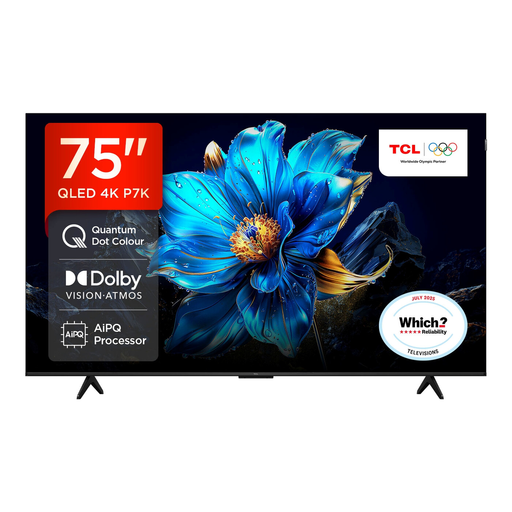
TCL 75P7K 75-inch QLED 4K Google TV
Consider the 75-inch size only after checking the available wall space and viewing position.
The title identifies Direct LED, Dolby Vision and Dolby Atmos. If a current console is part of the setup, confirm the resolution and port conditions of its gaming modes rather than assuming a game-accelerator rate applies at 4K.
Check required UK apps and speech or accessibility controls on the exact model.
Joybuy
 No image available
TCL 65V6C 65-inch Direct LED 4K Google TV
This size may be worth comparing if the household wants more screen area than a 55-inch model and has room for it.
The title lists Dolby Atmos and a 120Hz Game Accelerator specified at Full HD (FHD), not 4K. Check the console mode and HDMI port support you require, as well as the exact model’s apps and dialogue controls.
Joybuy
 No image available
TCL 65Q7C 65-inch QD-Mini LED 4K Google TV
For film viewing, compare how this 65-inch screen looks in lighting similar to your living room rather than choosing by display type alone.
The title states up to 2048 local dimming zones and a 144Hz native refresh rate. That refresh-rate claim does not by itself establish 4K120, VRR, ALLM or eARC support; confirm the ports and modes if connecting a console or soundbar.
Check essential UK apps and dialogue or accessibility controls for this variant.
Joybuy
 No image available
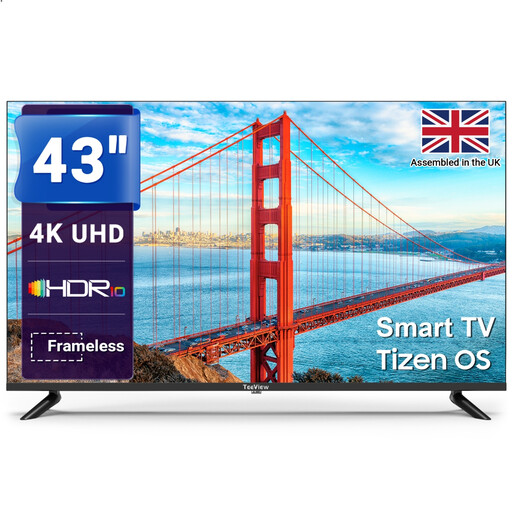
TeeView TV43QUT-UK 43-inch 4K UHD Tizen OS TV
Consider this 43-inch model where the seating arrangement calls for a smaller screen.
Its title identifies 4K UHD and Tizen OS. Check the exact UK model for the streaming services, dialogue settings and accessibility controls your household uses; if gaming matters, confirm the required HDMI modes before purchase.
Joybuy
Common questions
How can I check whether my streaming apps will work on a new TV?
Check the exact UK model’s app store or support information shortly before purchase. Netflix says its app is available on many smart TVs, not every TV; a compatible external streaming device may provide another way to watch if a required app is absent.
Does HDMI 2.1 guarantee 4K at 120Hz, VRR and ALLM?
No: confirm each required mode on the exact TV model and HDMI port. Sony’s UK support table shows that 4K120, VRR, ALLM and eARC availability differs between BRAVIA series, so plan the console and soundbar connections together.
What should I check if accessible viewing matters at home?
Check both the TV’s controls and the access services available for the programmes you watch. Samsung documents features such as Voice Guide, magnification and high-contrast menus on supported TVs; Ofcom identifies subtitles, signing and audio description as access services, whose availability depends on the programme provider.
Which energy information should I compare for a new TV?
Compare the energy label and product information for the exact model and screen size. UK government guidance requires an energy label at the point of sale for products within scope, including online; use the listing information applicable to your delivery location because rules differ between Great Britain and Northern Ireland.


