What to prioritise
Start with the room and every device that will share the TV, then confirm the precise features required for the console, streaming services and audio setup.
| Priority |
What to check |
Your needs |
| Console video compatibility |
Check the console's assigned HDMI port, 4K/120Hz support where required, VRR and ALLM. For Xbox Series X 4K gaming at 120Hz, Xbox Support specifies a compatible TV and Ultra High Speed HDMI cable. |
I want the console to use the resolution and refresh rate that matter for the games I play, without relying on a general 4K label. |
| HDMI connection plan |
List the console, streamer, soundbar and other sources. Confirm input count, identify the ARC/eARC socket and check whether the gaming-capable port is separate from the audio connection. |
My setup needs room for today's devices and a sensible path for adding audio or streaming hardware later. |
| Streaming platform |
Check the exact UK app catalogue for each must-have service immediately before purchase. For an external streamer, also confirm spare HDMI capacity and compatible 4K/HDR formats. |
I need the services my household actually watches, with an interface that is convenient to use from the main seating area. |
| Sound and dialogue |
Assess TV audio separately from picture quality. If considering a soundbar, confirm ARC/eARC compatibility and connect the console directly to the TV where gaming video features are important. |
Programmes and games should be easy to follow without replacing a TV that otherwise fits the room. |
| Screen scale and room fit |
Measure seating distance, wall or furniture space and stand depth before choosing screen size. For a projector, assess placement, projection surface and daytime lighting. |
The display needs to work for shared viewing in the actual room, not only look suitable on a specification list. |
Joybuy product options
Joybuy smart-TV options for a shared living-room setup combining streamed programmes and console gaming.
 No image available
TCL 55P8K QLED 4K HDR PRO Smart TV
A 55-inch smart-TV option for households planning console gaming and streaming on one screen.
The listing states Google TV, four HDMI 2.1 ports, VRR, ALLM, up to 144Hz VRR and a 35W Onkyo 2.1 audio system. Check required UK apps, the console's assigned HDMI port, eARC allocation and the stated 1224 mm width before purchase.
Joybuy
 No image available
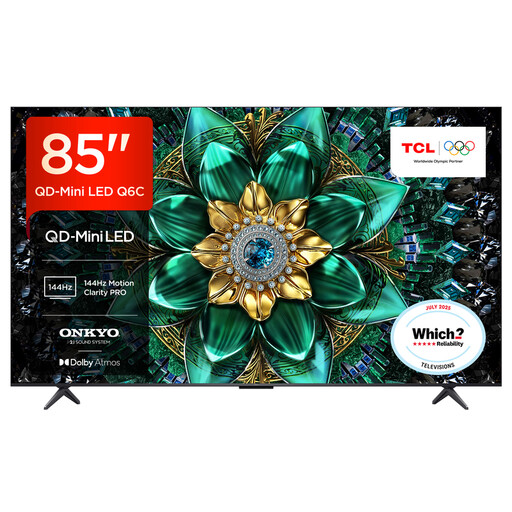
TCL 85Q6C QD-Mini LED 4K Smart Google TV
An 85-inch option for a large shared viewing area with console use in mind.
The listing states Google TV, 144Hz VRR, ALLM, HDMI 2.1, eARC and 40W 2.1 Onkyo audio. Confirm required apps, the HDMI port map and whether the approximately 1892 mm width and 374 mm stand depth suit the room.
Joybuy
 No image available
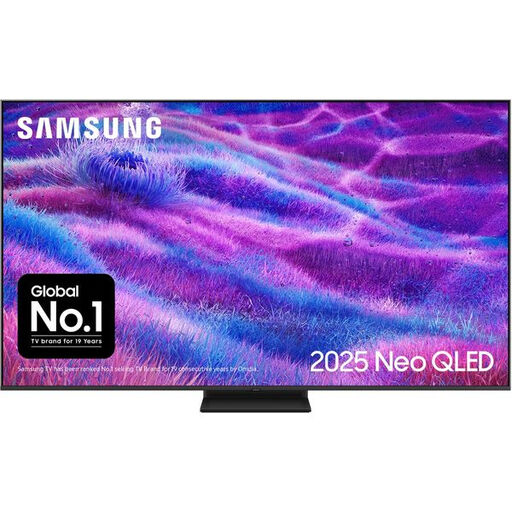
Samsung QE55QN80F 55-inch Neo QLED 4K Smart TV
A 55-inch smart-TV option for shared programmes, games and a possible later soundbar.
The listing states Tizen, four HDMI inputs supporting 4K/120Hz, VRR, FreeSync Premium Pro, ALLM and 40W 2.2-channel audio. Verify required UK apps, ARC/eARC allocation and the stated approximately 1227.4 mm width.
Joybuy
 No image available
TCL 50Q6C QD-Mini LED 4K Smart Google TV
A 50-inch option for a compact-to-mid-size shared room used for streaming and games.
The listing states Google TV, four HDMI inputs including eARC, HDMI 2.1, VRR, ALLM, up to 144Hz VRR and a 30W Onkyo system. Check the exact console-capable port, required UK apps and whether 50 inches suits the seating arrangement.
Joybuy
 No image available
Samsung Neo QE55QN85FAUXXH 55-inch 4K Smart TV
A 55-inch 4K smart-TV choice for a conventional living-room console and streaming setup.
The listing identifies Tizen, four HDMI ports, eARC, VRR, ALLM, FreeSync Premium Pro, 144Hz support and 40W 2.2-channel audio. Confirm required UK apps, the intended console HDMI port and whether the approximately 1227.6 mm width fits the room.
Joybuy
Questions and answers
Do I need HDMI 2.1 for a shared streaming and console TV?
Not for ordinary streaming alone. It matters when the household wants Xbox Series X 4K gaming at 120Hz: Xbox Support says this requires a Series X, an Ultra High Speed HDMI cable supporting HDMI 2.1 and a TV supporting HDMI 2.1, so check the particular TV input allocated to the console.
Should a games console go through a soundbar?
Connect the console directly to the TV when gaming video features matter, then use the TV's ARC/eARC connection for a compatible soundbar. Xbox Support warns that putting a soundbar or AV receiver between the console and TV can affect video features and quality.
When is an external streaming device more sensible than replacing the TV?
Choose one when the current TV's panel, size and console inputs already suit the household but its smart platform does not. Confirm that there is a spare HDMI input and that the exact UK device supports the required services; Roku notes that channels can change and vary by country.
When does a projector make more sense than a TV?
A projector makes sense when a much larger image is the priority and the room can accommodate its placement, projection surface and lighting conditions. Epson's EH-LS800B, for example, is described as producing an 80-inch image from 2.3 cm away from the wall and up to 150 inches, but those are model-specific figures.
Do UK households need a TV Licence for streaming?
A TV Licence is needed to watch or record live television on any channel or service, and to watch on-demand BBC programmes on iPlayer. GOV.UK says it is not needed solely for on-demand Netflix, Disney+, Amazon Prime Video, All 4, YouTube videos or DVDs, provided none of the activities requiring a licence take place.


