What matters when choosing?
Confirm the required databases and container images before choosing a processor architecture. Then consider how many services and how much data will share the machine, and weigh those needs against portability.
| Concern |
What to check |
Who this matters to |
| Memory and internal storage |
Check installed RAM and SSD capacity on the exact configuration; allow space for database files, container volumes and local backups. |
If I keep several local services running beside my development tools, I need room for their memory use and data. Around 43% of consumers put capacity for concurrent services and datasets first. |
| Processor and container compatibility |
Check required image architectures and vendor support. For supported SQL Server Linux containers, Microsoft specifies Intel- or AMD-based x86-64 Linux hosts. |
If my project depends on a particular database image, I need its supported architecture to shape the laptop choice. Around 29% of consumers give software-stack compatibility their primary attention. |
| Portability and configuration |
Compare the selected model’s size, installed memory, storage and support terms; check whether future upgrades matter to you. |
When the laptop is also my daily development machine, I want a configuration I can carry and keep using for the intended workload. For around 28% of consumers, that balance is the main concern. |
Relevant brands to consider
These laptop lines offer different configuration and platform considerations; choose by the exact model and software stack, not the brand alone.
Apple
MacBook Pro is a macOS option for local database work when the required containers and dependencies are compatible with Apple silicon.
- Apple’s UK MacBook Pro specifications list configurable unified-memory and SSD options for different workloads.
- Docker’s architecture guidance makes image compatibility a separate check: confirm the required ARM variants or the implications of emulation before selecting a configuration.
Lenovo
ThinkPad P-series mobile workstations are an x86-64 route for buyers considering a configurable development laptop.
- Lenovo’s UK ThinkPad P16v Gen 3 listing includes a configuration with 16GB RAM and a 512GB SSD.
- Check the selected configuration for the memory, storage and upgrade options your workload requires; a family name does not establish them.
Dell
Precision mobile workstations are relevant when a configurable professional laptop and its support arrangements are part of the decision.
- Dell describes ECC-memory options and RAID-capable storage within its Precision workstation range.
- Those are selected-system capabilities, not specifications for every Precision laptop. Check whether the exact configuration includes any feature you need.
Joybuy laptop choices
These Intel- and AMD-based laptops are choices to consider for an x86-64 local-database setup. Match each laptop’s stated memory and storage to your workload, and check its operating system and required container images before buying.
 No image available
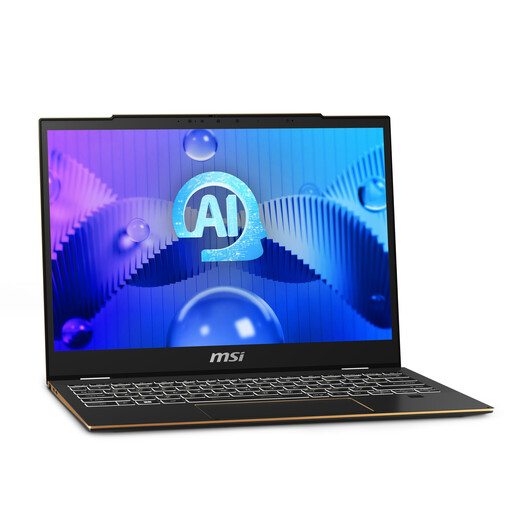
MSI Summit E13 AI Evo, Core Ultra 7 155H, 32GB/1TB
Consider this configuration if you want an Intel-based laptop with 32GB RAM and a 1TB SSD for local services and development tools.
The stated display is a 13-inch FHD+ 60Hz touchscreen. Check the operating system and Docker setup against your workflow.
Joybuy
 No image available
MSI Summit 16 AI Evo, Core Ultra 7 255H, 32GB/1TB
Consider its stated 32GB RAM and 1TB SSD if several local services will share the laptop with your development applications.
It has a stated 16-inch QHD+ 165Hz display. Confirm the Windows edition and intended Docker backend for your setup.
Joybuy
 No image available
MSI Stealth 18 AI Studio A1VGG-001UK, 32GB/2TB
Its stated 32GB RAM and 2TB SSD are worth considering if you plan to keep substantial project data alongside local services.
This 18-inch configuration names an Intel Core Ultra 9 processor and NVIDIA GeForce RTX 4070 graphics. Decide whether the larger laptop suits how often you carry it.
Joybuy
 No image available
Stormforce Exobook 16, Ultra 9, 32GB/4TB, 5080
Consider the stated 32GB RAM and 4TB storage if your local projects need substantial internal capacity.
The product name specifies a 16-inch QHD+ display. Confirm the supplied operating system and exact configuration against your development requirements.
Joybuy
 No image available
Lenovo Legion Pro 5 LEG P5 R9, 32GB/2TB, 5060
Its stated 32GB RAM and 2TB storage make it a configuration to consider for local services and project data.
Check the exact processor, operating system and portability details if they affect your development setup or daily travel.
Joybuy
Frequently asked questions
Do I need a workstation laptop to run PostgreSQL locally?
No: PostgreSQL alone does not make a workstation necessary. The PostgreSQL Global Development Group’s documentation describes support for modern Unix-compatible platforms and explains that database buffers use memory. Choose capacity for your combined databases, tools, data and any virtual machines rather than for the database name alone.
Can an Apple-silicon Mac run local database containers?
Yes, when every required image and dependency supports the ARM setup you intend to use. Docker explains that container code must be compatible with the host architecture unless emulation is used; check the image manifests and vendor requirements for the whole stack before choosing a Mac.
Which processor architecture should I choose for SQL Server Linux containers?
Choose an Intel- or AMD-based x86-64 setup if you need a supported SQL Server Linux container environment. Microsoft specifies Linux hosts with those CPUs for its container images and says emulation or translation environments are not tested or supported.
What should I check for Docker Desktop on Windows?
Check the laptop’s Windows edition and version against Docker’s requirements for the backend you intend to use. Docker lists WSL 2, Hyper-V and Docker VMM as Windows backends; confirm the required virtualisation setup as well as compatibility with your database images.
What if a UK laptop arrives faulty or differs from its description?
Keep the product listing, configuration details and order confirmation, and raise the issue with the seller. GOV.UK explains that the Consumer Rights Act 2015 covers what happens when consumer goods are faulty. Check any seller returns or warranty terms separately; a voluntary policy is not the same as statutory rights.


