Console-hosted couch competitors
If the battle runs on an Xbox, PS5 or Nintendo Switch, start with a controller documented for that console. A familiar button layout alone does not establish that another console will accept it.


Choose a controller documented for the console or Windows PC hosting the arena game before comparing extra features: an Xbox Wireless Controller for Xbox or a compatible PC setup, DualSense for PS5, or the appropriate Nintendo Pro Controller for the Switch model in use. For a group, check the game’s local-player and controller support separately from the host device’s controller limit, then plan how every pad will connect.
If the battle runs on an Xbox, PS5 or Nintendo Switch, start with a controller documented for that console. A familiar button layout alone does not establish that another console will accept it.
Several players need a workable connection plan, not just several controllers. Decide which pads will use USB, Xbox Wireless, Bluetooth or a model-specific receiver, and check that the PC and game recognise the planned combination.
Extra buttons, remapping and advanced feedback matter most when the player wants those inputs and the game supports them. Check game settings and connection requirements before choosing a controller primarily for a specialist feature.
Identify the device running the game first, then establish how many people the game supports locally. Only after those checks is it useful to weigh connection convenience against preferred controls and ownership considerations.
| Concern | Buying check | Who this matters to |
|---|---|---|
| Host compatibility | Match the exact controller model to the Xbox, PS5, Switch model or Windows PC hosting the game; check the game’s controller support too. | If my console or PC cannot use the pad, its layout and extra features will not help me join the match. Around 36% of consumers would put host compatibility first. |
| Several-player connections | Check the game’s local-player limit, the host’s controller limit and how each pad will connect; confirm cable and port needs for wired play. | When several friends join, I need every controller to work at the same time without assuming the device’s pairing limit is the game’s player limit. For around 29% of consumers, that group setup would be the primary concern. |
| Inputs and supported features | Consider the game’s stick, D-pad and button options; check game and connection requirements for remapping or advanced feedback. | I want controls that suit how I play, but an extra input or feedback effect is less useful if this game cannot use it. That preference would come first for around 21% of consumers. |
| Ownership and after-sales | Test the intended connection and controls promptly, keep proof of purchase, and check the seller’s change-of-mind process separately from fault remedies. | If I am buying several pads, I want a clear route to address a fault and to deal responsibly with an old controller. Around 14% of consumers would make ownership considerations their first priority. |
Controllers with similar layouts do not necessarily work on the same console. Windows compatibility also depends on the particular model and connection method.
Identify where the arena game runs, then check that controller model’s stated compatibility. Treat use on a second platform as a separate check.
A console or PC may connect more pads than the game allows local players. Controller type and enabled features can also affect a host’s connected-controller limit.
Check the game’s local-multiplayer information and the planned controller combination before purchasing a pad for each guest.
Extra inputs and feedback are not automatically useful in every arena game. PlayStation says DualSense haptic feedback on PC requires a USB connection when the game supports it.
Look at the game’s input options before prioritising rear buttons, remapping, adaptive triggers or haptics.
A connection or control fault is harder to sort out when everyone is ready to play. A voluntary return policy and remedies for a faulty item are different matters.
Test pairing, sticks, buttons, triggers and charging promptly, and retain proof of purchase. GOV.UK says traders must address goods that are faulty, misdescribed or do not do what they are supposed to do.
A starting point for Xbox-hosted battles and compatible Windows-PC setups.
DualSense is the native route for a PS5-hosted session, with supported PC use as a separate consideration.
Choose a Pro Controller variant documented for the Switch console hosting the game.
Model-specific alternatives for buyers considering a Windows-oriented connection or a wired Xbox setup.
These controllers cover Xbox, PS5 and Switch 2 host choices, with several Xbox-oriented options also relevant to Windows-PC play. Match the named model to your host and game before choosing between wired, wireless and configurable controls.
 No image available
Consider this for an Xbox-hosted battle or a Windows-PC game that recognises an Xbox controller. Microsoft documents Xbox Wireless and Bluetooth for this controller family; check the connection available on your host and the game’s local-player support.
 No image available
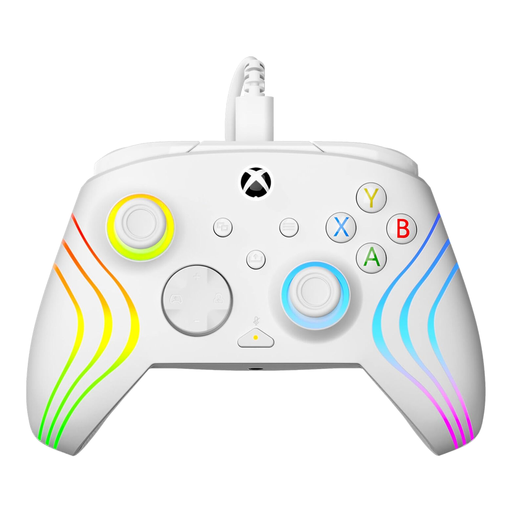
A wired option to consider for the listed Xbox setup or a compatible Windows-PC game. Plan a reachable connection and safe cable route for each player, and confirm support for the exact host and game.
 No image available
Consider this model if configurable Xbox-style controls are important to your arena setup. The listing identifies Xbox Series X compatibility, but presents other host compatibility inconsistently; confirm the exact console or PC you intend to use before buying.
 No image available
A choice for a PS5-hosted battle and potentially a controller-supported PC game. For PC play, PlayStation says adaptive triggers require game support and haptic feedback requires USB when supported; neither feature should be assumed from a successful connection alone.
 No image available
Consider this for a battle hosted on Switch 2. The product name identifies Switch 2, not the original Switch; check the game’s supported local-player count and controller options before buying several.
The game’s local-player limit determines how many people can join; the host’s controller limit is a separate ceiling. PlayStation states that a PS5 can use up to four controllers at once. Nintendo says up to eight wireless controllers can be paired with a Switch, while the connected maximum varies by controller type and features. Check the named game and your planned controller mix before buying for every player.
Yes, if the PC game supports the controller: PlayStation documents USB-C and Bluetooth connections to supported Windows PCs. Adaptive triggers still require game support, and PC haptic feedback requires USB when the game supports it.
Choose a connection plan that your PC, controllers and seating arrangement can accommodate. Wired play needs suitable ports, cables and safe routing; wireless play needs the connection method specified for each model. Microsoft documents up to eight Xbox Wireless Controllers over Windows USB, with a lower limit when certain Xbox headsets are attached, but that does not establish the game’s player count.
Contact the trader and keep proof of purchase. GOV.UK says traders must provide remedies when goods are faulty, misdescribed or do not do what they are supposed to do; the appropriate remedy depends on the circumstances. That is separate from a change-of-mind return or any voluntary manufacturer warranty.
Check local electrical-recycling or retailer take-back options rather than assuming a controller belongs in general waste. GOV.UK describes the UK waste electrical and electronic equipment framework as encouraging recovery, reuse and recycling; available collection arrangements depend on the local authority or retailer.