Console households adding another player
If you share a PS5, Xbox, Switch or Switch 2, check that the extra controller works with your console and that the game supports the number of local players you have in mind.


Start with the device and the game: a controller made for your Xbox, PS5 or Nintendo console is a practical starting point, while PC co-op calls for a closer check of game support and connection options. Before buying extras, confirm the game’s local-player limit and the controllers each player can use. Nintendo says Bluetooth audio limits a Switch to two connected wireless controllers, and PlayStation says some DualSense PC features depend on USB and game support.
If you share a PS5, Xbox, Switch or Switch 2, check that the extra controller works with your console and that the game supports the number of local players you have in mind.
On a Windows PC, confirm both local multiplayer and the controller types the game accepts, then work out how each player will connect. Steam provides filters for games supporting Xbox, DualShock and DualSense controllers, but those filters do not establish local-player support.
If the controller will move between a console and a computer or mobile device, compare its stated platform support and connection methods with every device you intend to use.
For local co-op, settle game and device compatibility before planning the group’s controllers; consider connection preferences and optional features once everyone can join.
| Concern | What to check | Who this matters to |
|---|---|---|
| Game and device compatibility | Confirm the controller’s supported devices and the exact game’s local-player and controller support. | If I play mainly on one console or PC, I need the extra controller to work with that device and let another player join my game. Around 42% of consumers put this compatibility need first. |
| Group setup | Check the game’s player limit and the console’s controller limits with your chosen controller types and audio setup. | When several people share the screen, I need enough controllers connected at once, not just enough controllers in the room. For around 33% of consumers, getting the whole group connected is the primary concern. |
| PC connections and features | Match USB, Bluetooth or receiver use to the PC and game; check any feature-specific connection requirements. | For PC co-op, I want each player’s connection to suit our setup, and I would check whether the features I care about work in our game. This is the first priority for around 25% of consumers. |
A game may accept a controller without offering shared-screen play or the number of local player places you need.
Check the individual game’s local-multiplayer details and supported inputs before buying another controller. Steam’s controller filters help identify input support, not local-player capacity.
Nintendo says up to eight wireless controllers can be paired in most circumstances, but controller type and active features affect the setup. With Bluetooth audio connected to a Switch, no more than two wireless controllers can connect.
Plan the game, controller types and audio together; disconnect Bluetooth audio before connecting a third wireless controller.
PlayStation says DualSense haptic feedback on PC requires USB and a supporting game; adaptive triggers also depend on game support.
If those features matter to you, check the game’s support and allow for the required USB connection.
A listing alone cannot tell you whether the exact controller and variant will be available when you are ready to buy.
Check the live product page for the model, availability, included accessories and warranty terms before placing an order.
The Xbox Wireless Controller is an official route for Xbox-console play and supported use on other devices.
DualSense is the official PS5 controller route, with USB or Bluetooth use on supported computers and mobile devices.
Nintendo’s Pro Controller options offer a full-size controller route for the relevant Switch console generation.
The Ultimate 2C Wireless offers a Windows-PC and Android route with different connection methods for those devices.
These choices include Xbox-oriented controllers, a Switch 2 Pro Controller and a tri-mode model to assess for a PC or Switch setup. Match the exact variant and connection to your game and device before buying controllers for the whole group.
 No image available
Consider this Xbox-oriented model if you want an Elite Series 2 controller for local play.
Confirm compatibility with your exact Xbox or PC before ordering: the model’s device information differs across its listing. Check the game’s local-player support too.
 No image available
This is an Xbox Wireless Controller option for a household adding another player on a supported device.
Microsoft lists Xbox Wireless and Bluetooth for the controller family. Check your game’s local-player support and the power arrangement for each controller you plan to use.
 No image available
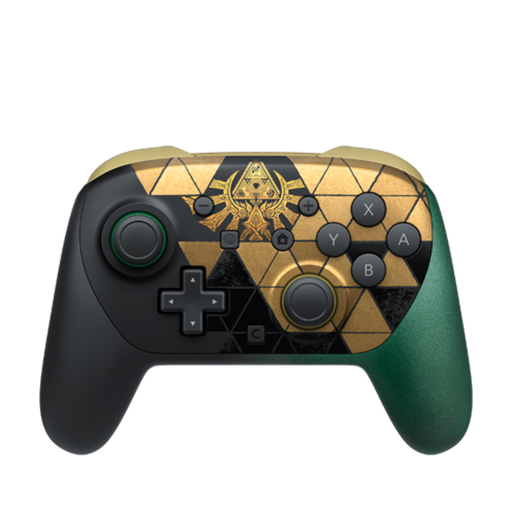
This Switch 2 Pro Controller variant is a full-size option for a Switch 2 local-play setup.
Check that your chosen game supports the intended number of local players and that each player’s controller type suits the game.
 No image available
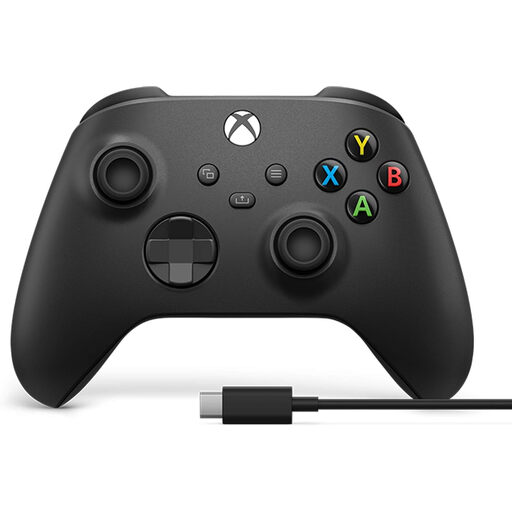
This bundle gives an Xbox or Windows household a controller with a USB-C cable for its planned setup.
Check the game’s local-player support and confirm how you will power the controller if you intend to use it wirelessly.
 No image available
Consider this tri-mode model for a PC or Switch setup only after checking how it connects to your particular device.
Confirm the required connection mode, exact console compatibility and the game’s local-controller support before buying it for another player.
Nintendo says up to eight wireless controllers can be paired to a Switch in most circumstances, but controller type and active features can change the practical limit. With Bluetooth audio connected, the limit is two wireless controllers; disconnect the audio device before connecting a third. The game’s own local-player limit still applies.
Yes, PlayStation says DualSense can connect to a supported Windows PC through Bluetooth or USB. Check the game’s local multiplayer and controller support separately; if you want haptic feedback on PC, PlayStation says you need USB and a supporting game.
No. Steam’s controller-friendly filters identify supported controller types, not whether a game offers local multiplayer or enough places for your group. Check the individual game’s shared-screen mode and local-player count before buying extra controllers.