Console households adding players
If an Xbox, PS5 or Nintendo console already runs the games on your large screen, begin with controllers made for that console generation. Check each game’s local-player limit before deciding how many to add.


Start with the device running the game: choose a controller compatible with that console generation or computer, then check the game’s local-player and controller rules before buying extras. For PC sessions, plan how several controllers will connect rather than assuming that one successful Bluetooth pairing proves the whole set-up will work; Xbox Support notes that multi-controller Bluetooth performance can vary.
If an Xbox, PS5 or Nintendo console already runs the games on your large screen, begin with controllers made for that console generation. Check each game’s local-player limit before deciding how many to add.
A Windows PC or SteamOS device connected to a TV or projector needs more than a compatible gamepad: the game must accept the intended controllers, and the computer needs a workable connection for every player.
If you also play on a PC, Mac or mobile device, check support for each host separately. A controller may connect to more than one device without offering the same features in every game or connection mode.
Check the host device and game first, then work out how every player will connect. Features such as remapping matter only after the basic multiplayer set-up is covered.
| Concern | What to check | Who this matters to |
|---|---|---|
| Host and game compatibility | Match the controller to the console generation or computer, then check the game’s local-player limit and accepted controller types. Nintendo says Joy-Con 2 is for Nintendo Switch 2 only. | If my group cannot join the same game with these controllers, their other features will not help. Around 33% of consumers would put host and game compatibility first. |
| Connections for several players | Check the planned controller count and whether the host has suitable USB ports, Bluetooth capability or support for the relevant wireless receiver. Xbox Support says PC Bluetooth reliability depends on the host’s Bluetooth hardware. | When several people play from the sofa, I need every controller to stay usable throughout the session. Keeping those connections dependable would come first for around 27% of consumers. |
| Use across devices | Check each device’s supported connection method and the features available in the intended games. PlayStation says DualSense haptic feedback on PC requires USB and a compatible game. | I want to use the same controller on more than one device, while accepting that some features may change. Around 27% of consumers would make that flexibility their primary concern. |
| Custom controls | Check whether remapping or motion input works with the exact controller, host, mode and game. 8BitDo describes configurable controls for its Ultimate 2 Wireless model. | For the games my group plays, control options matter enough to influence which controller I choose. That would be the leading need for around 13% of consumers. |
A controller may connect to a device but still be unsuitable for its console generation or the game’s local multiplayer mode. Nintendo, for example, specifies Joy-Con 2 for Nintendo Switch 2.
Check the host, controller generation and individual game’s player and controller requirements before ordering several units.
Xbox Support says Bluetooth reliability depends on the PC’s Bluetooth hardware and performance with multiple controllers can vary.
Try the intended number of controllers on the actual PC, or confirm another supported connection method before the session.
An alternative set-up may require suitable data cables, accessible USB ports or a compatible receiver.
PlayStation says DualSense haptic feedback on PC needs USB and a compatible game, while its headset jack needs a wired PC or Mac connection. Pairing alone does not establish feature support.
If a feature affects your choice, check the exact host, game and connection method before buying.
GOV.UK advises against putting unwanted electrical products and batteries in household rubbish because incorrect disposal can create environmental and fire risks.
Use an appropriate electrical-waste or battery collection point when they reach the end of use.
A starting point for Xbox console households and Windows PC players considering an Xbox Wireless Controller.
DualSense is a route for adding PS5 players and can connect to supported PCs and Macs by USB or Bluetooth.
Joy-Con and Pro Controller choices depend on the Nintendo console generation and the game’s supported controller arrangement.
A third-party option for players considering configurable controls and a wireless adapter for a compatible computer set-up.
These controllers cover Nintendo Switch, Xbox and PS5 households, alongside options listed for PC play. Match each one to the device hosting your game; this selection does not establish that every game supports several players or every connection method.
 No image available
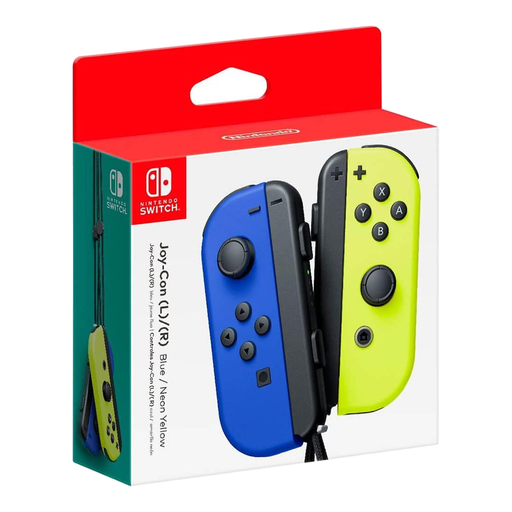
For a Nintendo Switch household adding players, check whether your game lets each person use one Joy-Con or calls for another controller arrangement.
Check that your planned charging set-up is available before adding the pair.
 No image available
For Xbox play or a compatible Windows PC set-up, confirm your game’s local-player support before adding controllers.
This is a wireless controller. If several players will connect to a PC, Xbox Support advises that Bluetooth performance can vary with the host hardware; test your planned connection arrangement.
 No image available
For a PS5 household adding a player, check the game’s local-player limit; PC, Mac and mobile use calls for separate device and game checks.
PlayStation says DualSense haptic feedback on PC requires USB and a compatible game, while headset-jack use on PC or Mac requires a wired connection.
 No image available
For Xbox Series X|S, Xbox One or Windows 10/11 PC play, consider this model if its control options suit your games as well as your host.
Check the intended connection mode and how multiple controllers work together on your device before relying on it for a group session.
 No image available
For PC or Switch play, check that this controller supports your exact host and the local multiplayer game you intend to run.
Its Tri-mode designation is not a substitute for checking which connection modes work with your device or with several controllers at once.
Use the number of local players the specific game supports as your starting point. Then check its controller rules: a compatible game might accept one Joy-Con per player, while another may require a full controller for each person.
Possibly, but do not assume the connection will behave the same way for every group set-up. Xbox Support says performance with multiple Bluetooth controllers can vary; test the intended number on your PC or check a supported USB or Xbox Wireless arrangement.
Not necessarily: feature support depends on the game and connection. PlayStation says PC haptic feedback requires USB and a compatible game, and the headset jack requires a wired PC or Mac connection.
No. Nintendo specifies Joy-Con 2 for Nintendo Switch 2 only, so match the controller generation to the console before buying extras. Also check whether your game accepts the controller arrangement planned for each player.