Apple Photos library movers
You keep pictures in Apple Photos and need usable files on Windows, while treating the original Mac library and its organisation as a separate matter. Apple Support documents exporting photos as files.


Choose the transfer method based on whether you are moving ordinary image files or exporting pictures from Apple Photos. For exported files, check the drive format, available space and copied files; separately confirm whether your Windows photo app displays the metadata and organisation you want.
You keep pictures in Apple Photos and need usable files on Windows, while treating the original Mac library and its organisation as a separate matter. Apple Support documents exporting photos as files.
You already have photo folders and need a drive or shared folder both computers can access. Apple Support and Seagate explain relevant file-format and cross-platform considerations.
Your collection is in iCloud Photos and you need downloaded files on Windows, rather than thumbnails or a collection that remains synchronised. Apple Support explains downloading and viewing iCloud Photos on Windows.
Start by deciding what needs to arrive on Windows: exported image files, their folder arrangement and any separate metadata you rely on. Apple Support and Seagate explain the file-format and export checks; Microsoft documents network sharing and file hashing.
| Concern | What to check when buying | Who this matters to |
|---|---|---|
| Accessible originals and organisation | Check the export format and folder arrangement; keep any separate metadata files with the images. | If I need original files and a usable folder structure, I will plan the export and check how Windows displays the details I rely on. Consumers prioritising accessible originals and organisation account for around 31%. |
| Mac and Windows compatibility | Check the drive’s current format and confirm both computers can read and write to it. Back up its contents before reformatting. | I want to avoid a drive that one computer can only read, or erasing files while fixing compatibility. Consumers putting cross-platform access first account for around 25%. |
| Transfer performance | Check both computers’ ports and the cables supplied; rated speeds depend on compatible equipment. | If I expect to repeat local transfers, I want hardware that can use the computers’ available connections. Consumers prioritising transfer performance account for around 19%. |
| Using existing resources | Check whether the photos are already in iCloud, a network share is practical and the destination has enough free space. | I would rather use storage or network access I already have than buy a temporary drive or extend a cloud plan unnecessarily. Consumers focused on existing resources and avoiding extra commitments account for around 25%. |
Formatting erases the selected disk or volume, so it can remove the only copy of files stored there.
Check the current format and copy anything you need elsewhere before changing it. Apple lists exFAT as a Windows-compatible option for shared files.
Apple documents exporting photo files separately from the storage arrangement for an active Mac Photos library. A copied library package is not the same as exported, usable image files.
Export the files you intend to move, keep the Mac library separately and check the exported content on Windows before treating the move as complete.
Exporting and arranging files takes additional time, so allow for that work when choosing between a file export and another transfer route.
Samsung’s T7 maximum speed conditions include compatible USB 3.2 Gen 2 equipment, suitable cables and UASP. The advertised rate does not establish how long a large photo transfer will take on your computers.
Check the ports and cables on both machines, and distinguish the drive’s rated sequential speed from the time your own transfer may take.
Apple says iCloud for Windows can show thumbnails before photos and videos are downloaded; synchronised changes can also appear across devices.
Confirm that the files you need are downloaded to the Windows computer and check the intended download version before considering the transfer complete.
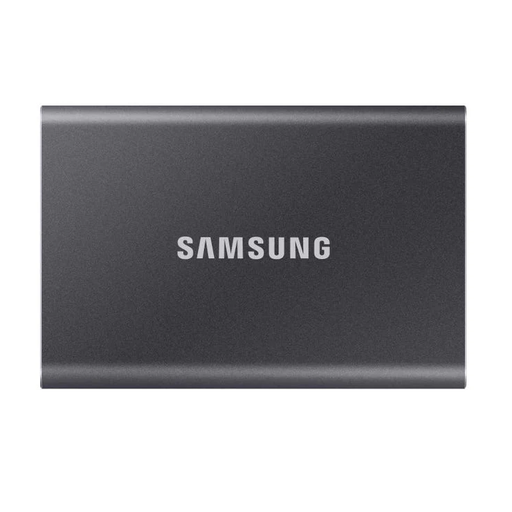
Samsung T7 and T7 Shield portable SSD lines are relevant if you want a reusable local drive for transferring exported files.
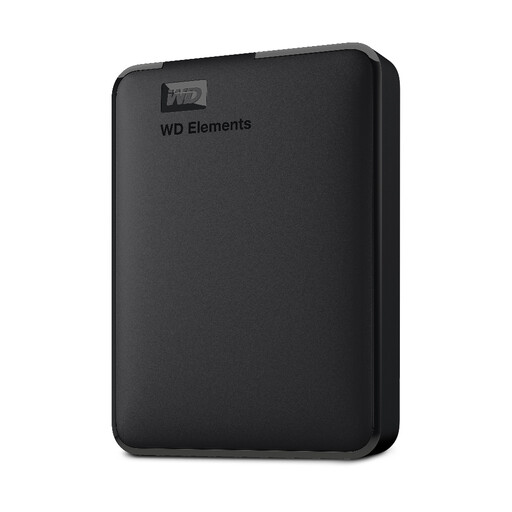
Seagate Expansion Portable drives offer a local file-transfer option; the relevant format depends on the specific drive and its existing setup.
Apple Photos export and iCloud downloads are relevant when the pictures are held in Apple’s photo ecosystem.
Windows file sharing and PowerShell file hashes can support a network transfer and checks of copied file contents.
These product choices cover local transfers using portable external SSDs and an external hard drive. Check the drive format, available capacity and connections against your own computers before choosing.
 No image available
A portable local drive for moving exported photo folders between computers.
Capacity: 2 TB. Interface: USB Type-C 3.2 Gen 2 (3.1 Gen 2). Listed sequential speeds: up to 1,050 MB/s read and 1,000 MB/s write; Samsung’s stated maximum-speed conditions include compatible USB 3.2 Gen 2 equipment and UASP.
The product description lists USB-C-to-C and USB-C-to-A cables.
 No image available
A portable local drive for transferring exported image files between computers.
Capacity: 1 TB. Interface: USB Type-C 3.2 Gen 2 (3.1 Gen 2). Listed sequential speeds: up to 1,050 MB/s read and 1,000 MB/s write; Samsung’s stated maximum-speed conditions include compatible USB 3.2 Gen 2 equipment and UASP.
The product description lists USB-C-to-C and USB-C-to-A cables.
 No image available
A portable local SSD for moving exported files between a Mac and a Windows computer.
Capacity: 1 TB. Interface: USB Type-C 3.2 Gen 2 (3.1 Gen 2). The product description states compatibility with Macs and PCs and mentions exFAT for cross-platform use if reformatting is needed.
Check the drive’s current format before transferring files; reformatting erases its contents.
 No image available
A portable local drive for carrying and transferring exported photo files.
Capacity: 2 TB. The product description states read speeds of up to 800 MB/s.
 No image available
A portable hard drive option for storing and transferring a local photo collection.
Capacity: 5 TB. Interface: USB 3.0.
Yes, but formatting erases the drive’s contents, so copy anything you need elsewhere first. Apple lists exFAT as a Windows-compatible format and gives guidance for Windows volumes over 32 GB; that is not a maximum file-size statement.
Compare the exported source and destination by folder path, file count and size, then open representative photos and videos and inspect the details you need in the Windows app. For unchanged copies, Microsoft’s Get-FileHash or the shasum utility can calculate hashes for comparison; compare against the exported files, not a newly rendered image or an entire Photos library package.
Copying a file and decoding it are separate steps. Microsoft’s HEIF Image Extension information says HEIC, HIF and HEIF images require the HEVC Video Extensions package. Test the Windows setup you intend to use and keep the original files if you also make more compatible viewing copies.
Do not treat an exFAT transfer drive or network share as interchangeable with an active Photos library. Apple’s supported external-library setup uses APFS or Mac OS Extended (Journaled), and Apple advises against storing the library on a network or cloud-shared device. Exported image files have different storage requirements.
No. Apple says photos and videos can appear as thumbnails until downloaded, and changes made elsewhere can synchronise. Check that the files you need are stored locally on Windows before treating the transfer as complete.