Native iOS testers working near daylight
If you need Xcode locally, check that your intended release supports the Mac’s macOS version. Then assess the exact display specification for your bright workspace.


Choose a compatible Mac if local Xcode and Apple-platform testing are essential; a Windows laptop is a route for Android-focused or Windows-first work. If you run several Android virtual devices at once, assess memory and storage against that workload. For either platform, check the exact screen configuration for window-side use rather than relying on the laptop family name or comparing brightness figures measured under different conditions.
If you need Xcode locally, check that your intended release supports the Mac’s macOS version. Then assess the exact display specification for your bright workspace.
Decide whether your test plan calls for one Android Virtual Device, several at once or physical devices. Concurrent virtual devices make memory and storage more important.
If your development tools suit Windows, look for a configuration whose screen finish and brightness are specified. Do not assume every panel offered within a laptop family is the same.
Settle the platform required by your local testing tools first. Then size the laptop for your virtual-device workload and check the particular panel you will use beside the window.
Choose when: Your builds or simulators require Xcode installed locally on a compatible macOS version.
Check: Match the intended Xcode release to macOS before choosing a memory and storage configuration.
Choose when: Android or Windows-first tools are central and carrying the laptop matters more than planning for several concurrent emulators.
Check: A thin configuration still needs enough memory for the virtual devices you actually intend to run.
Choose when: Several Android virtual devices or other development tasks will run together.
Check: Verify the selected configuration’s capacity and whether its size suits where you will work.
| Concern | What to check | Who this matters to |
|---|---|---|
| Local Apple-platform compatibility | Match the intended Xcode release to supported macOS versions; check the chosen memory and storage configuration. | If I need to build and test with Xcode locally, platform compatibility comes before screen preferences. Around 28% of consumers put that requirement first. |
| Android emulator capacity | Count simultaneous Android Virtual Devices and check installed memory and SSD capacity. Android Developers advises approximately 4GB of memory per concurrently running virtual device when using multiple devices. | Running several virtual devices alongside my development tools makes capacity the deciding factor; around 36% of consumers prioritise this need. |
| Screen readability beside a bright window | Check the exact panel’s finish and stated brightness, including the conditions attached to any HDR peak figure. | Once my platform requirements are met, I need to see code and test screens comfortably near the window. This is the primary concern for around 36% of consumers. |
Panel and other configuration details can vary. Lenovo UK specifies a 500-nit anti-glare IPS display for ThinkPad part number 21NSCTO1WWGB2; that specification should not be assumed for every X1 Carbon.
Keep the exact model or part number to hand and confirm its panel finish, brightness, memory and storage on the product page.
Android Developers advises approximately 4GB of memory per virtual device when multiple Android Virtual Devices run simultaneously. Your development tools need memory too.
Count the devices you expect to run together before selecting a configuration; consider whether physical-device testing also fits your plan.
Apple UK describes the MacBook Pro’s 1,600-nit figure as peak HDR brightness. It is not a like-for-like everyday brightness comparison with the 500-nit specifications cited for particular Lenovo and HP displays.
Read the measurement conditions and check the exact panel’s finish when assessing it for a desk beside a bright window.
GOV.UK says an extended warranty is optional and may overlap with other protection. It does not remove statutory rights concerning faulty goods.
Compare its cover and exclusions with the manufacturer warranty, retailer terms and any insurance you already hold.
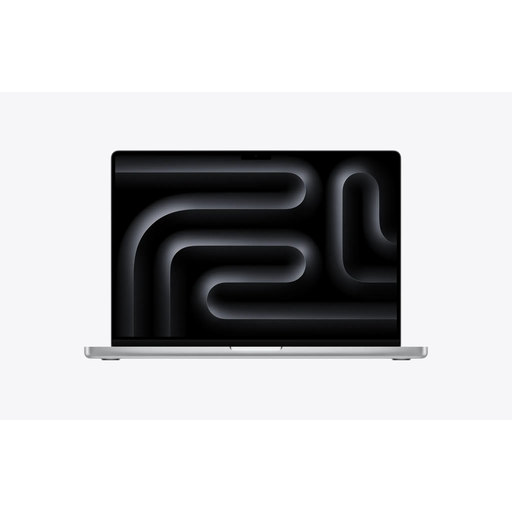
The MacBook Pro line is relevant when local Xcode work and a high-brightness display specification are both priorities.
A specified ThinkPad X1 Carbon configuration illustrates a portable Windows route with an anti-glare display.
The OMEN 16 line illustrates a Windows route for shoppers considering greater capacity for parallel development work.
These Mac and Windows laptops offer different starting configurations for local Apple-platform or Windows-first app work. For a bright-window desk, confirm the exact display specification before choosing.
 No image available
Consider this Mac configuration if your testing requires local Apple-platform tools; check its installed macOS version against your intended Xcode release and confirm the display specification for your desk.
The listed M5 Max configuration has an 18-core CPU, 32-core GPU, 36GB memory and a 2TB SSD.
 No image available
For a Windows-first development setup, assess this configuration against the tools and number of virtual devices you plan to use. Check the exact panel finish and brightness for window-side work.
It is listed with a 15.6-inch display, Intel Core 5 120U, 24GB memory and a 1TB SSD.
 No image available
This is another Windows configuration to assess for Android-focused work. If several virtual devices are central to your plan, weigh its listed memory against their combined demands and check the panel for your lighting.
The title specifies an AMD Ryzen 7 170, 16GB memory, a 1TB SSD, GeForce RTX 5050 and a 15.6-inch 144Hz FHD display.
 No image available
If your Windows workflow includes several parallel tasks, this configuration offers a stated memory and storage capacity to assess. Check software compatibility and how its touchscreen handles your window-side lighting.
The listed model has a 16-inch 4K OLED touchscreen, AMD Ryzen AI 9 HX 370, GeForce RTX 5080 16GB, 64GB memory, a 2TB SSD and Windows 11 Home.
 No image available
For local Apple-platform work in a 15-inch MacBook Air format, check the installed macOS version against your intended Xcode release. Confirm the screen specification before choosing it for a bright-window desk.
The listed M5 configuration has a 10-core CPU, 10-core GPU, 16GB memory and a 1TB SSD.
If your workflow requires Xcode locally, choose a Mac whose macOS version supports your intended Xcode release. Apple Developer publishes the version requirements; do not assume a Windows laptop alone meets that local requirement.
Yes. Android Developers describes testing with a physical Android device and Android Device Streaming as options alongside the Android Emulator. Choose according to the devices and configurations your test plan needs to cover.
Android Developers advises approximately 4GB per Android Virtual Device when multiple devices run simultaneously, with actual use varying. Allow memory for your development tools and other applications as well; the per-device figure is not a total laptop memory requirement.
Check the exact panel’s finish and brightness rating, then read the conditions attached to the rating. For example, Lenovo UK lists a 500-nit anti-glare panel for a specified ThinkPad configuration, while Apple UK’s 1,600-nit MacBook Pro figure is an HDR peak rating; the two figures should not be treated as directly equivalent.
No. GOV.UK says extended warranties are optional and that statutory rights concerning faulty goods still apply. Check the cover and exclusions against protection you already have before deciding whether additional cover is useful.