
24/7 Customer Support

Free returns

Same-day & Next-day Delivery

Quality Guaranteed

Unlock Your Welcome Offers: FREE Delivery | Up to 80% OFF | Free 30-day JoyPlus trial
Download the APP
Navigating the laptop market can feel like a minefield of technical jargon and clever marketing. When considering a significant purchase like a new Apple laptop, it's easy to fall into common traps that lead to buyer's remorse. As your Joybuy Product Recommendation Officer, my role is to help you sidestep these pitfalls and identify the features that truly matter for your needs, ensuring you get the right device without overspending.
Before you decide, let's look at the most frequent missteps UK buyers make:
To make an informed choice, it's crucial to understand what key specifications mean for your day-to-day use. Let's break down the non-negotiables for a modern, lightweight laptop.
The arrival of the M5 chip laptop series marks another step forward in Apple's silicon. The key is understanding its practical benefits. A model equipped with a 10-core CPU and 10-core GPU, like the new MacBook Air, is engineered for efficiency. This translates to a device that can handle dozens of browser tabs, high-resolution video streaming and demanding productivity apps simultaneously, all without the distracting noise of a fan. It provides a smooth, responsive experience whether you're compiling a report or editing holiday photos.
Unified memory, or RAM, is your laptop's short-term workspace. The more you have, the more tasks you can run smoothly at once. While 8GB was once sufficient, for a MacBook Air 2026 model, considering 16GB RAM is a practical step towards future-proofing your investment. For professionals juggling spreadsheets, presentations and video conferences, or students running research software alongside their notes, 16GB ensures the machine remains fast and capable for years to come, making it a worthwhile consideration.
For a long time, a larger screen meant a heavier, bulkier laptop. The appeal of the 15-inch Apple laptop for professionals and students lies in its ability to offer more screen real estate for multitasking—viewing documents side-by-side or enjoying a more immersive film—while remaining exceptionally thin and light. The Liquid Retina display technology also provides sharp text and vibrant, accurate colours, which is easier on the eyes during long work sessions.
Instead of a one-size-fits-all approach, the right laptop depends on your specific lifestyle and workload. Here are our recommendations matched to different user profiles.
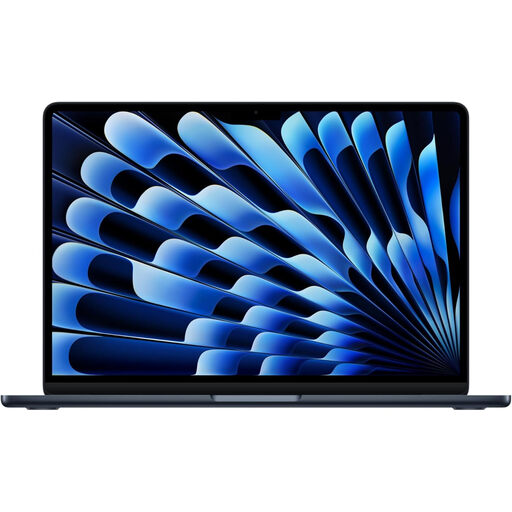
Why This Fits Their Persona: This user needs a large screen for productivity but values portability for commuting or client meetings. The Apple MacBook Air 15-inch M5 offers an expansive display for multitasking with documents and spreadsheets, without the weight of a traditional 15-inch laptop. The sleek Midnight finish is also a popular choice if you want to buy MacBook Air Midnight.
It sidesteps the "Pro" upsell by providing a large screen and powerful M5 performance without the cost of features most office professionals don't need. The 16GB RAM configuration avoids the future performance bottleneck.
The combination of a large 15-inch Liquid Retina display in an ultra-thin, fanless and lightweight design. Excellent battery life for a full day's work.
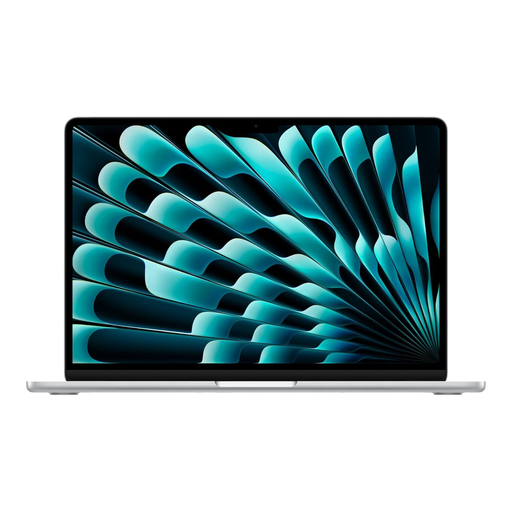
Why This Fits Their Persona: This user is a classic lightweight laptop for students or professionals who prioritises portability. They want the latest M5 performance for heavy multitasking but in a compact form factor for use on trains, in cafes, or carrying in a small bag.
It delivers the same M5 chip and 16GB RAM as its larger sibling, ensuring no compromise on power, while correctly prioritising portability over screen size. This avoids paying for a larger screen that isn't needed.
Offers M5-level performance in the iconic, highly portable 13-inch form factor. The 512GB SSD provides ample storage for applications and files.
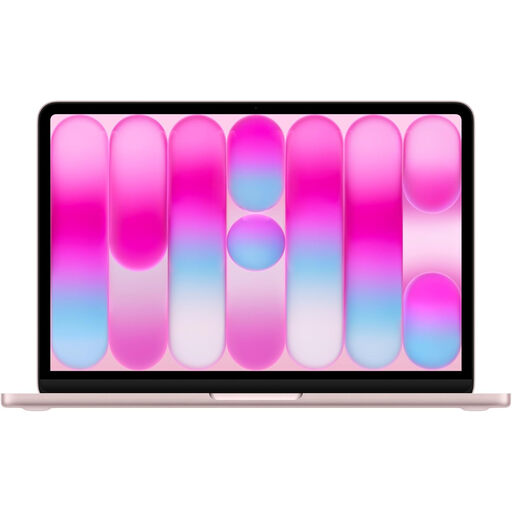
Why This Fits Their Persona: This user is entering the Apple ecosystem for the first time, perhaps as a student or for home use. They need a reliable, stylish machine for web browsing, streaming and writing essays, but don't have the budget for an M5-powered device.
It prevents overspending on performance that isn't needed. The A18 Pro chip is more than capable for everyday tasks, ensuring the user gets a premium experience without paying for the M5's higher processing ceiling.
Provides an accessible entry point into the macOS ecosystem. It features a modern, lightweight design and a high-quality Liquid Retina display.
We have compiled a complete, real-time list of products that fully satisfy these strict selection criteria and UK safety regulations.
For the vast majority of users, including professionals and students, 16GB of unified memory is an excellent choice for the MacBook Air 2026. It provides ample headroom for heavy multitasking, running numerous browser tabs and even light creative work like photo editing. It's a solid configuration for ensuring smooth performance for several years.
The Apple M5 chip is designed for remarkable power efficiency, meaning it generates less heat for the performance it delivers. For everyday tasks, professional productivity and media consumption, the fanless design remains cool and completely silent. Only during prolonged, intensive tasks like exporting a long 4K video might you notice the chassis getting warm, but the system is designed to manage its temperature effectively.
While official figures provide a benchmark, real-world battery life depends on your usage. For a typical day of mixed-use—web browsing, writing documents, video calls and streaming—most users can comfortably expect to get through a full workday without needing to charge. The M5 chip's efficiency is a key factor in its long-lasting battery performance.